Patients can now opt out of broadcast messages Copied
Patients and caregivers can now unsubscribe from announcement emails sent by your practice using Bulk Actions > Send Announcements. This update helps reduce unwanted emails and gives patients and caregivers more control over their communication preferences.
The new unsubscribe statement will appear at the end of each announcement email with a link to opt out. After clicking the link, users will be sent to a separate web page to confirm that they wish to unsubscribe.
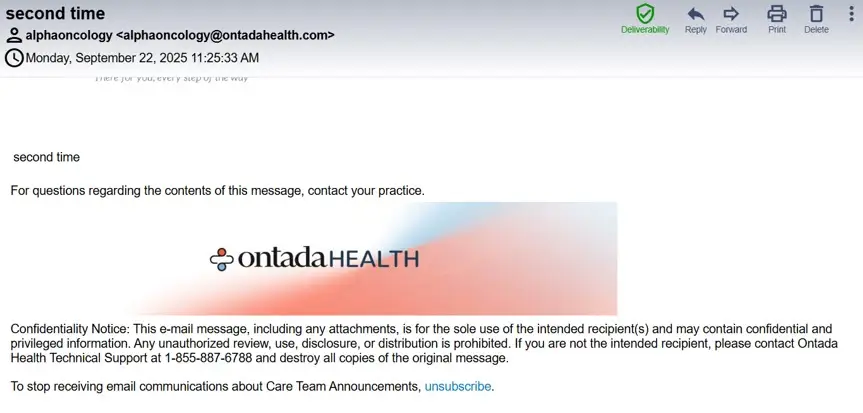
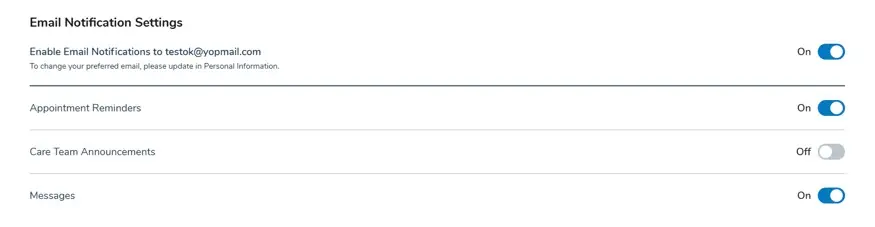
Upon confirmation, the new Care Team Announcements setting will automatically toggle off in the patient’s My Account > Email Notification Settings. Patients can re-enable announcements anytime by toggling this setting back on.
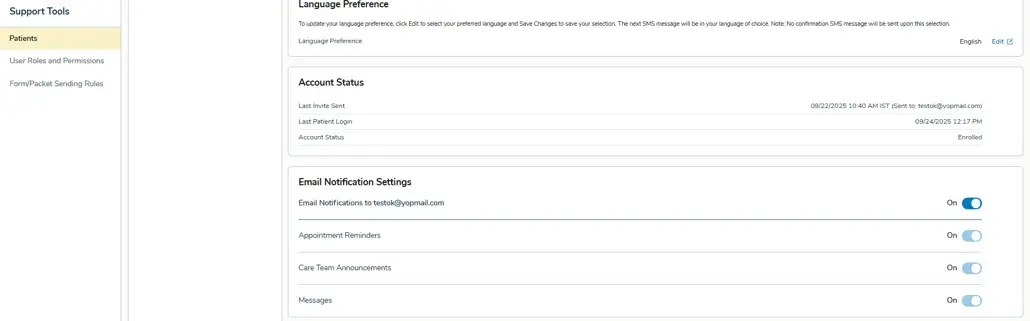
Practices can also resubscribe patients through Support Tools > Patients > Email Notification Settings.