Task Management window enhancements Copied
Full-screen window
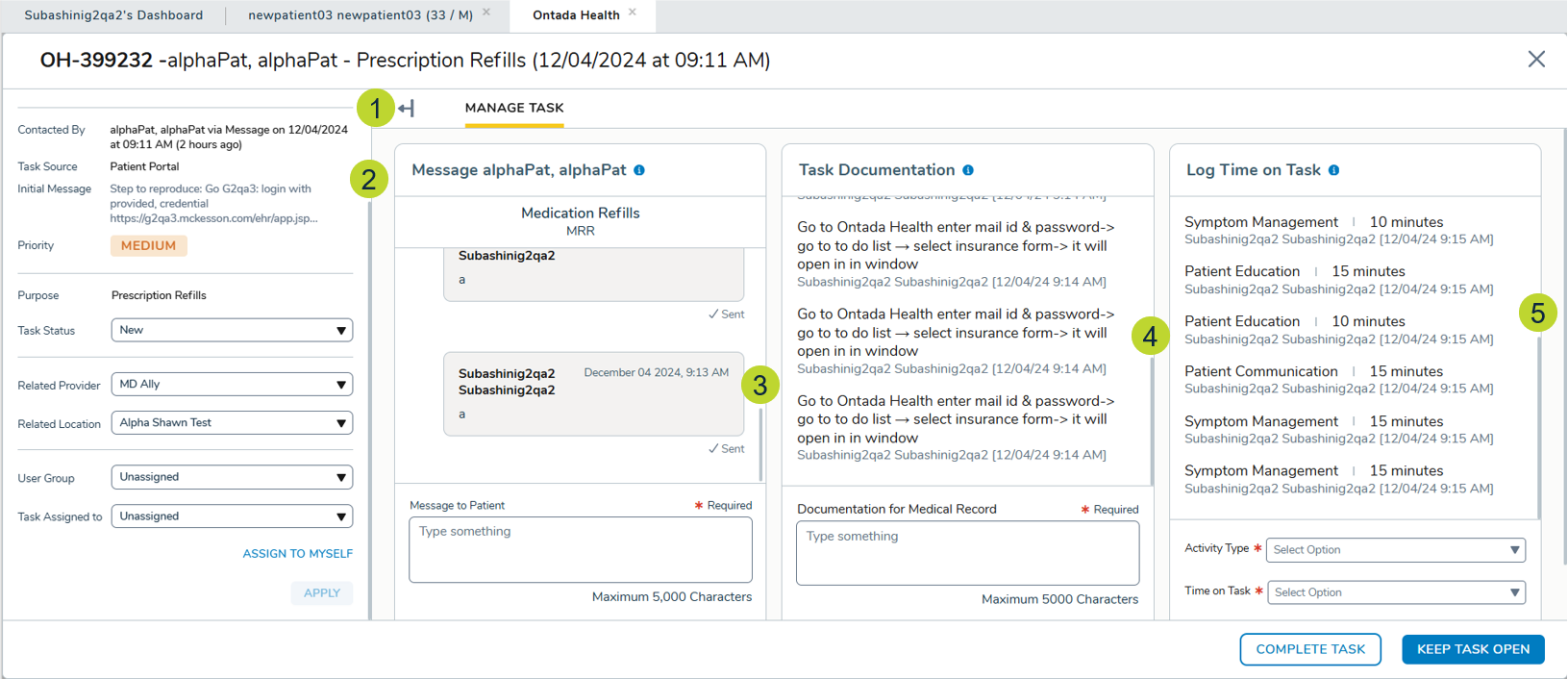
The Manage Task window is now full screen, providing a larger and more user-friendly workspace.
Collapsible left panel
The left panel is expanded by default but can now be collapsed by clicking the expand/collapse icon, creating additional space for other areas (callout 1).
Independent scrolling areas
The following sections now scroll independently to enhance usability:
- The entire collapsible left panel, including the patient banner (callout 2).
- Messaging, Task Documentation, and Log Time On Task areas (callouts 3-5).
Configurable sections
- Messaging, Task Documentation, and Log Time On Task sections can now be hidden based on practice configuration.
- By default, all sections are visible.
- Hidden sections allow remaining sections to expand horizontally to fill available space.
- If all sections are hidden, the Manage Task tab itself will also be hidden, but the left panel remains accessible.