Statuses provide visibility into sent forms Copied
To prevent duplicate forms from being sent when patients schedule additional appointments for different specialties (e.g., radiology), we’re introducing new statuses in the Send Forms queue.
These statuses will display in the following locations:
- The Sent Forms table under Bulk Actions > Send Forms > Sent Forms.
- The Sent Forms Summary window when sending forms from the Sent Forms page, in a new Status column in the Patients table.
New sent form statuses
NOTE: When describing a form as “blocked” below, this refers to forms that were not sent because the patient previously completed the form within the past 90 days. The 90-day timeframe can be configured by your practice as needed.
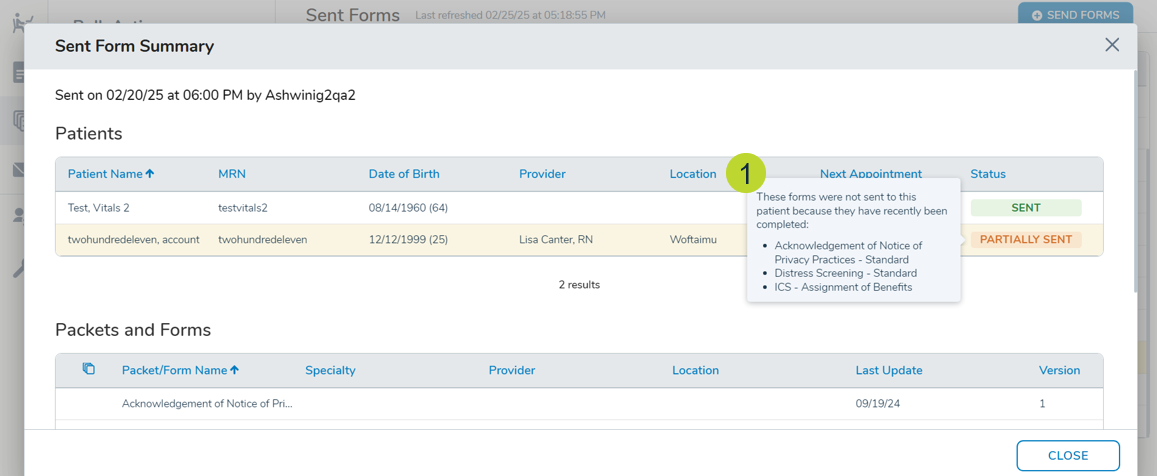
- PARTIALLY SENT (callout 1): Appears when some, but not all, forms in a batch are blocked from being sent.
- Applies when multiple forms are sent to a patient, but at least one is blocked.
- Appears if a single form is sent to multiple patients, but at least one of patient’s form is blocked.
- Appears if multiple copies of the same form are sent to multiple patients and some of the forms are blocked.
- Hover message: “These forms were not sent to this patient because they have recently been completed: Form Name, Form Name…”
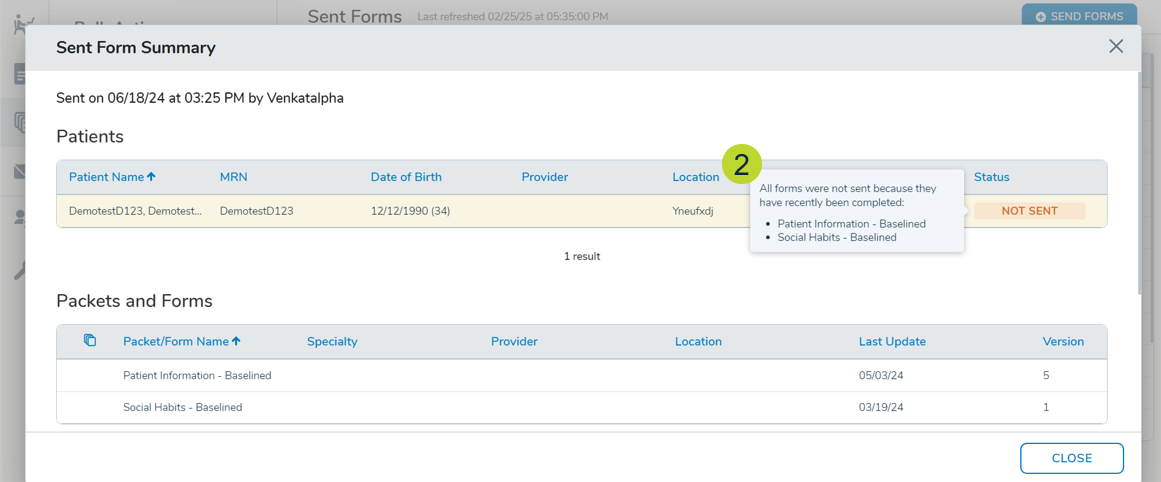
- NOT SENT (callout 2) – Appears when all forms in a batch are blocked.
- Applies when a single form sent to one patient is blocked.
- Applies if multiple forms are sent to a patient and all are blocked.
- Applies if multiple copies of the same form are sent to multiple patients and all are blocked.
- Hover message: “All forms were not sent because they have recently been completed: Form Name, Form Name…”
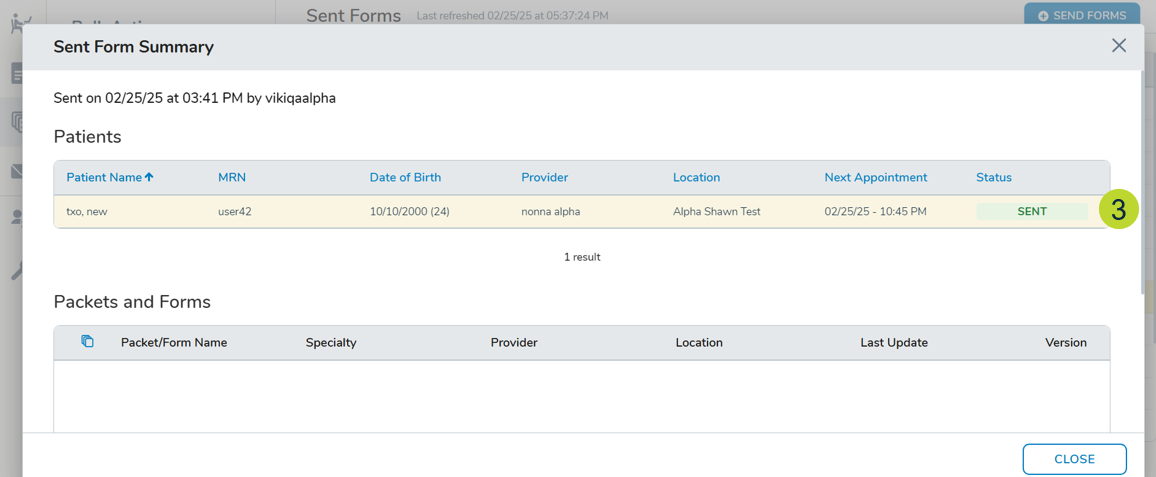
- SENT (callout 3) – Appears when no forms are blocked (existing behavior).