
SMS for Patient Appointment Management and New Portal Messages Copied
Patients can now opt in to receive text message notifications from their practice for two things: confirming, rescheduling, or canceling an appointment, and knowing when their care team has sent them a new message.
SMS reaches patients where they already are. Replying to a text takes seconds compared to a phone call or portal login, which means fewer no-shows and faster awareness of new communications from the practice.
Note: These notification types are only available to practices using the Ontada Health patient portal. Once your practice has Ontada Health enabled, patients become eligible to turn on Appointment Reminders and Messages. There’s one distinction to be aware of: patients must be enrolled in the Ontada Health portal to receive Messages, since messages are viewed there, but patients do not need to be enrolled in the portal to receive or respond to Appointment Reminders.
What’s new
How patients opt in
Patients sign up for text messaging from their My Account page. They select a phone number already on file or enter a new mobile number, then toggle on SMS notifications and choose which notification types they want to receive.
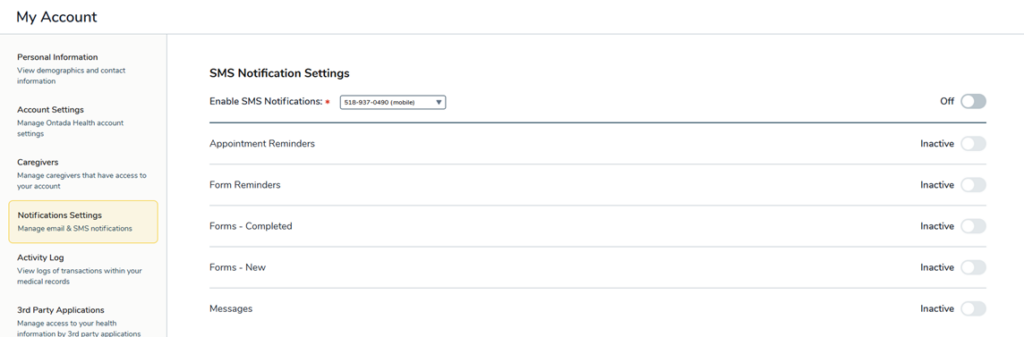
Practices can also opt patients in directly from Support Tools > Patients and can see or adjust which notification types are active for any patient.
Your practice has the option to enable an automatic opt in. By doing so, patients receive SMS notifications by default and can opt out at any time. This allows patients without Ontada Health portal access to still confirm appointments and stay aware of new messages via text. Practices interested in automatic opt-in should contact their Ontada Technology Account Manager.
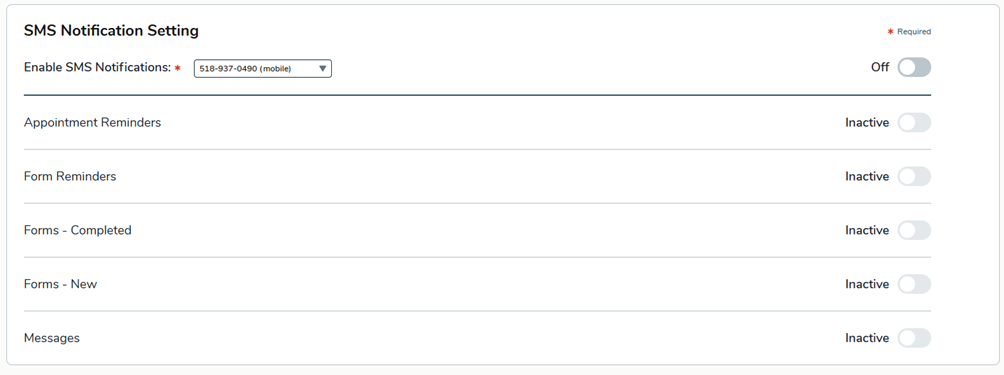
Note: SMS notifications are available to patients only; caregivers cannot receive SMS messages at this time. Furthermore, if a patient’s preferred language is set to Spanish, all messages and responses are automatically sent in Spanish.
Appointment reminders in action
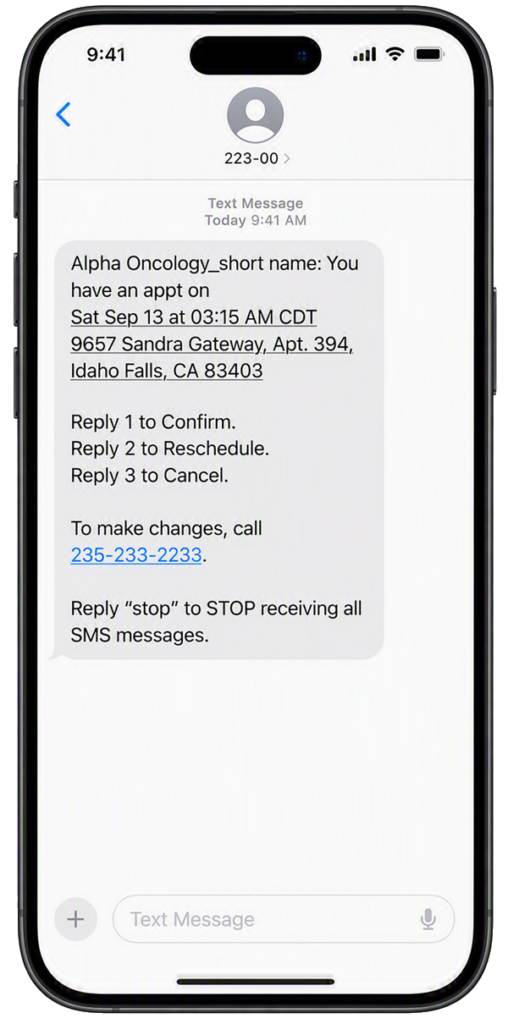
Patients respond to an appointment reminder with a simple number: “1” to confirm, “2” to reschedule, or “3” to cancel.
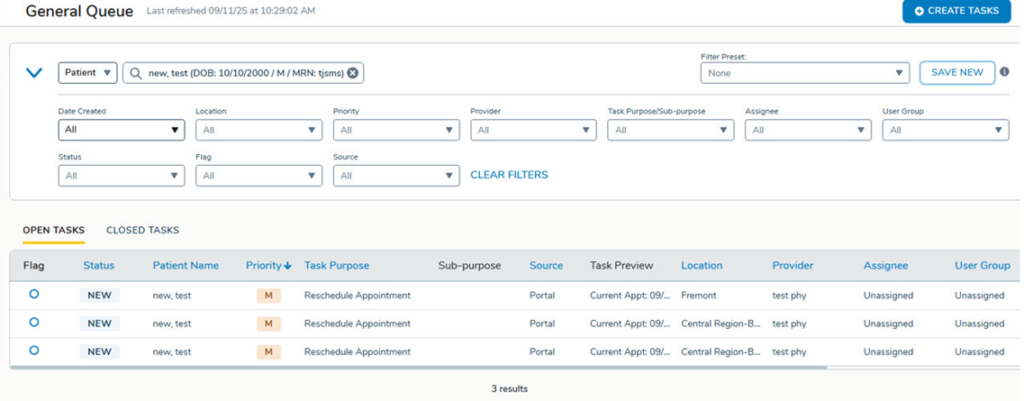
Reschedule or cancellation requests are flagged as pending in the patient portal until the task is completed by your practice using the General Queue in the admin tools.
Messages in action
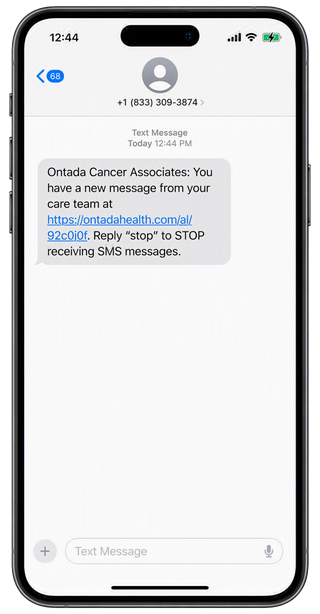
Practice staff can send a patient a message directly from the General Queue in the admin tools. The patient receives an SMS letting them know their care team has sent a new message, with a secure link to log in and view it. Patients still read and respond inside the portal as this isn’t two-way texting with the practice.
Opting out is global
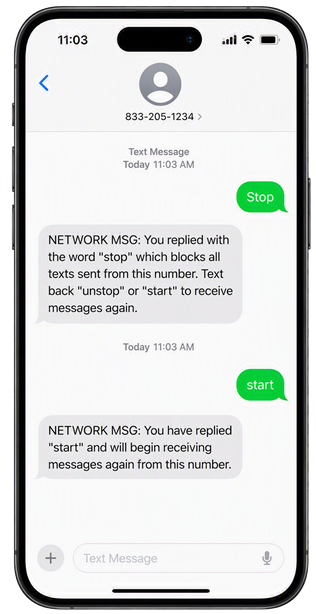
If a patient replies “STOP” to any SMS notification, the master SMS toggle and every individual notification type are switched off at once. Patients can’t opt out of just one notification type.
Patients can opt back in at any time by replying “START” or by re-enabling SMS notifications from the portal. Practices can also opt a patient back in from Support Tools > Patients.
Reporting and visibility
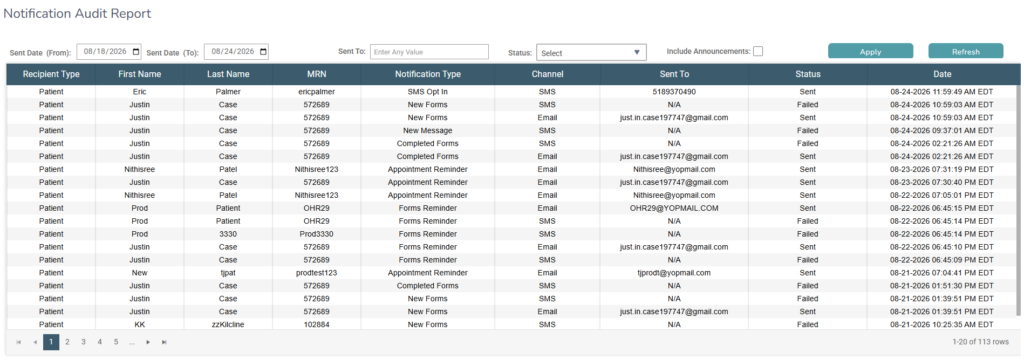
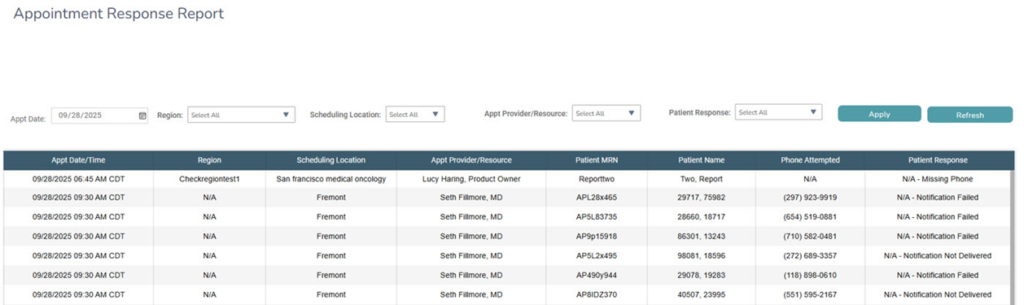
Three reports in iKnowMed under Admin > Reports give practices visibility into SMS activity:
- Notification Audit Report: Provides a comprehensive view of every notification the system has sent by email or SMS for patient invites, appointment updates, form reminders, and more.
- Appointment Response Report: Shows how patients responded to each reminder (Confirmed, Canceled, Reschedule Requested, or No Response) by practice location.
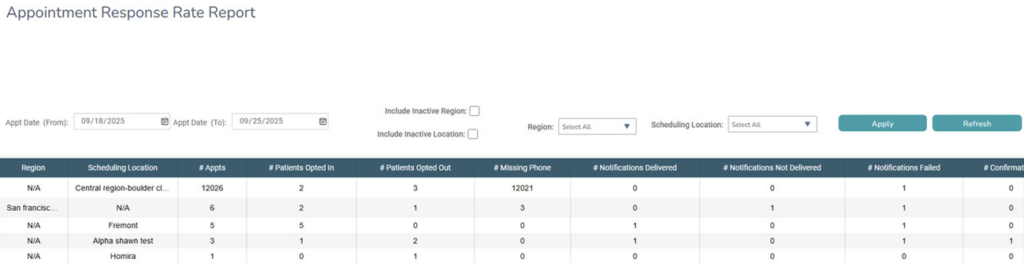
- Appointment Response Rate Report: Tracks Delivery rates and opt-in/opt-out activity across locations.
Why this matters
SMS reaches patients where they already are. Patients are far more likely to read and act on a text than an email and replying takes seconds compared to a phone call or portal login. That translates into measurable practice benefits throughout the entire patient journey:
- Fewer no-shows: Appointment confirmations, reschedules, and cancellations requests happen in real time, so staff spend less time on reminder calls and have better visibility into the day’s schedule.
- Direct line to patients: Messages give practices a fast, mobile-friendly way to alert patients that they have a message waiting for them in the portal without a phone call or waiting for patients to discover it on their own.
- Built-in reporting: The available reports make it easy to track engagement and delivery across locations.
Together, these notifications make SMS a complete engagement channel rather than a single-purpose reminder tool, which is what makes it a strong add-on conversation for your practice.
Resources
Read our FAQs about Appointment Reminders notifications