
Patient SMS Appointment Management Frequently Asked Questions Copied
How do I enable SMS Appointment Management for my practice?
To begin using SMS appointment management contact your Ontada Technology Account Manager to enable these notification types for your practice.
Are patients required to be enrolled in the Ontada Health patient portal to receive SMS appointment management text messages?
No. Patients don’t need to be enrolled in the Ontada Health patient portal.
Where do patient phone numbers come from?
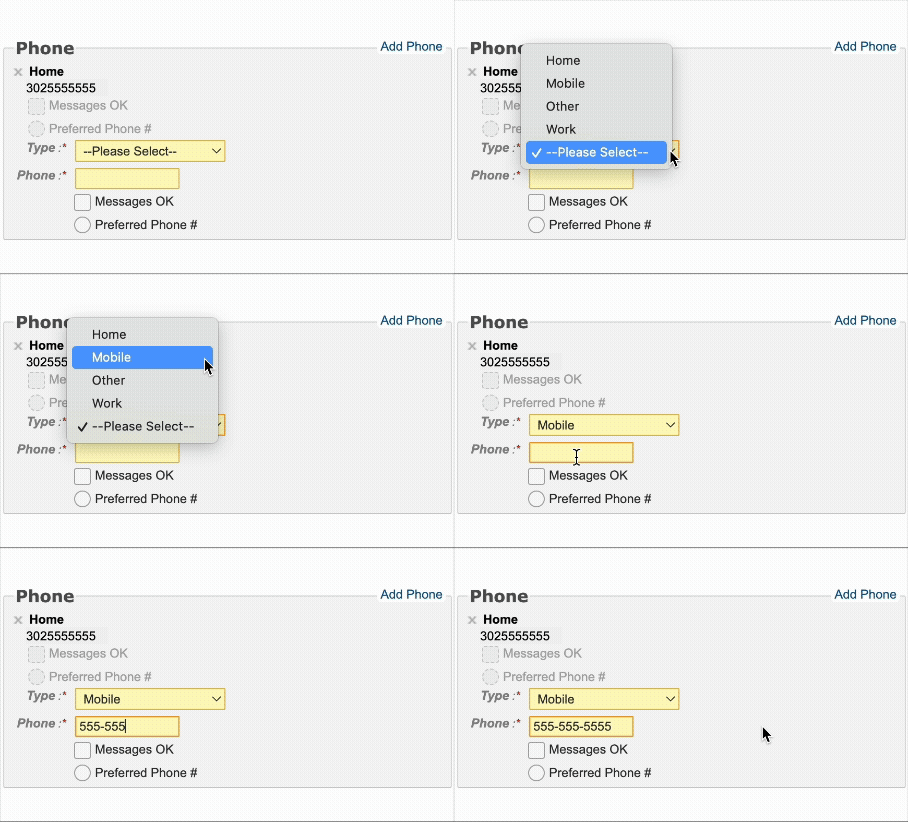
Patient phone numbers are pulled from the information listed in iKnowMed. Ontada Health prioritizes numbers marked as Mobile. For best results, confirm that the patient’s mobile number is entered and labeled correctly as “Mobile” in iKnowMed.
Can patients see available dates and times when they request a reschedule?
No. When a patient replies to reschedule, the system creates a task in the General Queue. A member of your team will need to contact the patient directly to finalize the new appointment details.
Is SMS appointment management opt-in or opt-out?
Your practice has the option to enable an automatic opt in. By doing so, patients receive SMS notifications by default and can opt out at any time. This allows patients without Ontada Health portal access to still confirm appointments and stay aware of new messages via text. Practices interested in automatic opt-in should contact their Ontada Technology Account Manager.
Can Caregivers receive SMS messages?
SMS notifications are available to patients only. Caregivers cannot receive SMS messages at this time.
If a patient’s preferred language is set to Spanish, what language will messages and responses be in?
If a patient’s preferred language is set to Spanish, all messages and responses are automatically sent in Spanish.
Can practices customize message text?
Currently message text is the same for all practices. Practice customization for text messages may be added in the future.
Is training available for staff?
Yes. Training resources are available on the iKnowMed help menu. Courses include:
- General Queue Management
- Task Management
- Filter Presets
How can my practice track visibility across locations of SMS activity?
There are two new reports in Self-Service Reporting to support visibility in SMS activity:
- Appointment Response Report: Shows how patients responded to each reminder (Confirmed, Canceled, Reschedule Requested, or No Response) by practice location.
- Appointment Response Rate Report: Tracks delivery rates and opt-in/opt-out activity across locations.