
Self-service forms and packet sending rules Copied
Practices can now create and manage their own form and packet sending rules directly in the portal. No need to contact your Ontada Health Account Manager for new or updated configurations. Previously, this page was view-only.
What’s changing
To get started, a user must have Full permissions for the Form Sending Rules page. Users with View-only permissions will not be able to see or update these settings.
To adjust user permissions, follow the instructions on the User Roles and Permissions page in Support Tools.
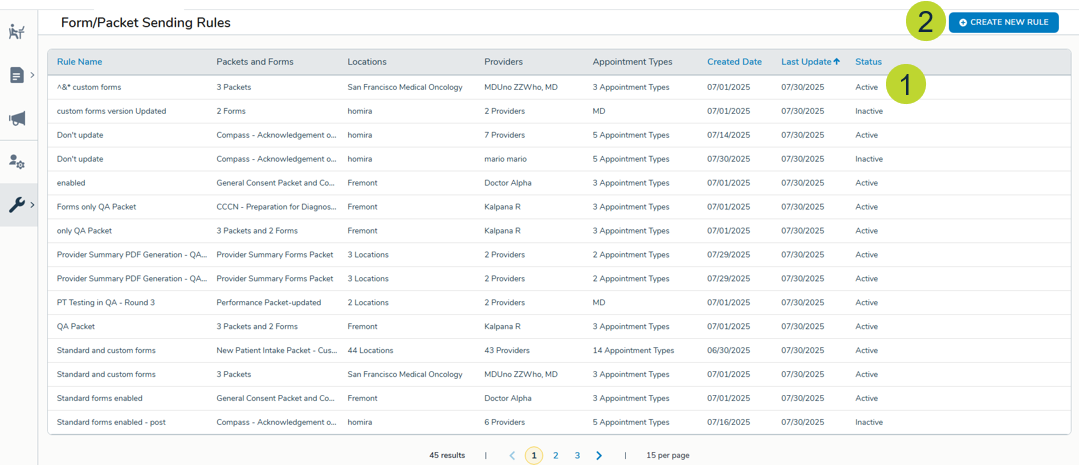
Once access is in place, users can navigate to the Form/Packet Sending Rules page to edit an existing rule or click Create New Rule to build a new one (callouts 1 and 2).
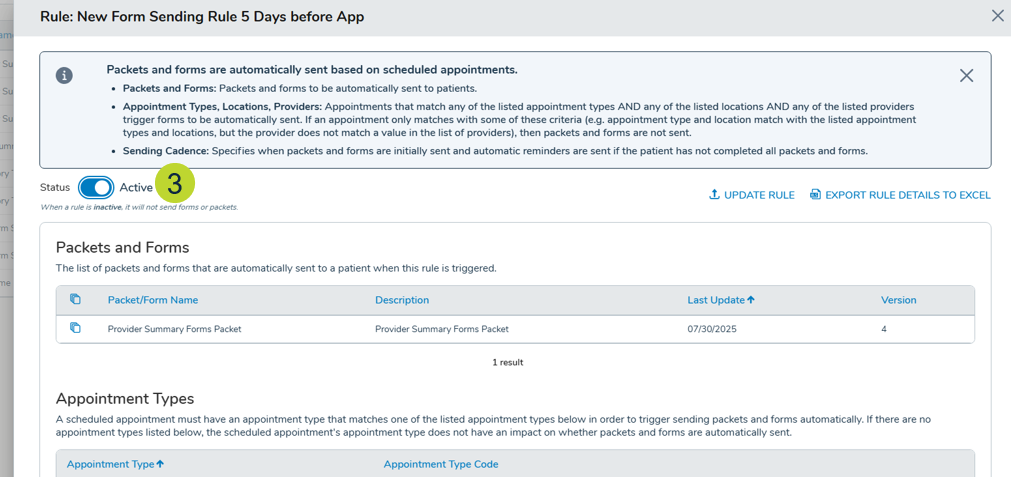
Each rule includes a Status toggle that controls whether the rule is actively enforced (callout 3). Setting it to Active will trigger automatic form or packet sending per the rule’s configuration, while Inactive pauses it without deleting it.
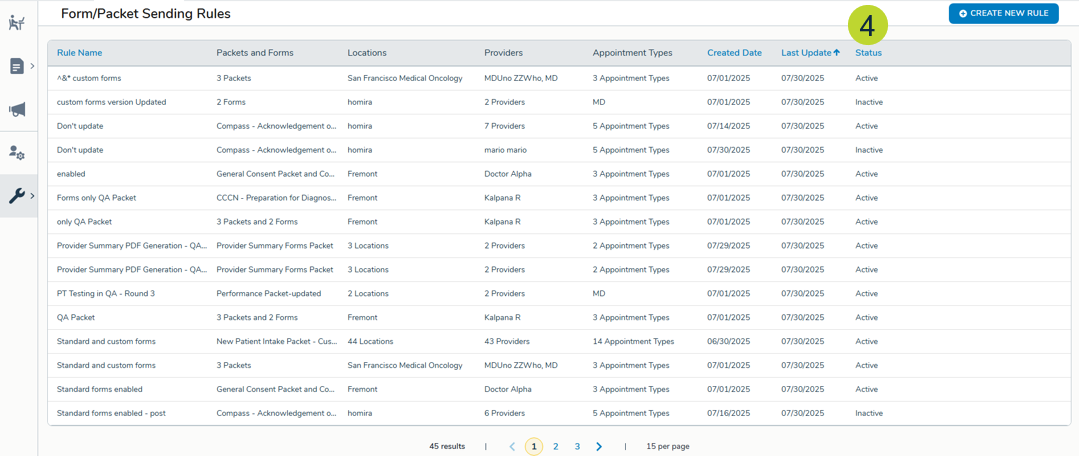
A new Status column on the rules table makes it easy to see at a glance which rules are on or off (callout 4).
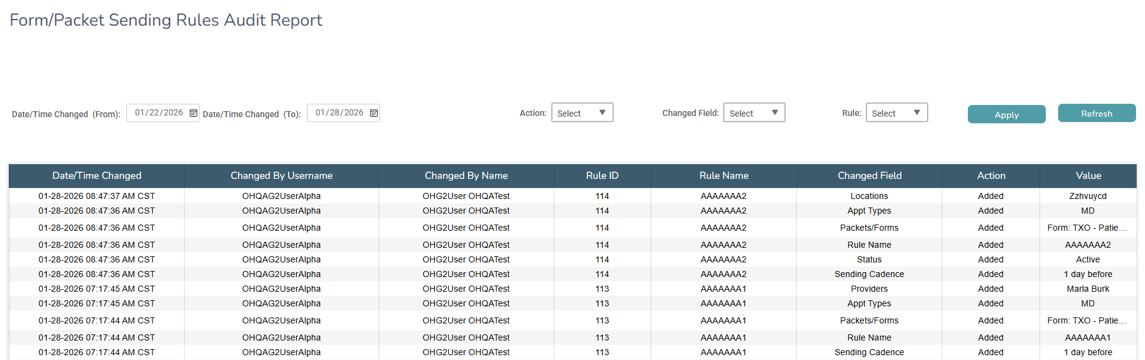
To audit your practice’s rule activity, a new Form and Packet Sending Rules Audit Report is available in iKnowMed under Admin > Reports. This report shows each rule, the date and time it was changed, who made the change, and what was updated.
Why this matters
Relying on your Account Manager to make rule changes creates delays and adds unnecessary back-and-forth. This update puts that flexibility directly in your hands, so you can respond quickly to workflow changes, activate or pause rules on your own schedule, and maintain a clear audit trail of who changed what and when.
Resources
For full instructions on creating and updating rules, visit the Help site.