Patient Contacts Form Copied
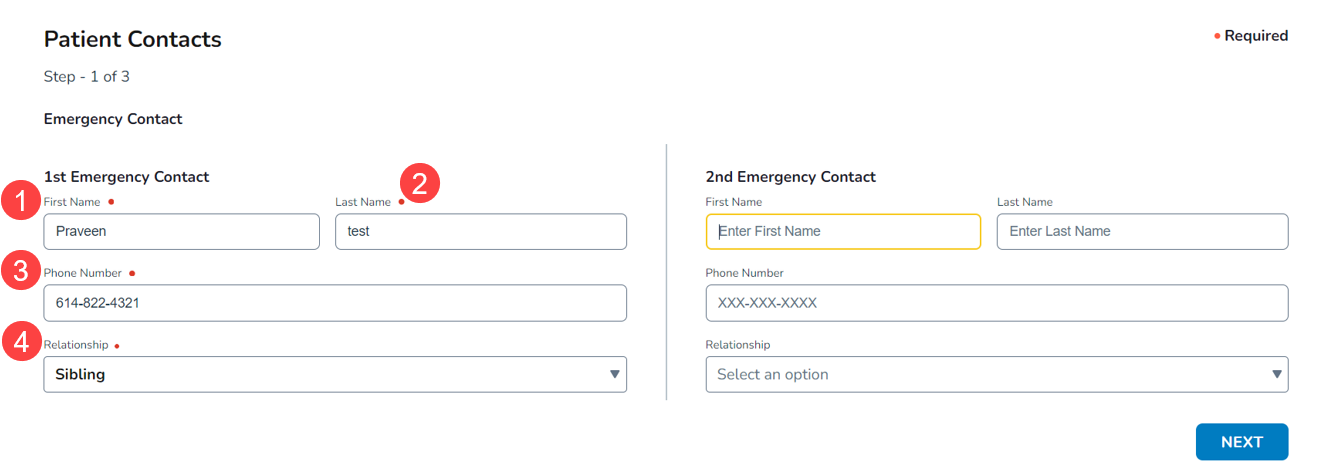
Step 1: Updated Emergency Contact page to include:
- Prepopulated information based on the emergency contact information already captured in your Practice Management System (PMS).
- If there is no emergency contact information for this patient in your PMS, then the patient must manually complete the form.
- All required fields for 1st Emergency Contact must be completed before proceeding (callouts 1-4).
- Adding a 2nd Emergency Contact is optional; however, if another contact is added then the First Name, Last Name, Phone Number, and Relationship fields must be completed before proceeding.
Step 2:
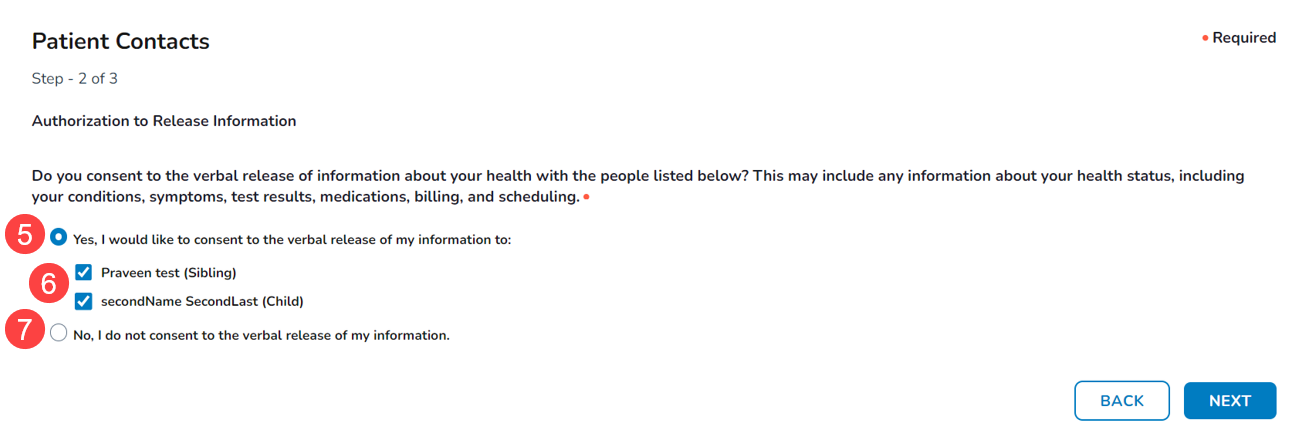
- Display an Authorization to Release Information.
- Automatically select the option to grant permission to release information to an emergency contact (callout 5).
- One contact must be selected to proceed (callout 6).
- Patients may also choose to decline authorization (callout 7).
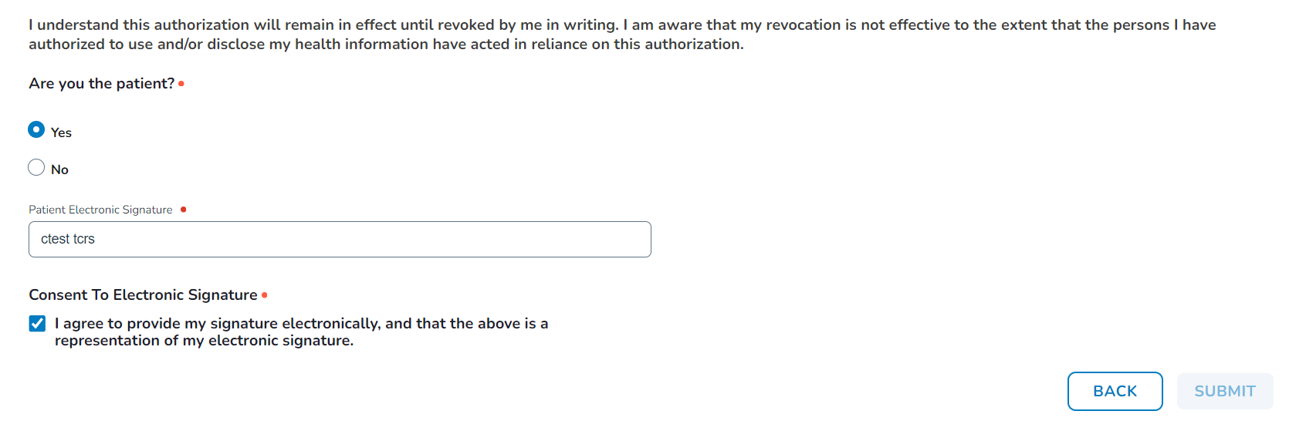
Step 3: Consent statements updated to include:
- Consenting patients acknowledge that their information may be shared with their emergency contact(s) until they revoke the authorization (see example below).
- Declining patients acknowledge their decision to decline consent.