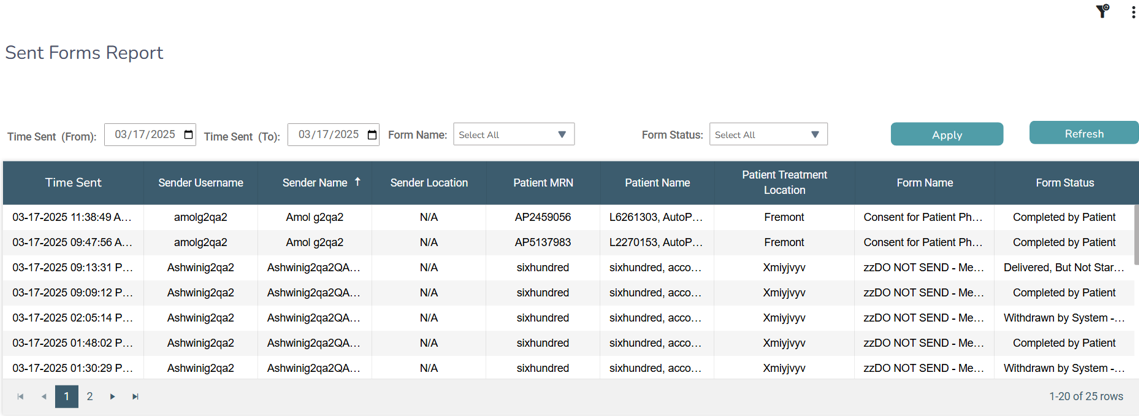
New Sent Forms Report Copied
The Sent Forms Report can help practices track e-Registration form activity and ensure staff are utilizing the system effectively.
Key features
- Displays all sent forms, including those sent to both restricted and non-restricted patients.
- Provides details on when a form was sent, who from the practice sent it, patient information, form name, and form status.
NOTE: Note: The Sender Location column will display “N/A” until the May 2025 release. After that release, the column will automatically populate with the sender location information.
- Shows up to 1,000 rows in the report view. To access all results, users can download the Excel version of the report.
This new report enhances visibility into form completion workflows, helping practices monitor and optimize their workflows.