New form withdrawal feature keeps Forms Queue organized Copied
The new form withdrawal feature allows you to effortlessly manage incomplete forms for patients who prefer filling them out on paper or who missed the completion deadline. This update will help you maintain a clean and organized Forms Queue.
- To withdraw a form, select a form from the queue.
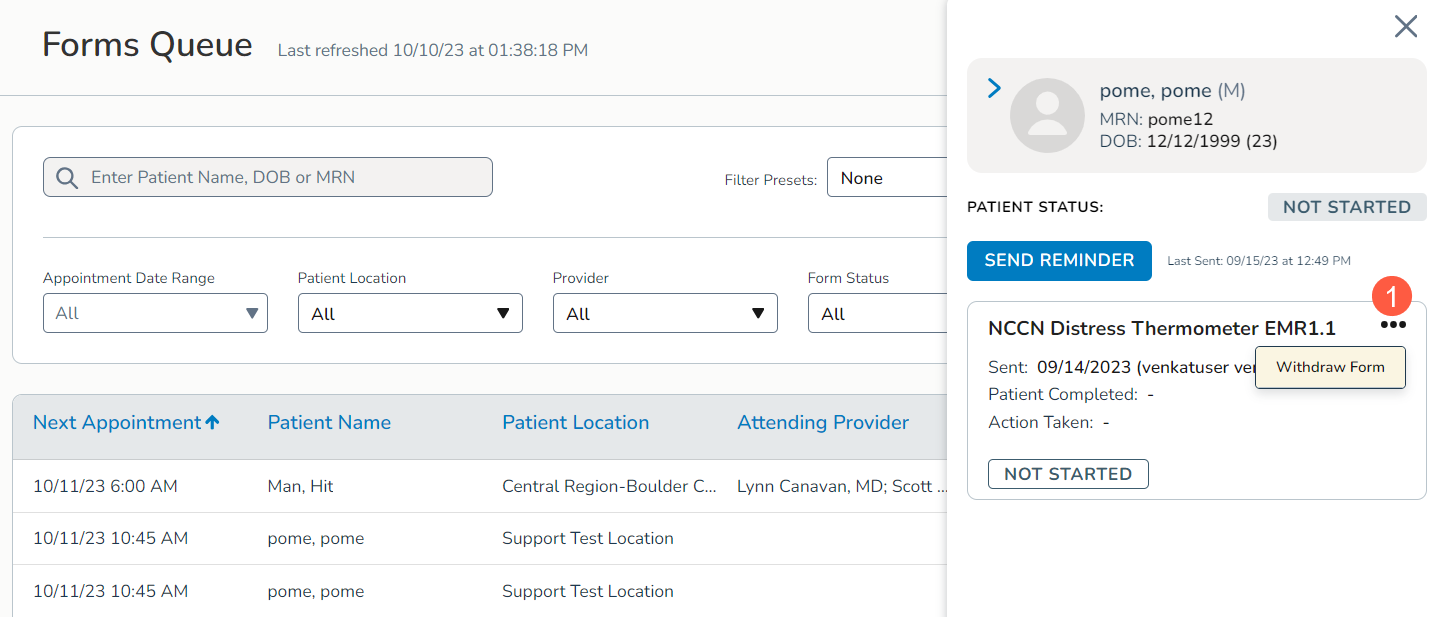
- Click on the three dots in the corner of the form and click Withdraw Form (callout 1).
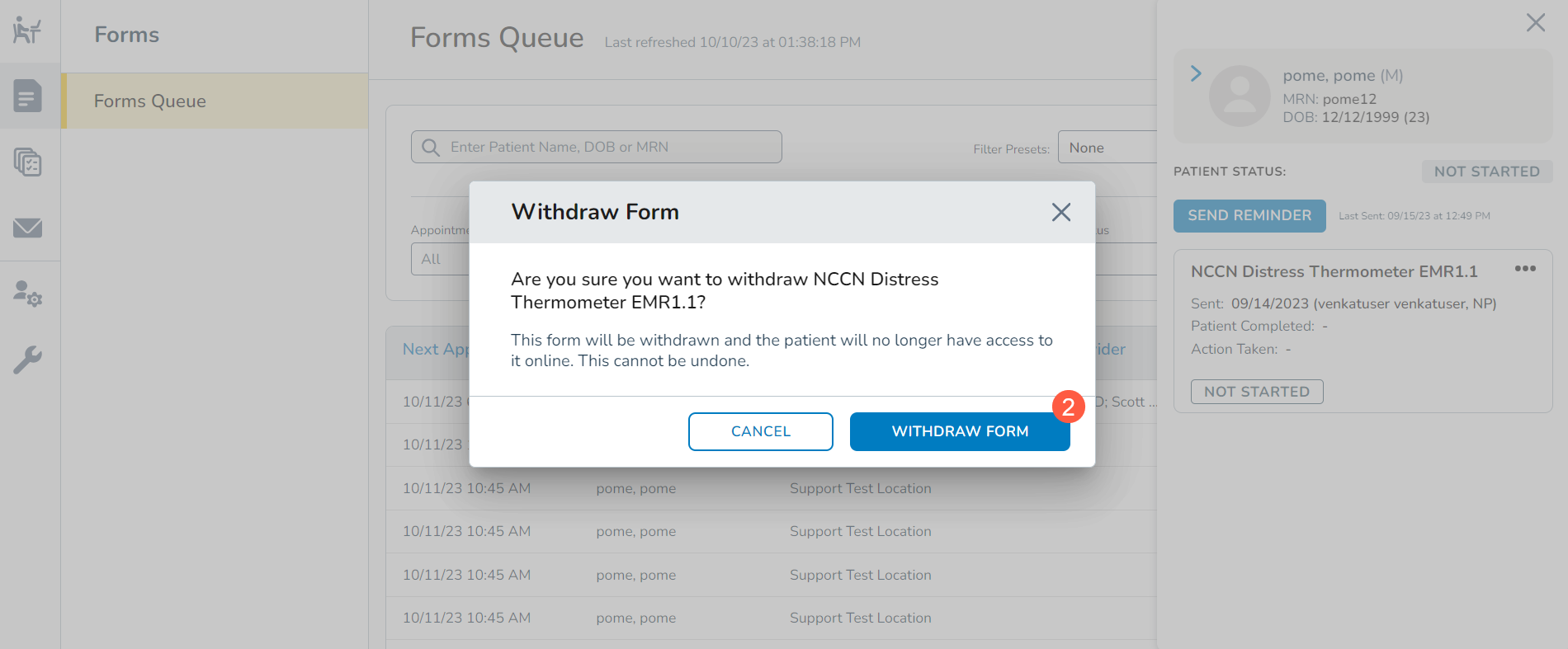
- In the confirmation window, select Withdraw Form to complete the process (callout 2).