
New features for restricted patient charts Copied
n this release, we’re introducing a series of enhancements to the Ontada Health admin tools designed to honor restrictions set on patient charts within iKnowMed.
In the next release, we’ll refine the restricted patient charts experience. Ontada Health will sync with iKnowMed functionality, ensuring that users without restricted patient access permission won’t be able to view these patients in the admin tools. Access to these charts will be restricted to users with the requisite permissions. When accessing, users will be prompted to provide a reason for entry and to input the PIN linked to their iKnowMed account for added security measures.
Here’s what you can expect
- Visual indicator for restricted charts: Patient charts marked as restricted will now be identified in Ontada Health admin tools with a visual indicator and tooltip (callout 1), serving as a clear signal of the restricted status at a glance.
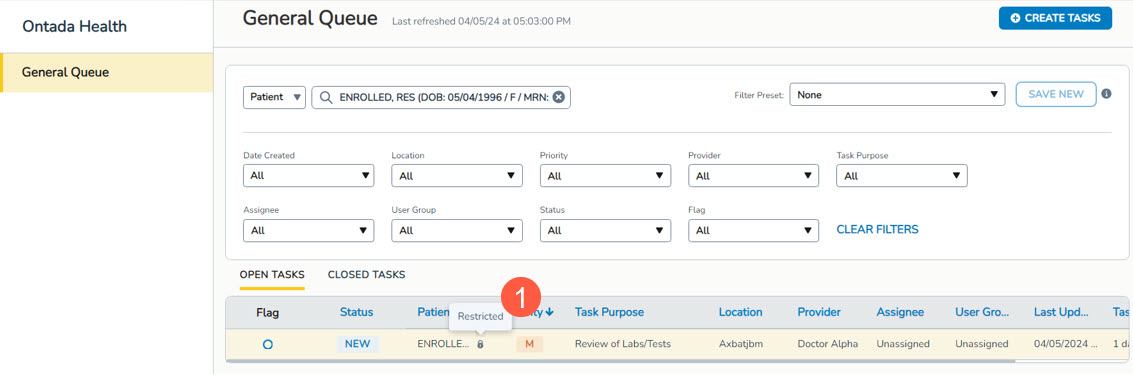
- Visibility across admin tools: The visual indicator will appear consistently across various admin tools, including the General Queue, Forms Queue, Support Tools, and Message History.
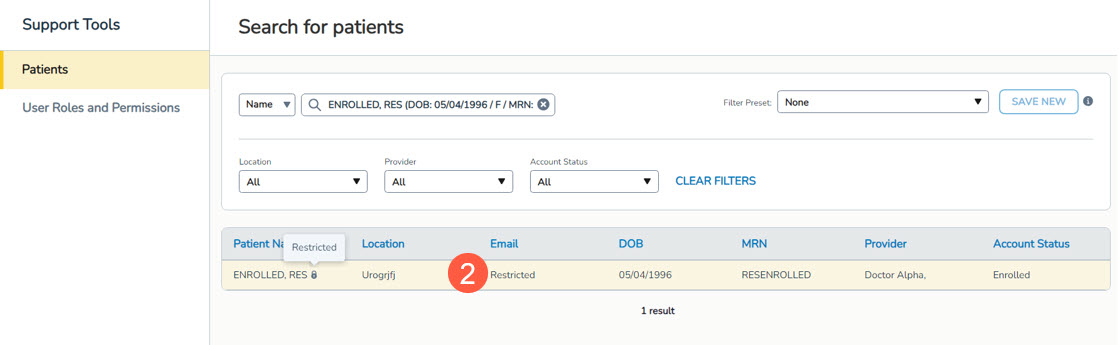
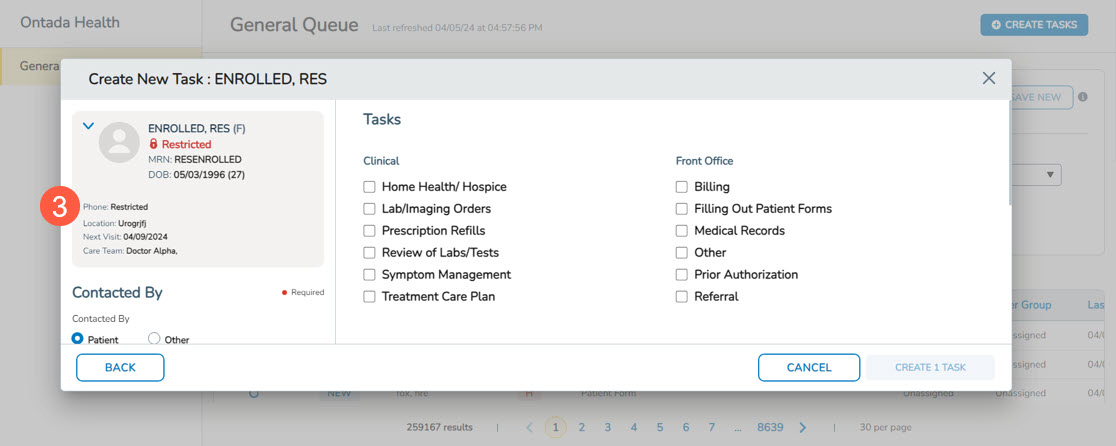
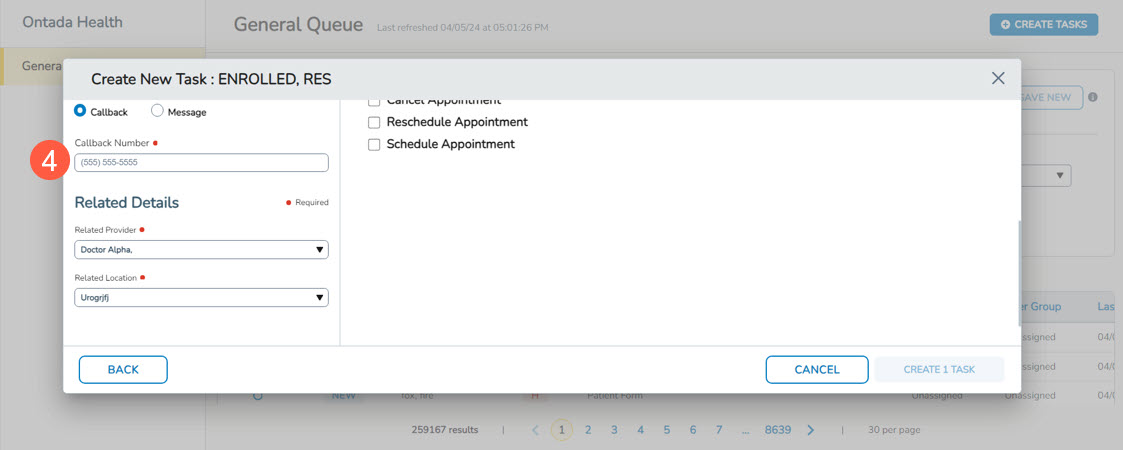
- Enhanced information security: To further protect patient privacy, certain details will be masked or limited for restricted patients. In Support Tools, the patient’s email address will be masked (callout 2). Additionally, when creating tasks for restricted patients in the General Queue, no phone number or pre-filled callback number will be displayed (callouts 3 and 4).
- Seamless transition for current patients: As part of this release, all existing patients in iKnowMed who are marked as restricted will automatically receive the visual indicator in Ontada Health admin tools. Their email addresses and phone numbers will be masked as noted above to immediately honor their privacy preferences.