
Manual SMS reminders Copied
Flexible reminder options
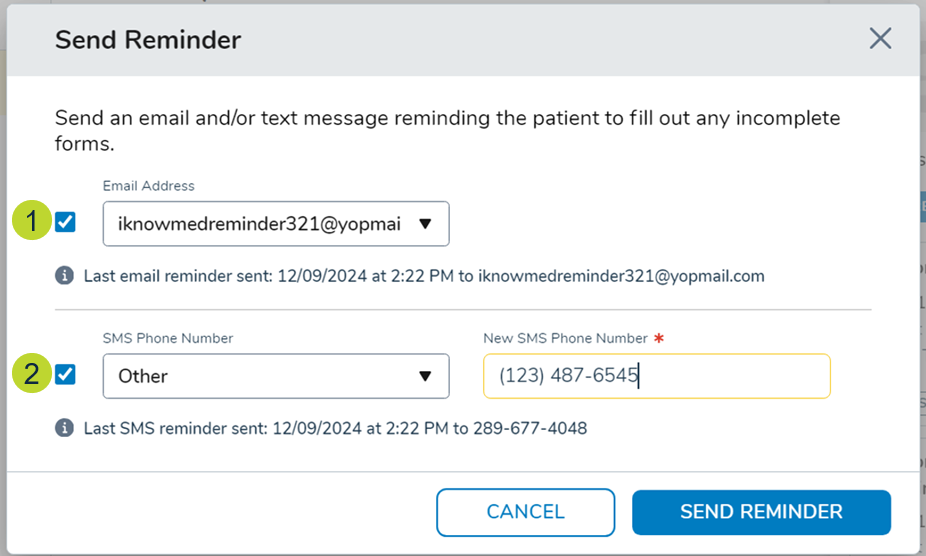
Practice users choosing to send reminders manually will now see a window with the following information:
Options to send reminders via email, SMS, or both.
- By default, both options are selected, but users can adjust as needed (callouts 1-2).
- Choose an email address or phone number from the dropdowns, which are prepopulated with information from the patient’s Demographics tab in iKnowMed.
- Manually enter new email addresses or phone numbers using the “Other” option.
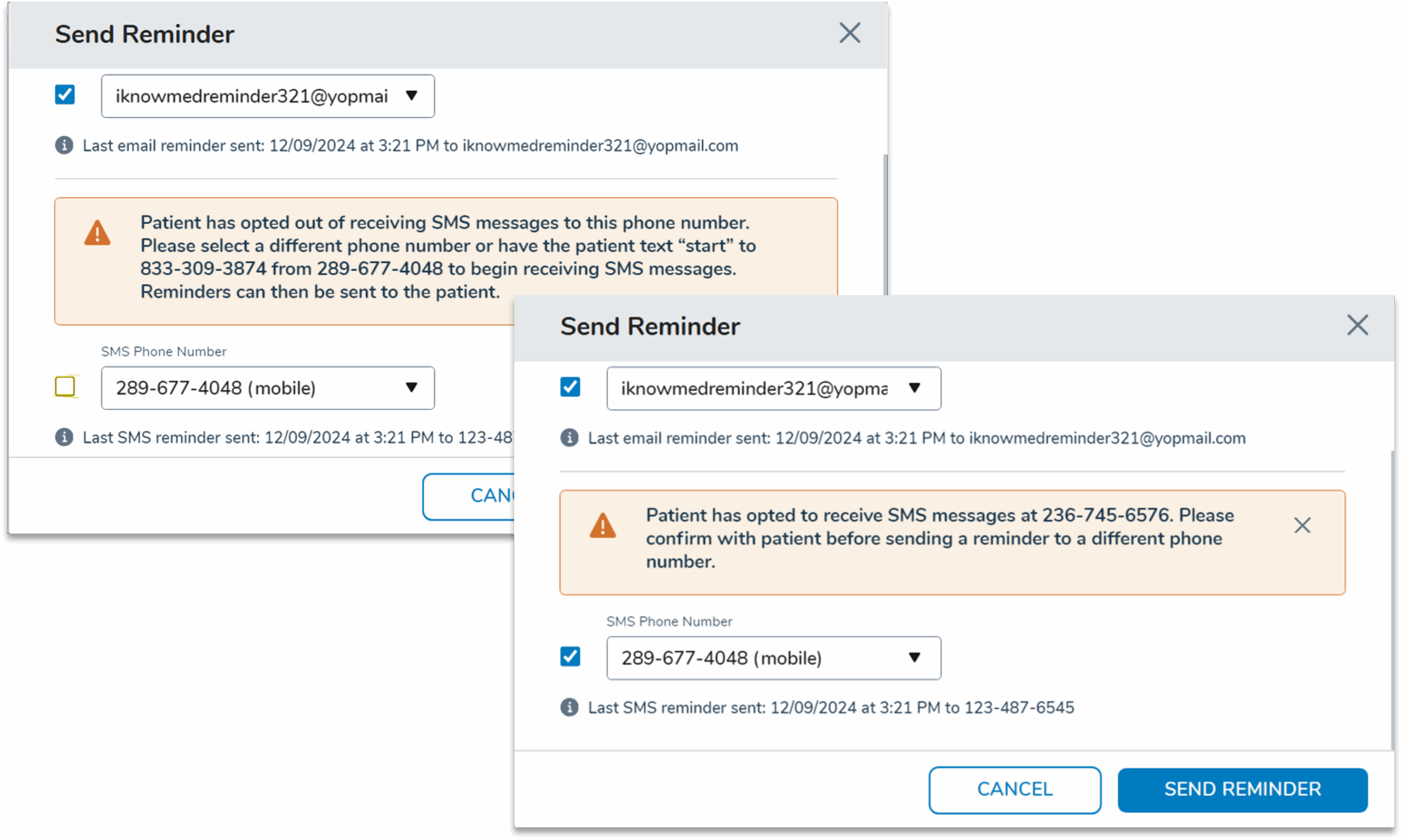
- A message will appear to notify users if the patient has opted out of SMS reminders or if opt-in is required before sending reminders.
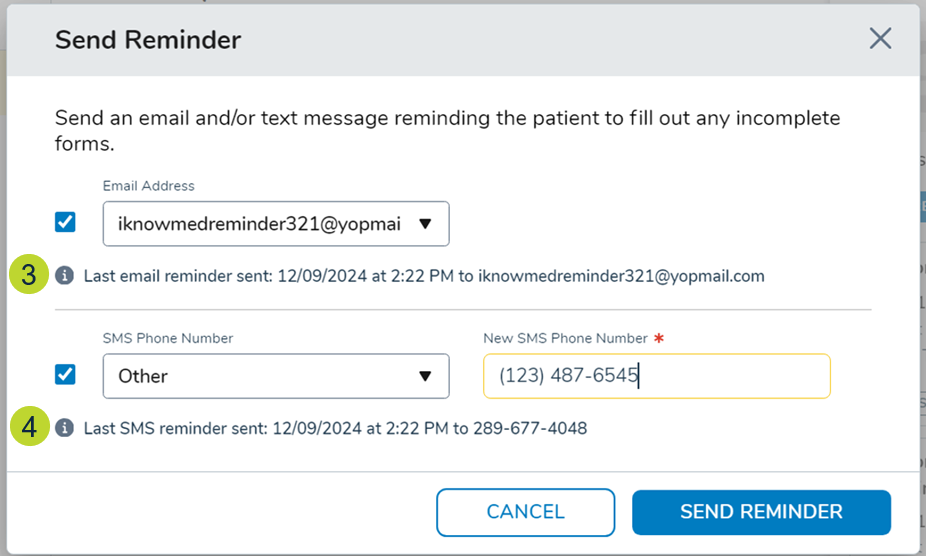
Reminder history with the last sent date and recipient details will show (callouts 3-4).
Error resolution
If a manual reminder delivery fails, errors will appear in the Forms Queue. To resolve:
- Resend reminders to a different or corrected contact.
- Successfully delivered reminders automatically remove related errors.
- Forms manually withdrawn or resent after an error will remove the error.