
General Queue and Message History enhancements Copied
In this release, we made a series of enhancements to the General Queue and Message History features, designed to streamline your workflow and improve your user experience.
Improved filtering in the queues
Efficiency is key, and we’ve boosted the filtering capabilities of our queues to help you swiftly locate relevant information. These enhancements ensure a quicker and more seamless task completion process.
New Flag filter in the General Queue
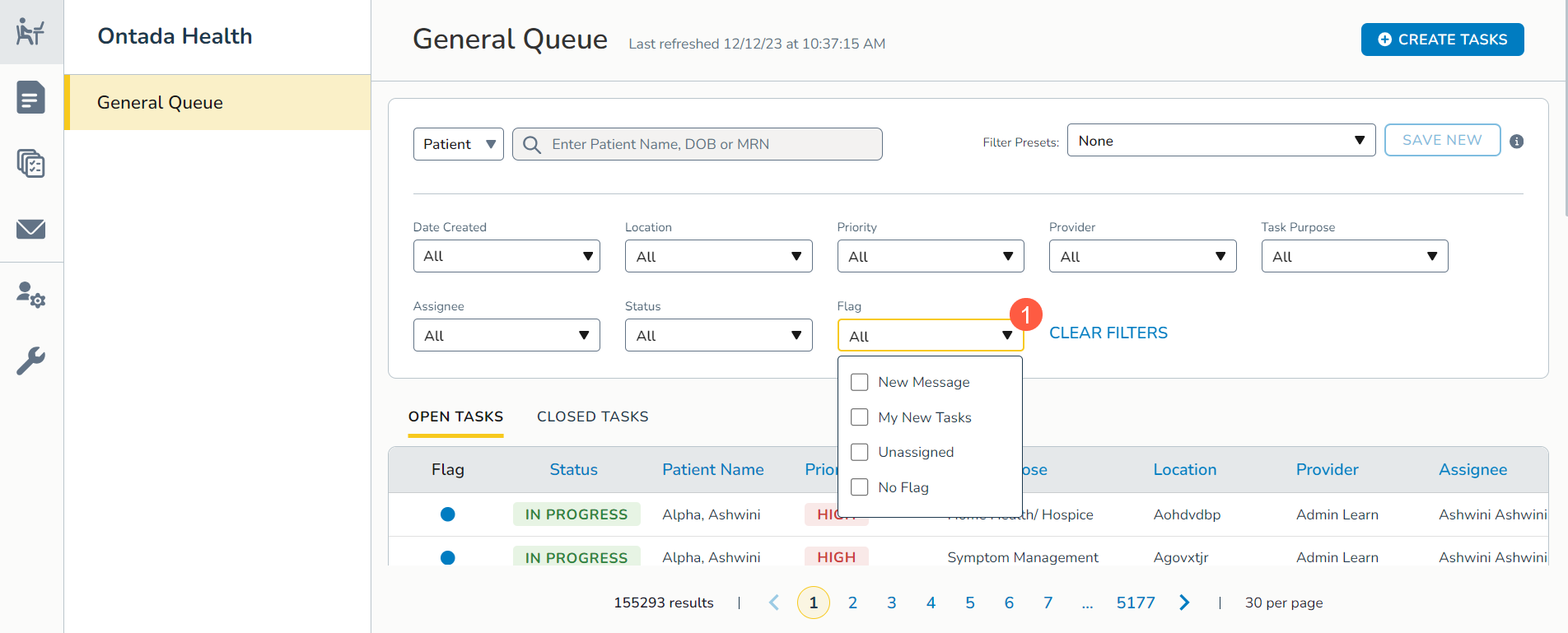
We are introducing a new Flag filter to enhance task tracking and response management (callout 1). You may select one or more of the following Flag filter options:
- Unassigned: Quickly identify new tasks or unassigned items with a ring icon in the Flag column.
- My New Tasks: Tasks assigned or reassigned to you are now denoted with a blue circle in the Flag column.
- New Message: Stay on top of patient interactions by viewing tasks with new patient or caregiver messages as indicated by an envelope icon.
- No Flag: Tasks with icons removed from the Flag column once actions are taken, keeping your view clutter-free.
Enhancements to existing filters in both queues
Locate information effortlessly with improved filters in both the General Queue and Message History.
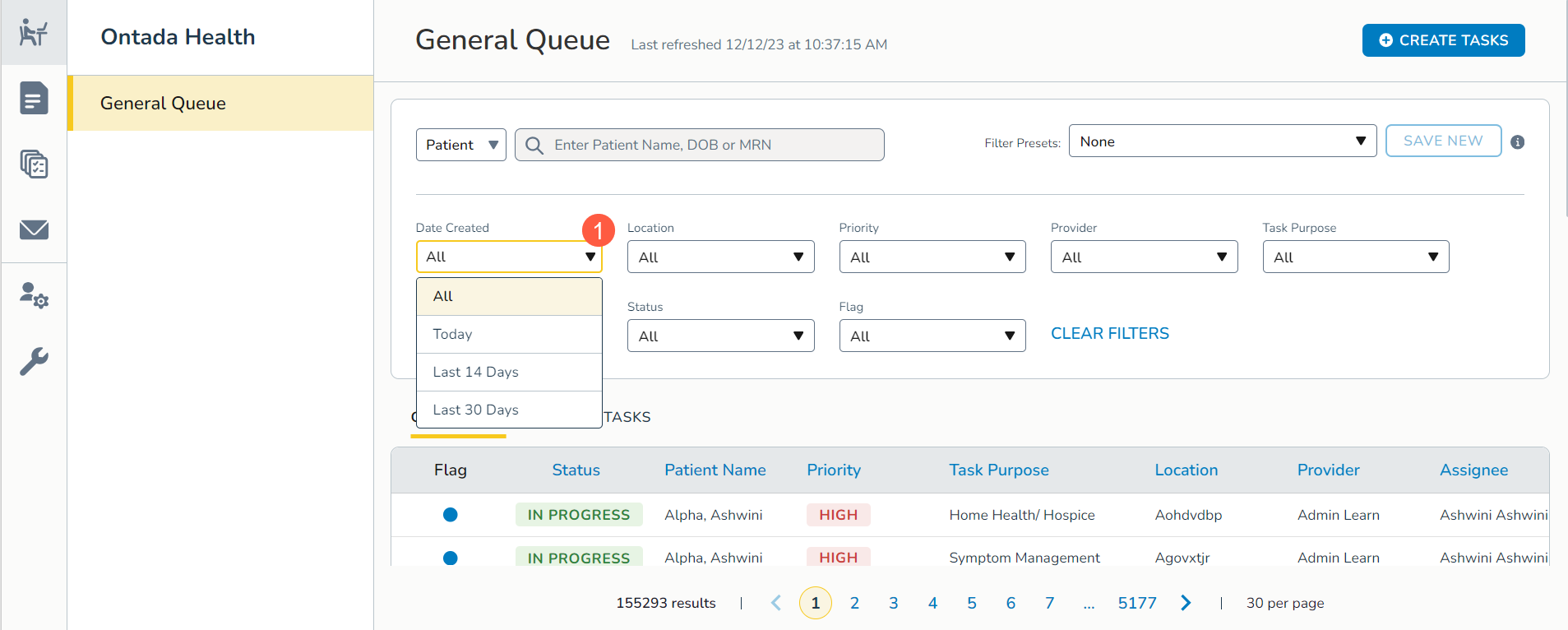
Optimize your search with updated options for the Date Created filter, including All, Today, Last 14 days, or Last 30 days for both open and closed tasks (callout 1).
An informative “i” icon provides details for enhanced understanding that for closed tasks, the All filter will only include information from the last 60 days (callout 2).
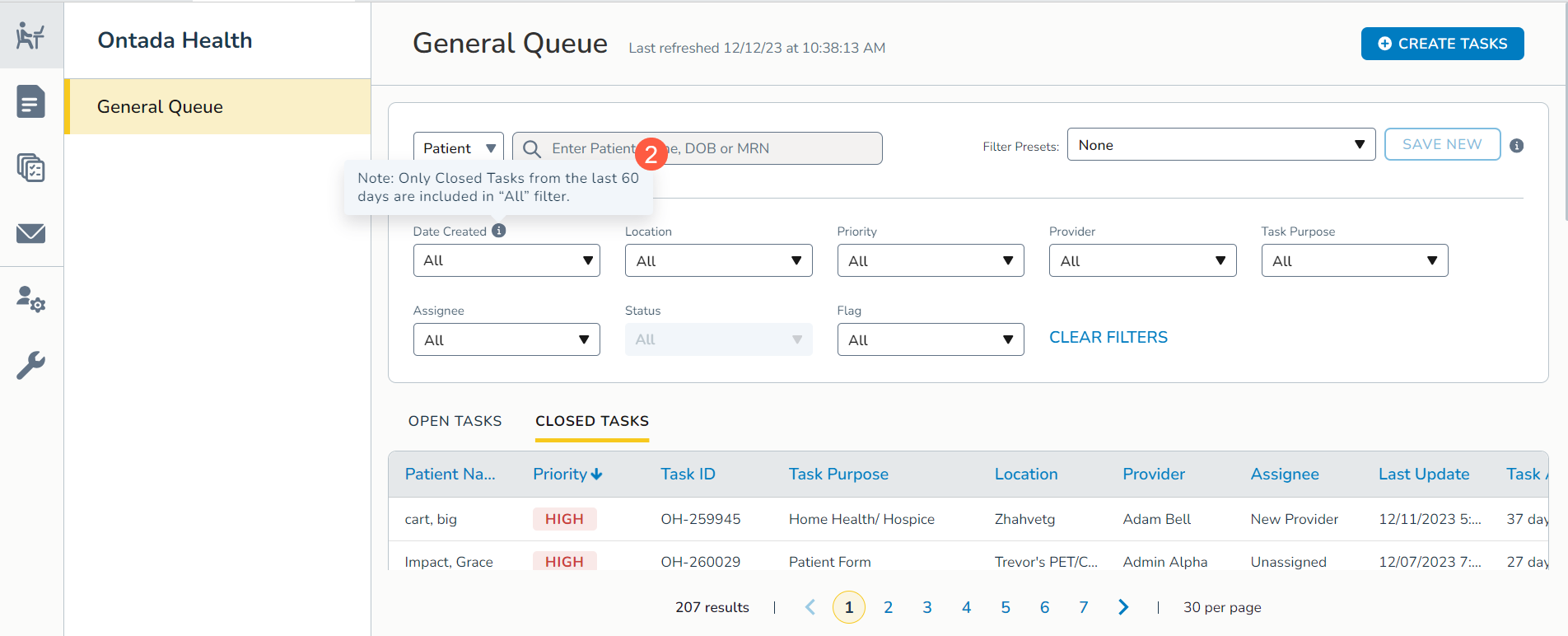
Lastly, the All option will replace any saved preset filters containing the Last 3 days or Last 7 days options for the Date Created filter.
Performance improvements in both queues
Experience enhanced performance in both queues with these improvements
- Extended Task Retention: Closed tasks in both queues will now be retained for 60 days, offering an extended window for reference.
- Improved Clarity: We removed email and phone icons from the Task Purpose column for clearer visuals in the General Queue and Message History.