
Enhancements to Forms Queue Copied
We’re enhancing the Forms Queue to give practices better visibility into email notification statuses for patients, helping identify patients with missing or invalid email addresses and tracking the success of email notifications. This can improve communication between practices and patients by ensuring accurate and up-to-date contact information.
The Forms Queue will now include the following
- Identification of missing email addresses:
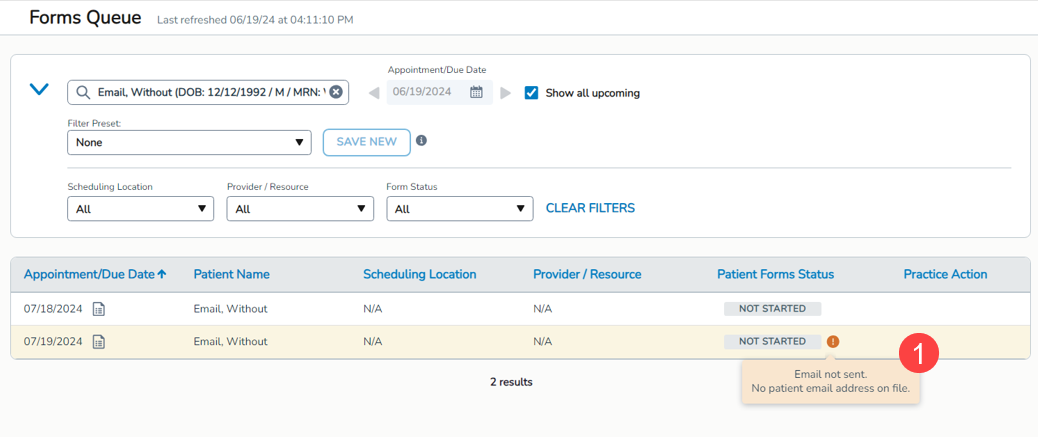
- Patients with a missing email address will display an orange icon next to the “Not Started” status of patient forms. Hovering over the orange icon will show the message: “Email not sent. No patient email address on file” (callout 1).
- When clicking on the form item for more details, the same orange icon and message will be displayed next to the “Not Started” badge (callout 2).
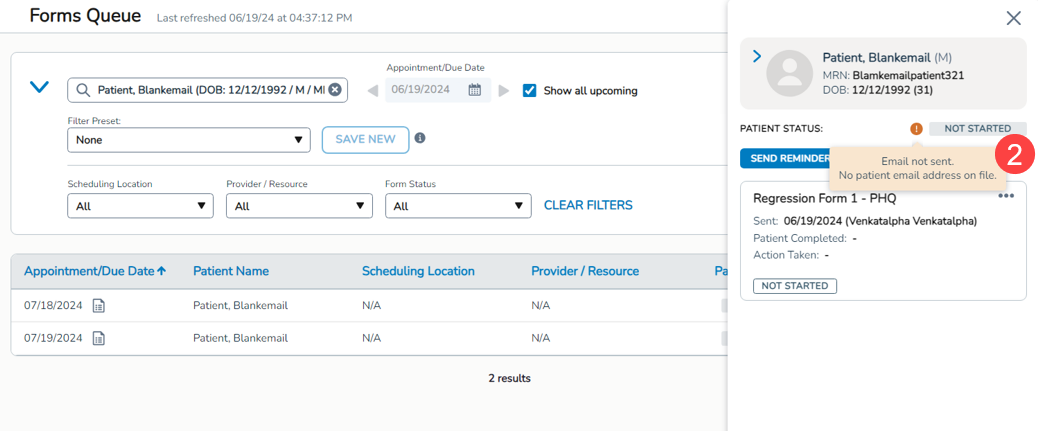
- This icon and message will also appear when sending reminders if an email address is missing.
- Patients with a missing email address will display an orange icon next to the “Not Started” status of patient forms. Hovering over the orange icon will show the message: “Email not sent. No patient email address on file” (callout 1).
- Identification of invalid email addresses:
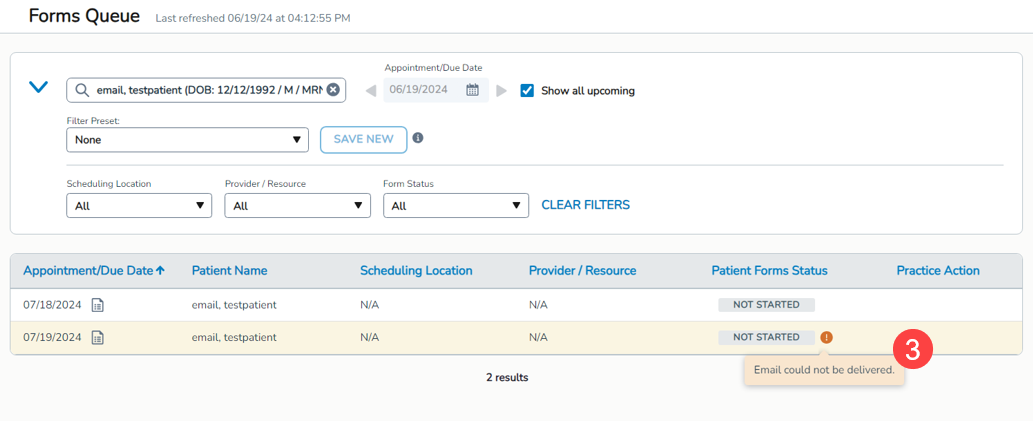
- Patients with an invalid email address will display an orange icon next to the “Not Started” status of patient forms. Hovering over the orange icon will show the message: “Email could not be delivered” (callout 3).
- When clicking on the form item for more details, the same orange icon and message will be displayed next to the “Not Started” badge (callout 4).
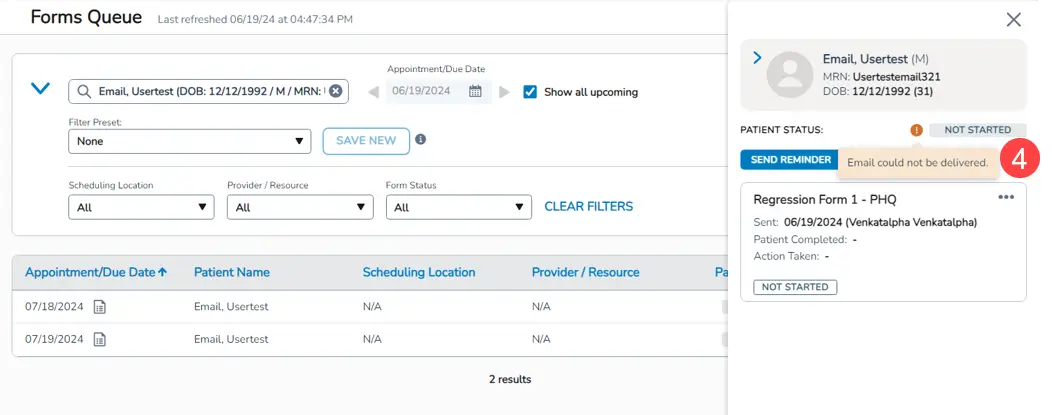
- This icon and message will also appear when sending reminders if an email address is invalid.
- Patients with an invalid email address will display an orange icon next to the “Not Started” status of patient forms. Hovering over the orange icon will show the message: “Email could not be delivered” (callout 3).
- Successful email deliveries:
- Forms successfully delivered (initially or via reminder) will not display the orange icon or tooltip.
- Withdrawn forms:
- If forms with missing or invalid email addresses are withdrawn, the icon and tooltip will be removed.