
Enhanced message retrieval in Ontada Health portal Copied
Both practices and patients can now effortlessly retrieve, and view archived, secure messages from My Care PlusSM after transitioning to the Ontada Health patient portal. This enhancement ensures continuity of care as patients will not lose access to past messages as part of the transition process.
How to access archived messages:
- Log into your Ontada Health account.
- Navigate to the Messages page to manage and view your messages.
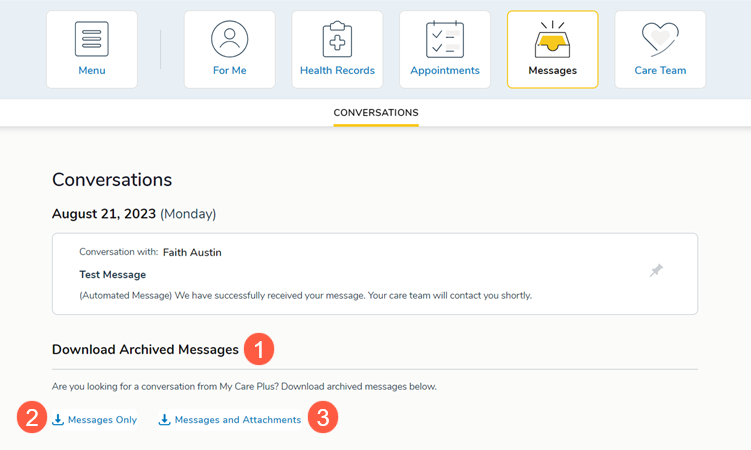
- Go to the new Download Archived Messages section (callout 1):
- If you wish to download only your archived messages, select Messages Only (callout 2).
- If you wish to download both archived messages and any associated attachments, select Messages and Attachments (callout 3).
With this new feature, accessing and managing your archived messages in Ontada Health has never been easier. We are committed to enhancing your experience and ensuring patient health and convenience are our top priorities.