
Easier Access to Patient Charts Copied
We’ve enhanced the Ontada Health admin tools to streamline your workflow by allowing quicker access to patient charts.
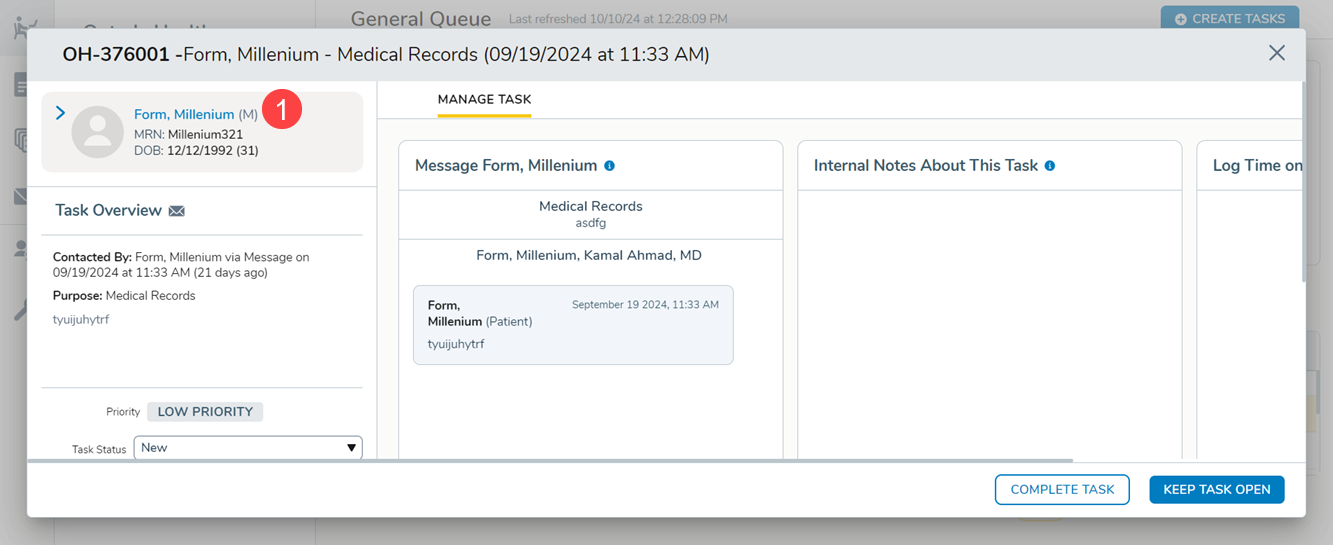
Now, the patient’s name will appear as a clickable link, giving you immediate access to their iKnowMed chart without needing to exit the admin tools and manually search for it.
This new feature simplifies navigation and saves time while maintaining strict access controls where needed.
Where to Access the Patient Chart
Patient names will appear as a hyperlink in the following locations:
Tasks in the General Queue (see callout 1 for example).
- Form details in the Forms Queue
- Messages in the Message History
- Patient profile in Support Tools
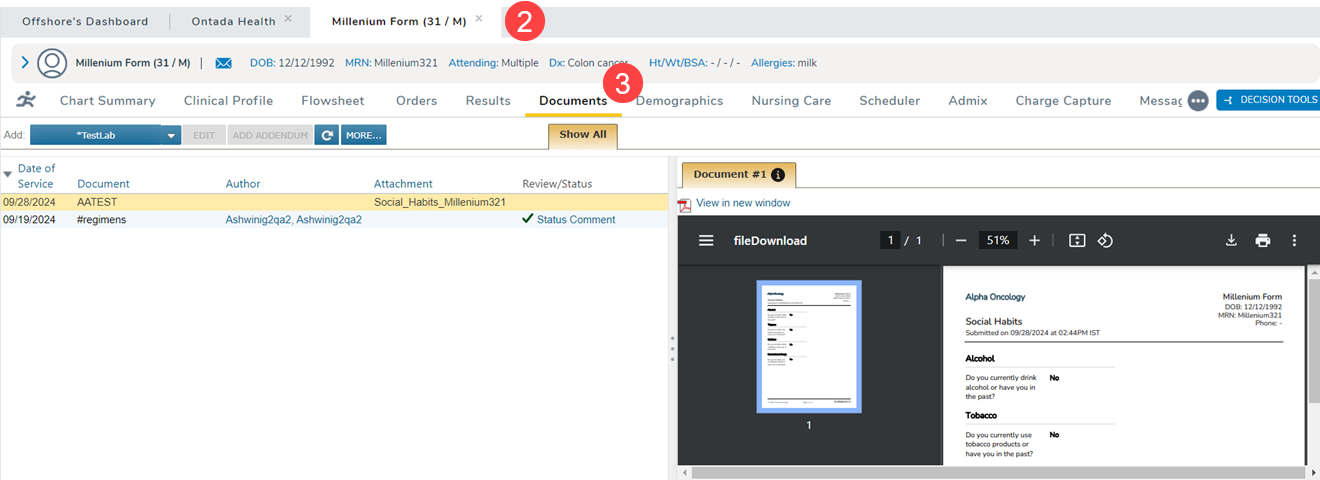
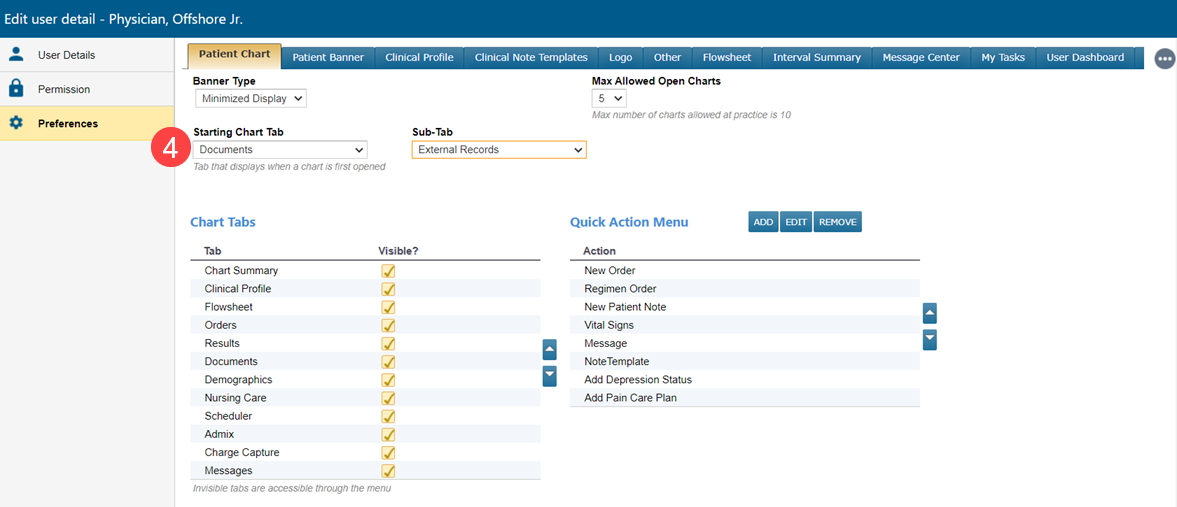
Upon clicking the patient’s name, the chart will open based on your personalized Preferences for the Starting Chart Tab or Subtab (callouts 2-4).
If you do not have a Starting Chart Tab or Subtab preference, the chart will open to the patient’s Flowsheet.
NOTE: If the patient’s chart is flagged with the Restricted Chart setting, only users with Restricted Patient Access permissions set to “Full” will be able to view the chart.