Assigned Forms page Copied
Sorting and display enhancements
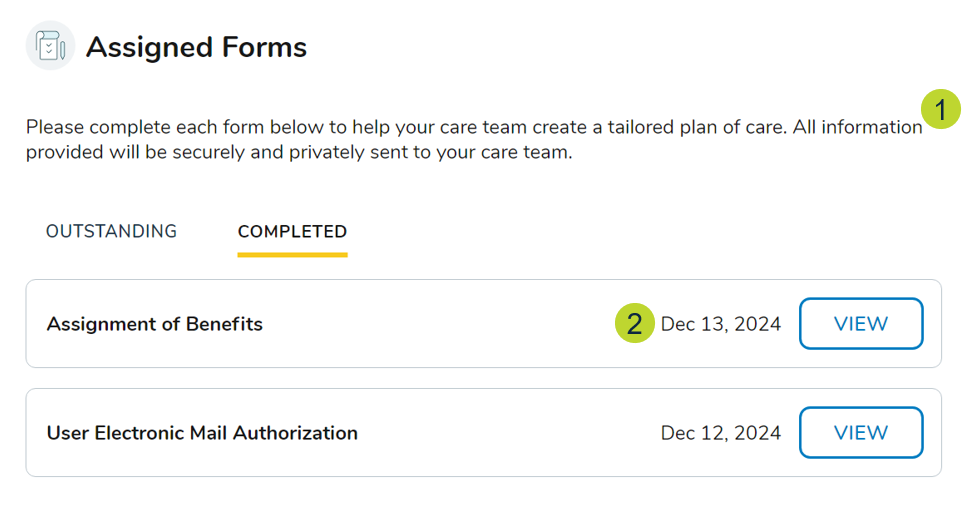
- New instructional content informs users that completed forms will be securely shared with their care team (callout 1).
- Forms are now sorted as follows:
- Outstanding Forms: By sent date (most recent first). If sent on the same date, forms are sorted alphabetically.
- Completed Forms: By completion date (most recent first). If completed on the same date, forms are sorted alphabetically.
- On the Completed forms page, the completion date will now show in a “Month, DD, YYYY” format (callout 2).
New download capability
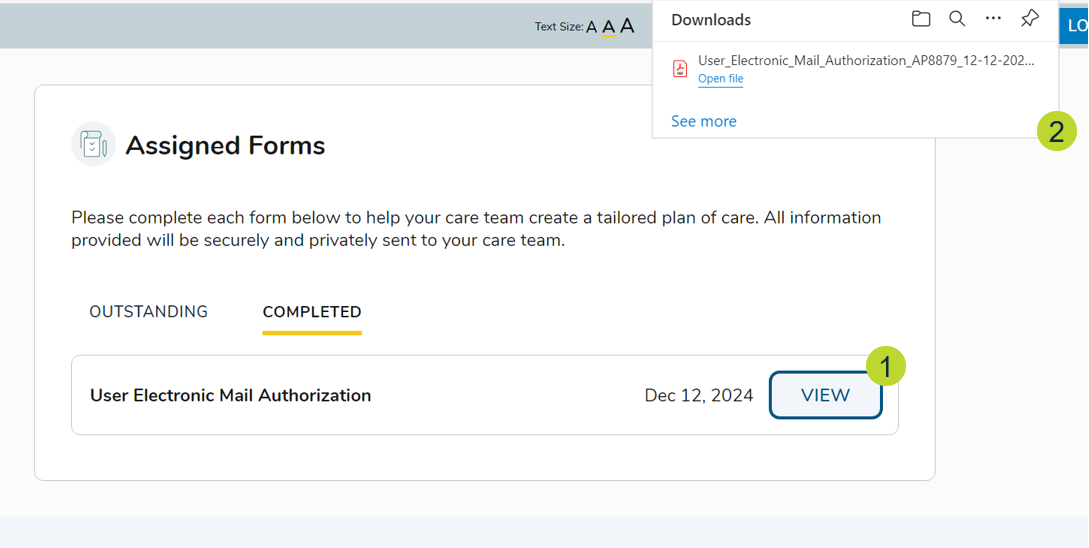
Users can download completed forms as PDFs by clicking the View button (callout 1). This will download the form to their device (callout 2).
Start and continue flows
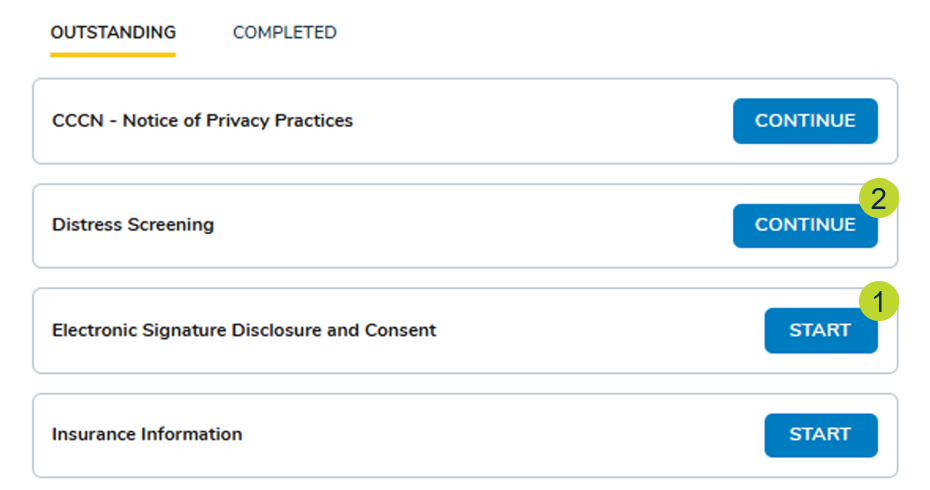
Forms not started will display a Start button whereas forms that were started but not completed will display a Continue button (callouts 1-2).
For the Forms Completion Report, metrics for # Forms Started and % Forms Started will only reflect users who click the Start button. Those returning to a form and clicking the Continue button will not be counted.
Empty state messages
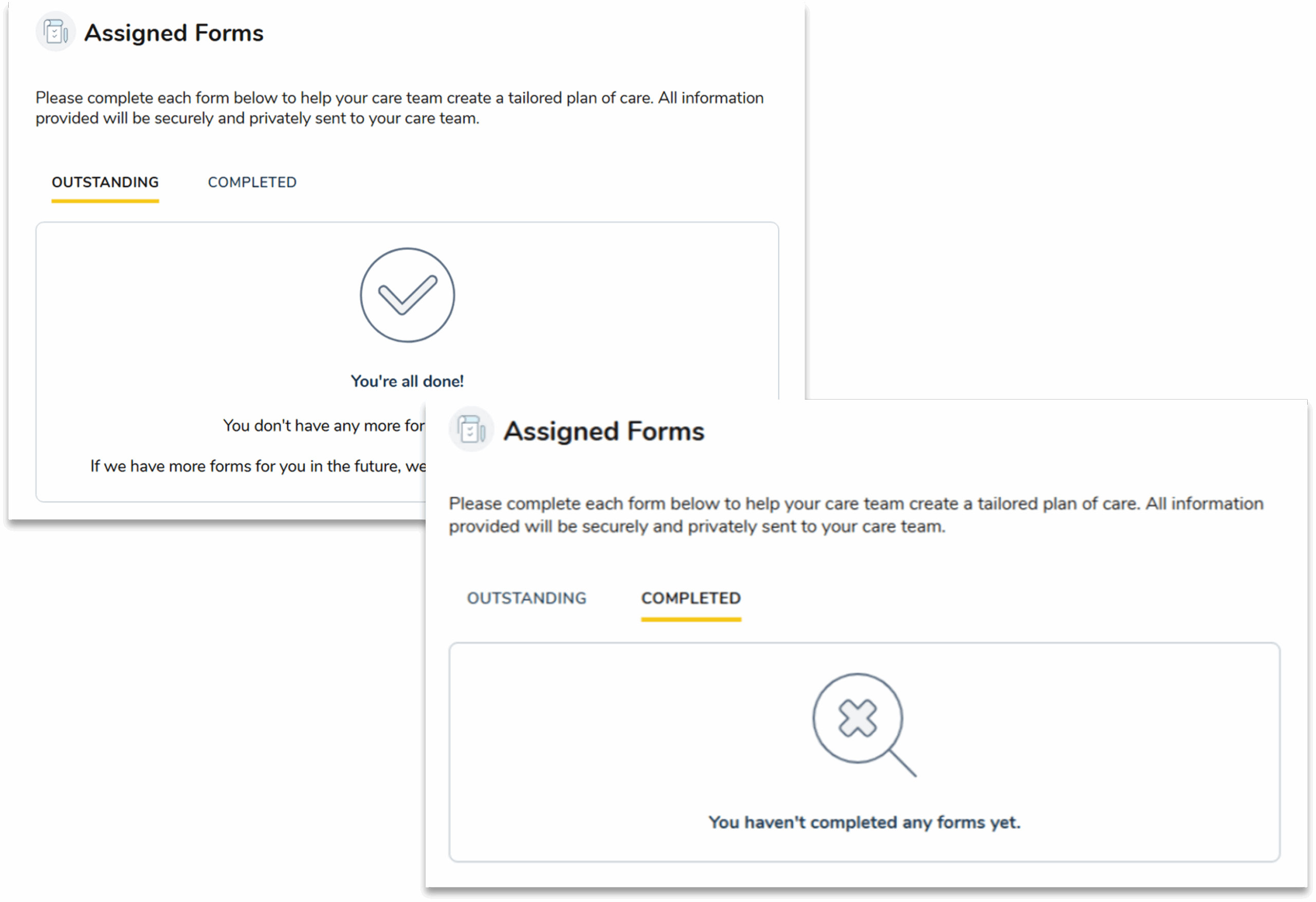
1. The Outstanding forms page will now display a message when no forms are pending that lets users know they’re all done and if any additional forms are needed, they’ll be notified.
2. The Completed forms page will now display a message to let users know that they have not completed any forms yet.