Signed note addendum updates Copied
Signed note addendum updates
Add an Addendum to Signed Notes
Once a clinical note is signed, that note is considered a final legal document. However, situations do arise when information needs to be added afterwards. Thus, the option for the note’s original author or a note reviewer to add an addendum to a signed note has been introduced in this release.
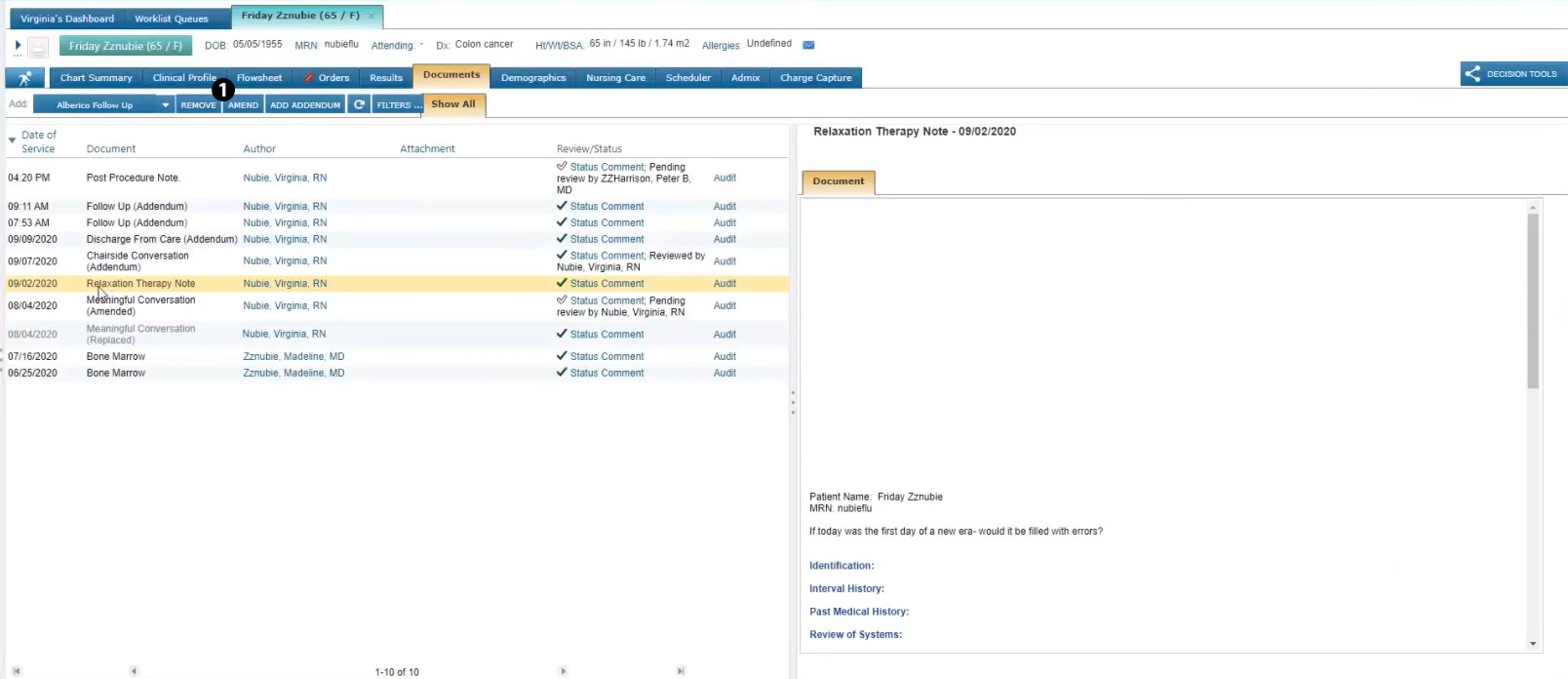
To add an addendum to a signed note, go to the Documents page and click the ADD ADDENDUM button (see callout 1). Please note that if you are not the note’s original author or a note reviewer, this button will be inactive.
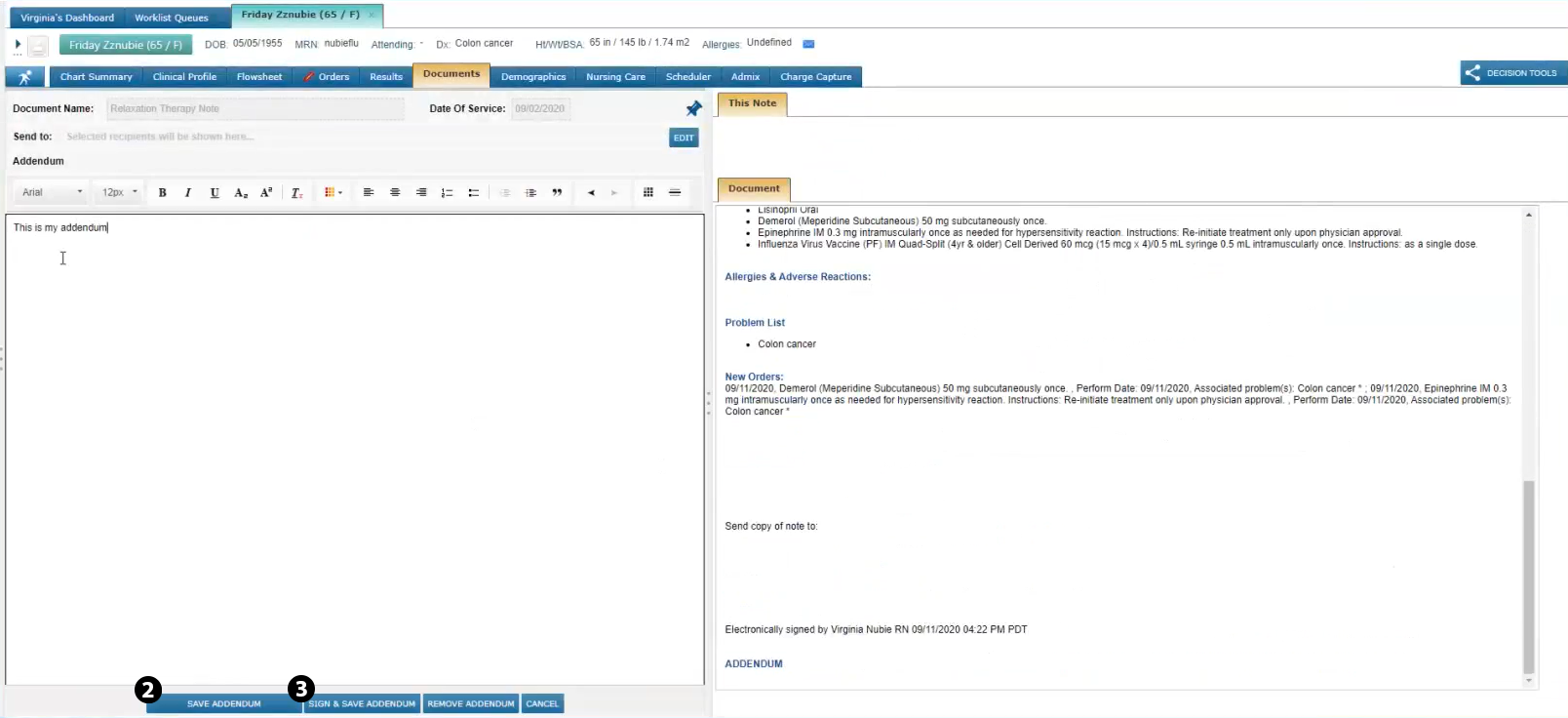
After you’ve entered your content, you have the option to SAVE ADDENDUM (see callout 2), which will add your content but still allow the addendum to be edited later, or you can SIGN & SAVE ADDENDUM (see callout 3) to add your content and sign the note. Once an addendum is added and signed, no further changes can be made to the note by anyone.
Any content added as an addendum will display at the bottom of the note under the ADDENDUM section alongside your e-signature and the timestamp.
Lastly, the Review/Status column on the Documents page will collect this information in the audit trail so you can hover over the check mark icon and see who has added an addendum to the note and when.
Limit Amendments of Signed Notes
Amending clinical notes gives users the ability to edit information after notes are signed; however, a signed clinical note should be considered a final legal document. Therefore, this release limits amendments of signed notes to the original author, preventing unauthorized changes.
This means that if a user selects a signed note on the Documents page, the AMEND button will only be active if they are the original author. All other users will see the button grayed out and be unable to amend the signed note.
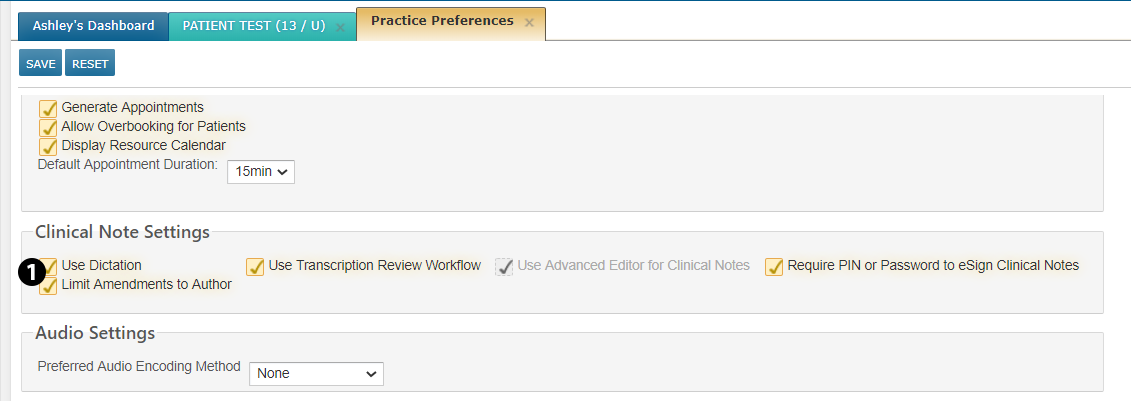
Practices can override this behavior in ADMIN > Practice Preferences under the Clinical Note Settings. The new Limit Amendments to Author option (see callout 1) is selected by default, permitting only the original author to amend a signed clinical note.
If you turn off this setting, amending signed notes is no longer restricted to the author.