Enhanced Medication Instructions Copied
Enhanced Medication Instructions
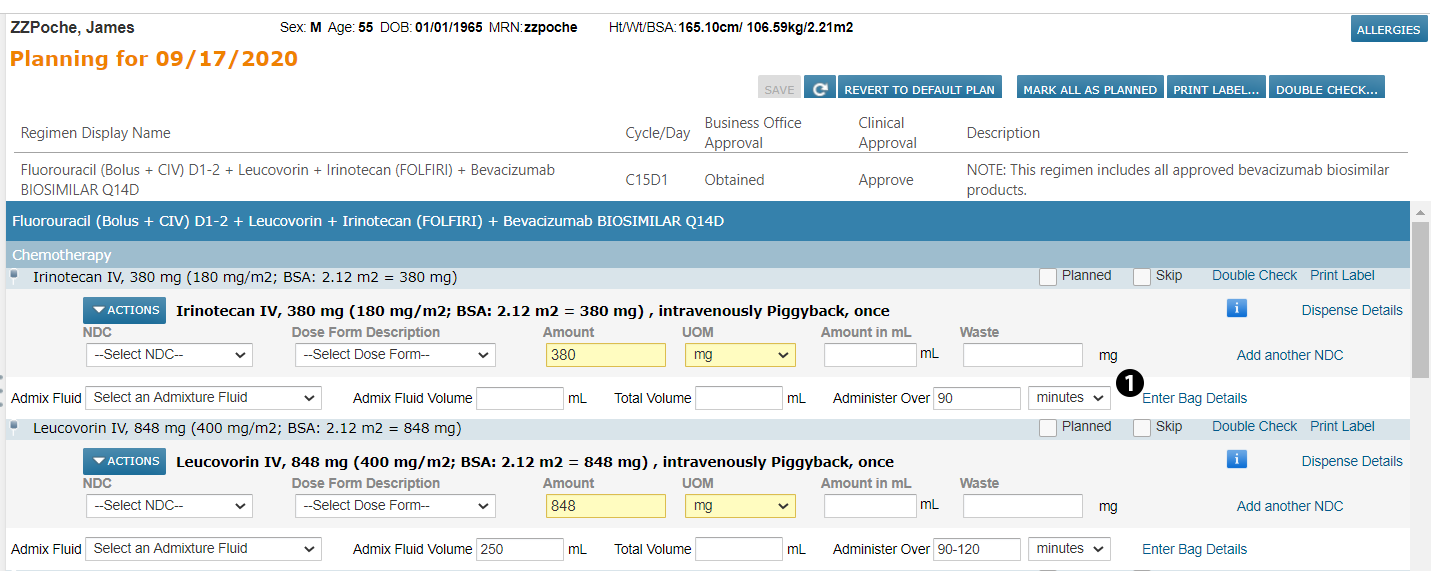
When in a patient’s Admix tab or in Worklist Queues > Admix, you will see enhanced options for adding medication instructions. For example, when working with orders that require medications to be mixed in a bag, click the Enter Bag Details link (see callout 1).
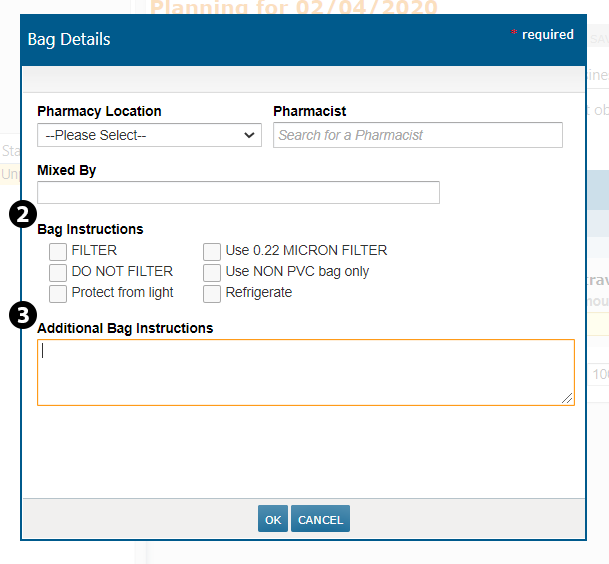
This will bring up the Bag Details window where you can choose from new instruction options, including the Pharmacy Location, the name of the Pharmacist, and who the medication was Mixed By. You will also see several of the most common instructions have already been called out for you. Simply check the box next to the ones you need (see callout 2). If you need to add any more information, you can do so in the Additional Bag Instructions text box (see callout 3).
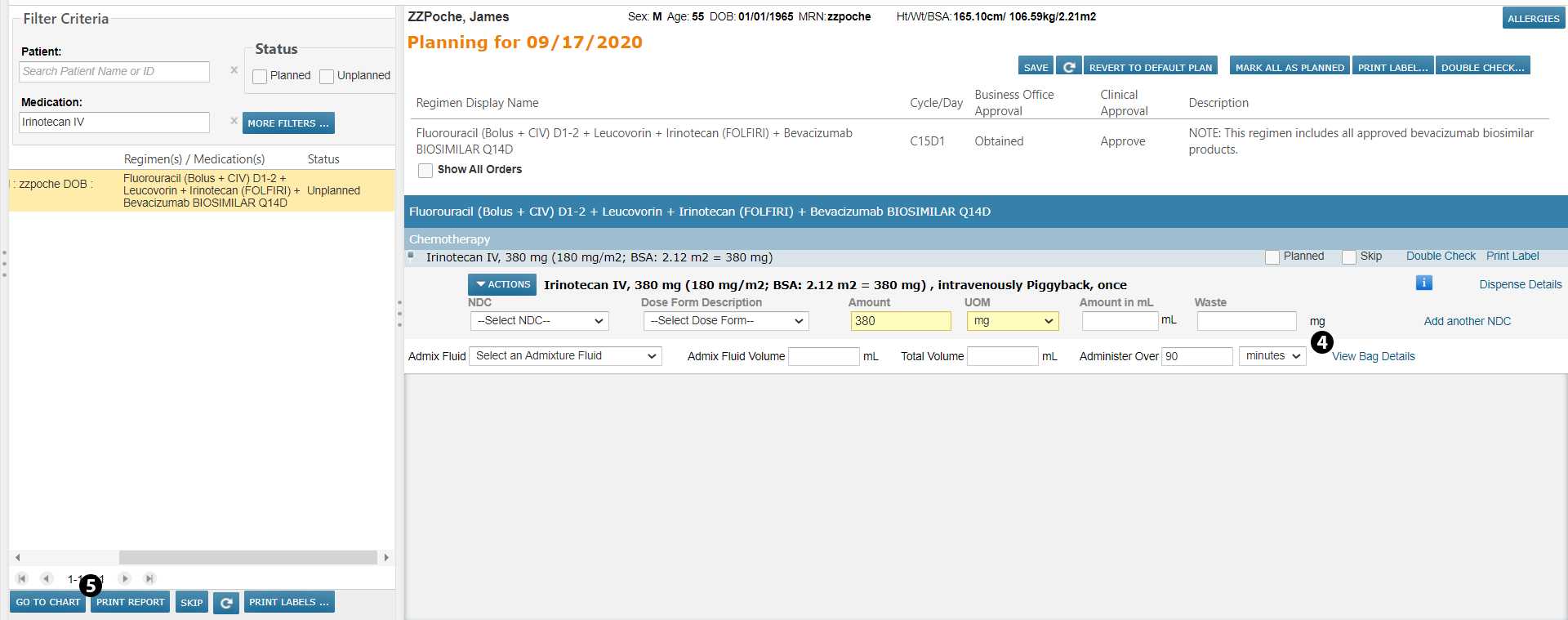
After you SAVE your instructions, you will see that the link under the medication now says View Bag Details, indicating that the information for this medication has already been entered (see callout 4). You may still add or edit information when clicking this link.
Furthermore, when clicking the PRINT REPORT button (see callout 5), you will see all your added instructions appear alongside the medication.