
Discontinue orders for the same date with fewer clicks Copied

Multiple orders planned for the same day can now be discontinued from the flowsheet. To access this feature:
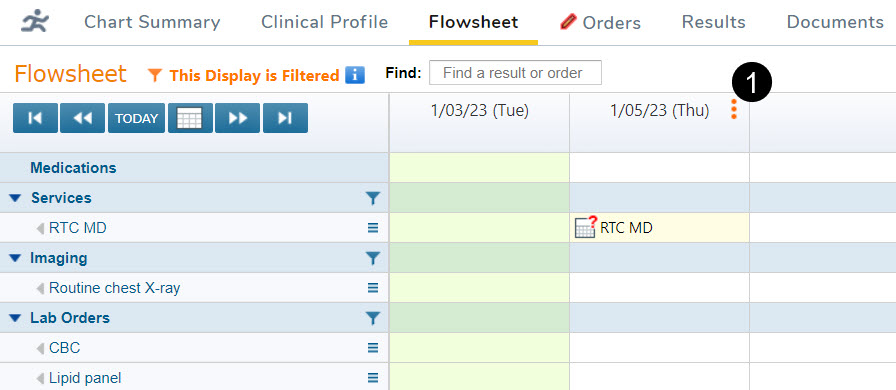
- Hover over the right end of the date cell in the patient’s Flowsheet.
- Click on the three red dots once they appear (callout 1).
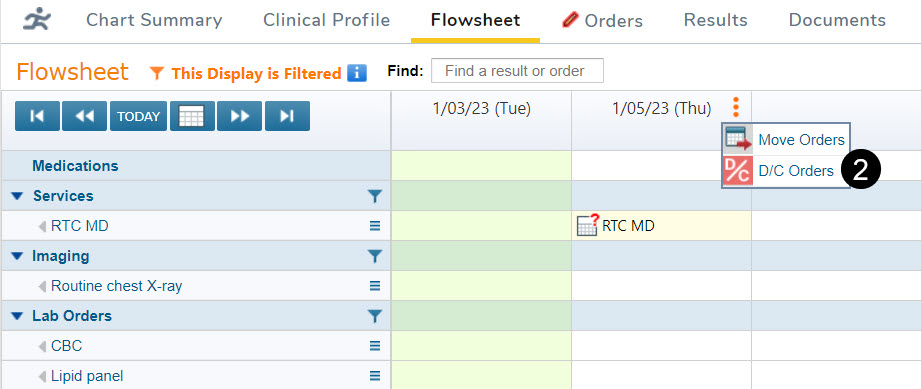
- Options to either Move Orders or D/C Orders appear. Select D/C Orders (callout 2).
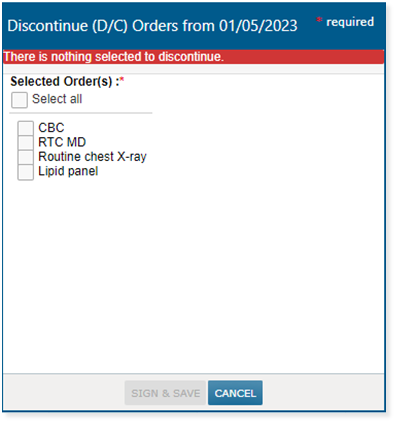
- After the list of available orders appears, select the orders you want to discontinue and save your choices.
NOTE: This feature only applies to orders outside of regimens that land in the same column in the flowsheet.