
All principal diagnoses will automatically be selected for billing Copied
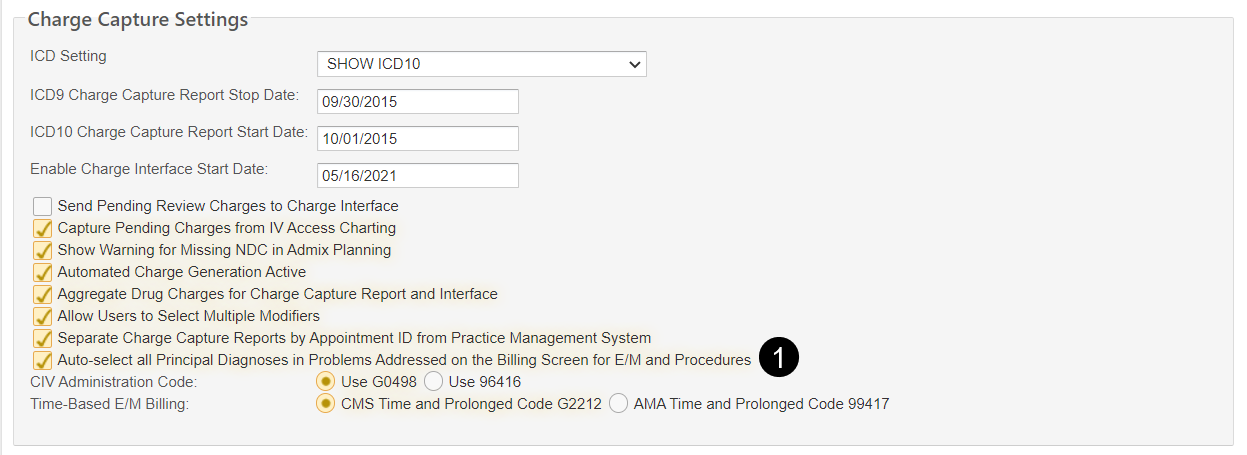
We added a new practice preference under Charge Capture Settings (callout 1) to auto-select all principal diagnoses on the billing screen.
NOTE: Turning this preference on will also auto-select all principal diagnoses on the Nursing Procedure tab.
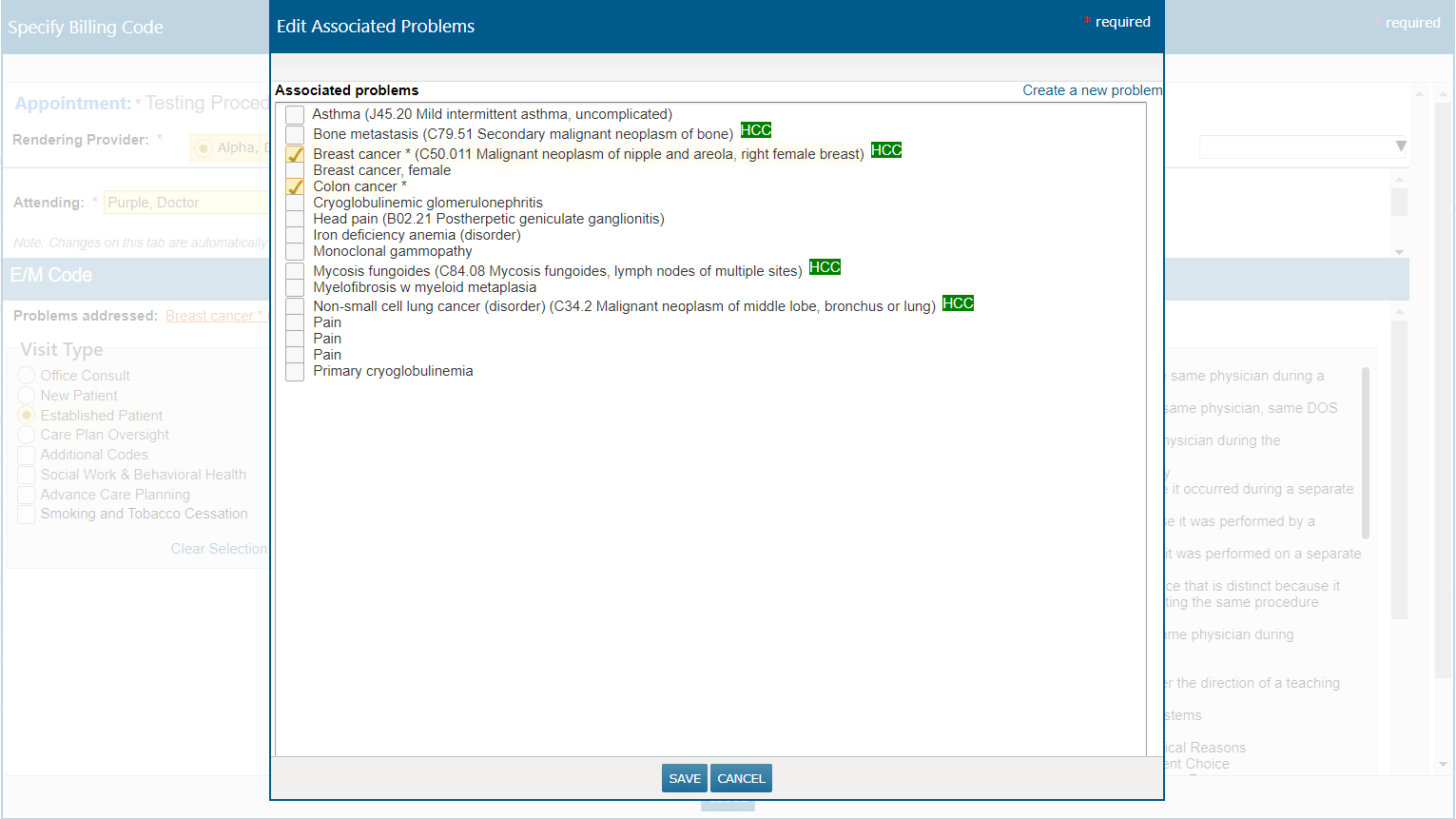
When this preference is turned on, all principal diagnoses on a patient’s chart will be automatically checked on the Associated problems screen in both locations, and you can decide to add or remove diagnoses as needed (see example below).
This update improves the billing experience for all user roles that bill from the Visit List, clinical notes, Unfinished Charting, or Nursing Procedure tab. It also reduces clicks as there is no need to open associated problems in the E/M Code section of the billing screen, and no need to select principal diagnoses in the Procedure section.