Carequality External Records Enhancements Copied
In our ongoing commitment to optimizing interoperability, we enhanced the Carequality External Records tab in iKnowMed. Practices will now have the flexibility to determine whether content must appear in the Document Name/Comment/Notes field before the document can be saved to the patient chart.
NOTE: Please reach out to your Account Manager if you are interested in adjusting this setting to align with your practice’s needs.
Document Name/Comments/Notes field setting turned off
By default, all practices will be set to not require text in this field, providing a seamless transition for existing workflows.
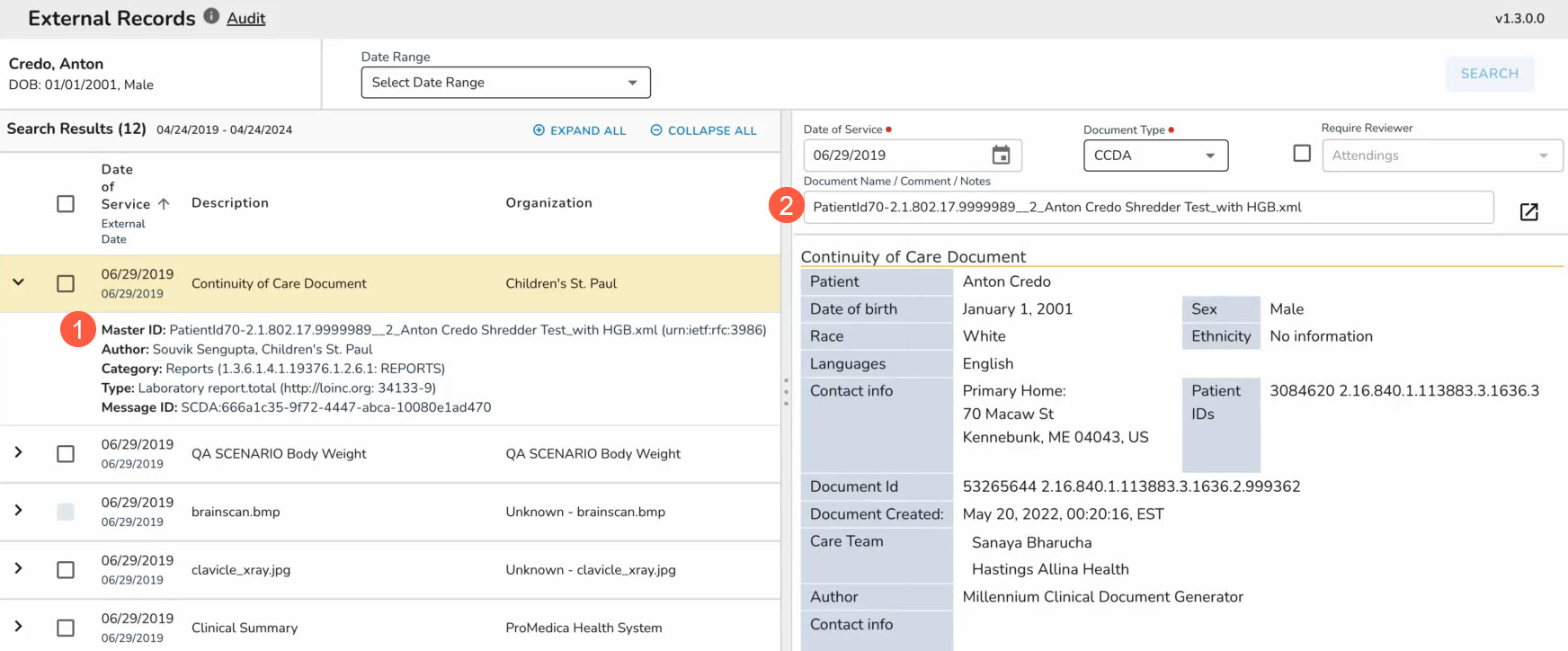
In this instance, the Document Name/Comment/Notes field will continue to be prepopulated with the Master ID from the table (callouts 1 and 2).
This field is editable; however, no content is required to import the document to the patient’s chart.
Document Name/Comments/Notes field setting turned on
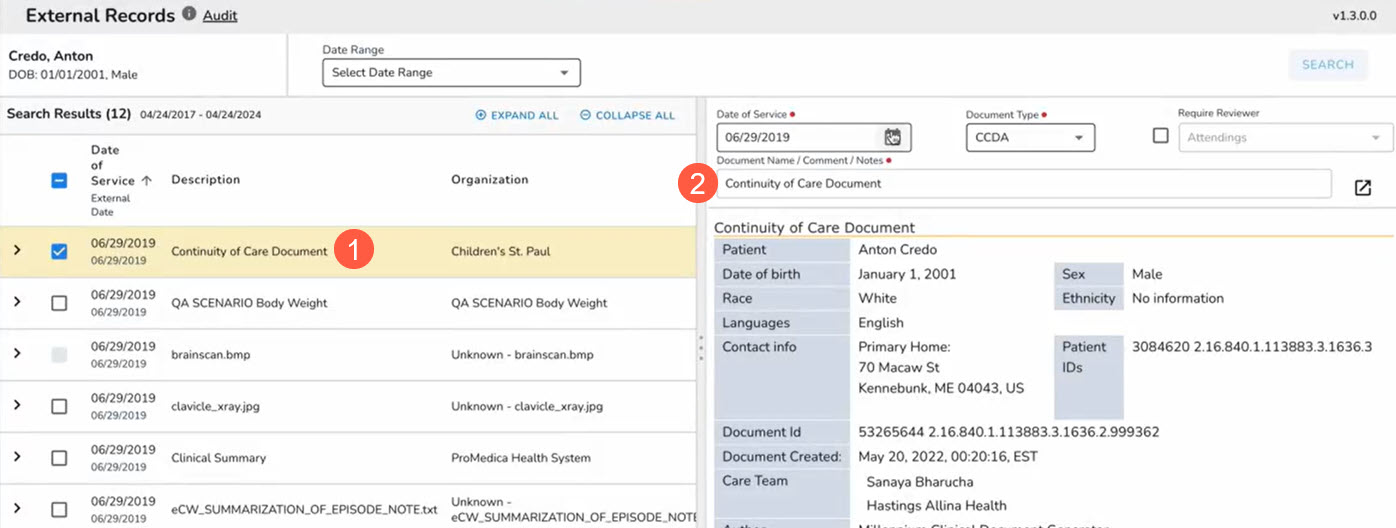
If your practice enables this setting, the Document Name/Comment/Notes field will be prepopulated with the Description from the table (callouts 1 and 2).
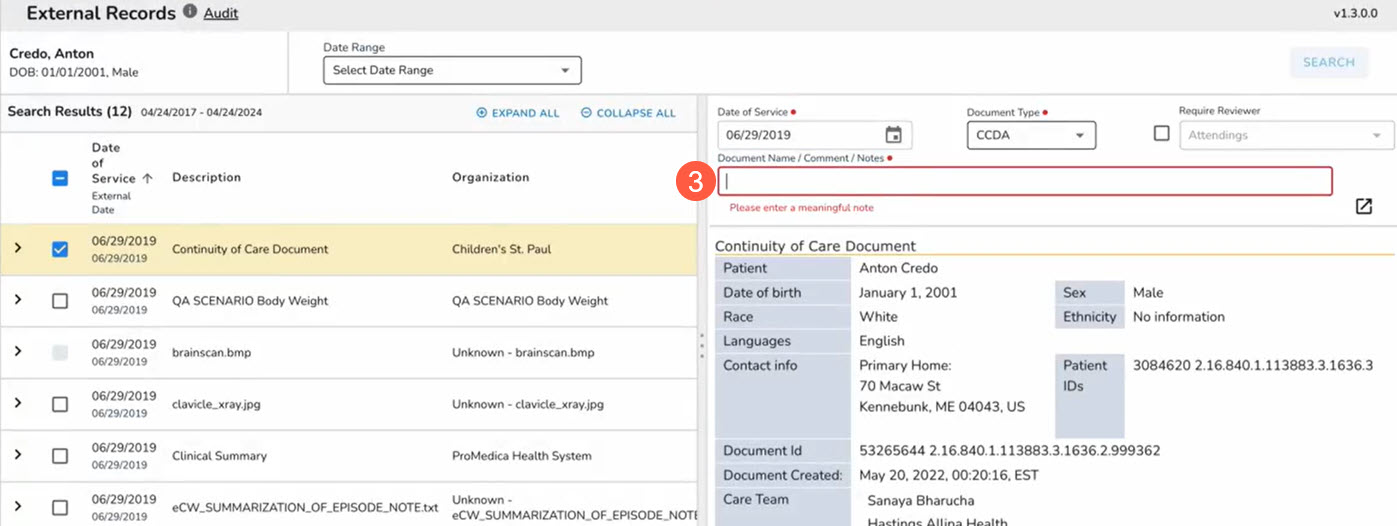
This field is editable and will require at least two characters before the document can be imported to the patient chart.
The field will turn red and an error message will appear when attempting to leave the field blank (callout 3).