Adjusted Ideal Body Weight (AIBW) for Mirvetuximab Copied
We are updating Mirvetuximab dosing to enhance patient safety and compliance. New orders will now calculate dosing based on Adjusted Ideal Body Weight (AIBW) with the Devine formula for the Ideal Body Weight. Users will no longer have the option to calculate dosing based on the patient’s actual body weight.
This change aims to:
- Reduce exposure variability for patients who are under- or overweight.
- Align with the product label to minimize non-reimbursement risk.
- Provide clarity on dose determination.
Feature updates
- Active Mirvetuximab formula dose orders using mg/kg units will retain the current calculation based on actual weight. These orders must be manually edited.
- To edit these orders:
- Go to the Flowsheet.
- Select a Mirvetuximab order and click Edit order regimen.
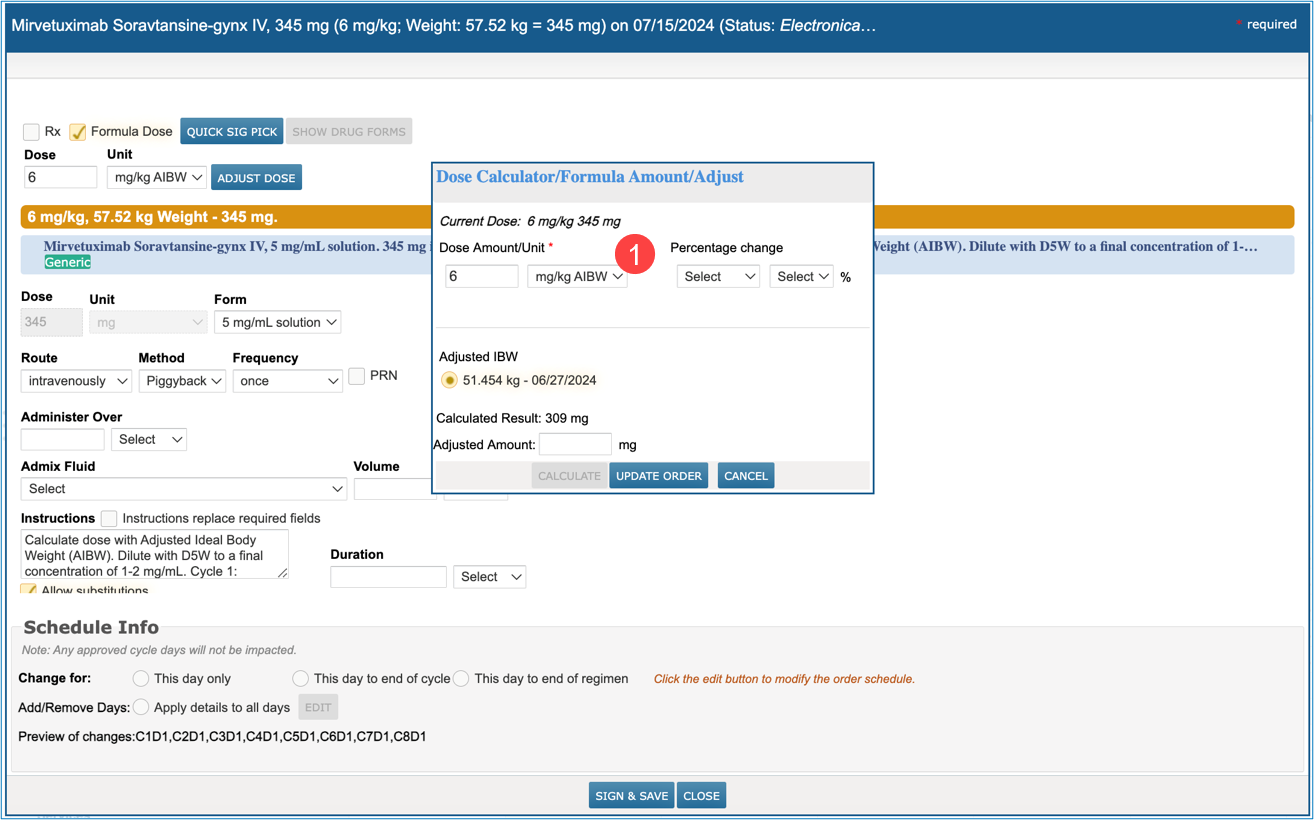
- If the patient has not had a weight change, the Dose Calculator/Formula Amount/Adjust screen for the order will display automatically with the mg/kg AIBW units pre-selected (callout 1).
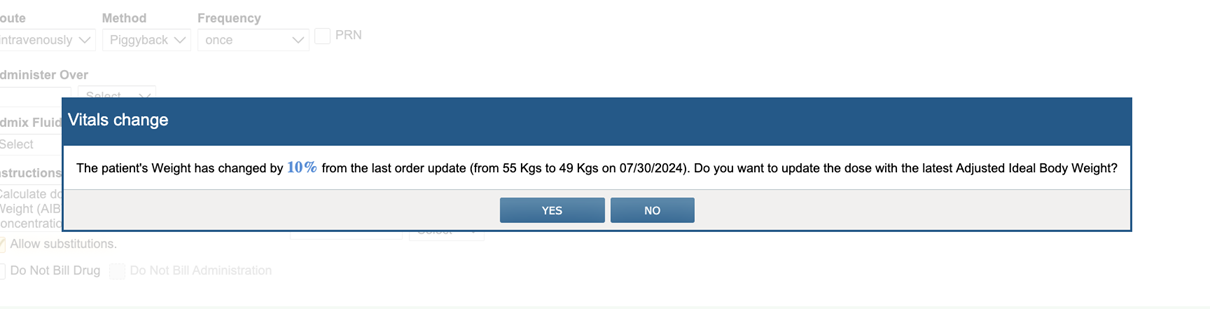
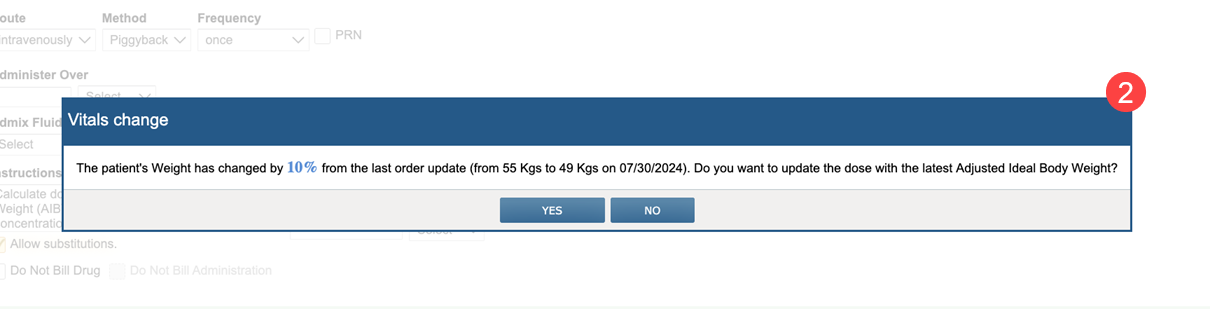
- If the patient has had a weight change, the weight change alert will display referencing use of the AIBW (callout 2).
- Select Yes in the weight change alert to open the Dose Calculator/Formula Amount/Adjust screen for the order.
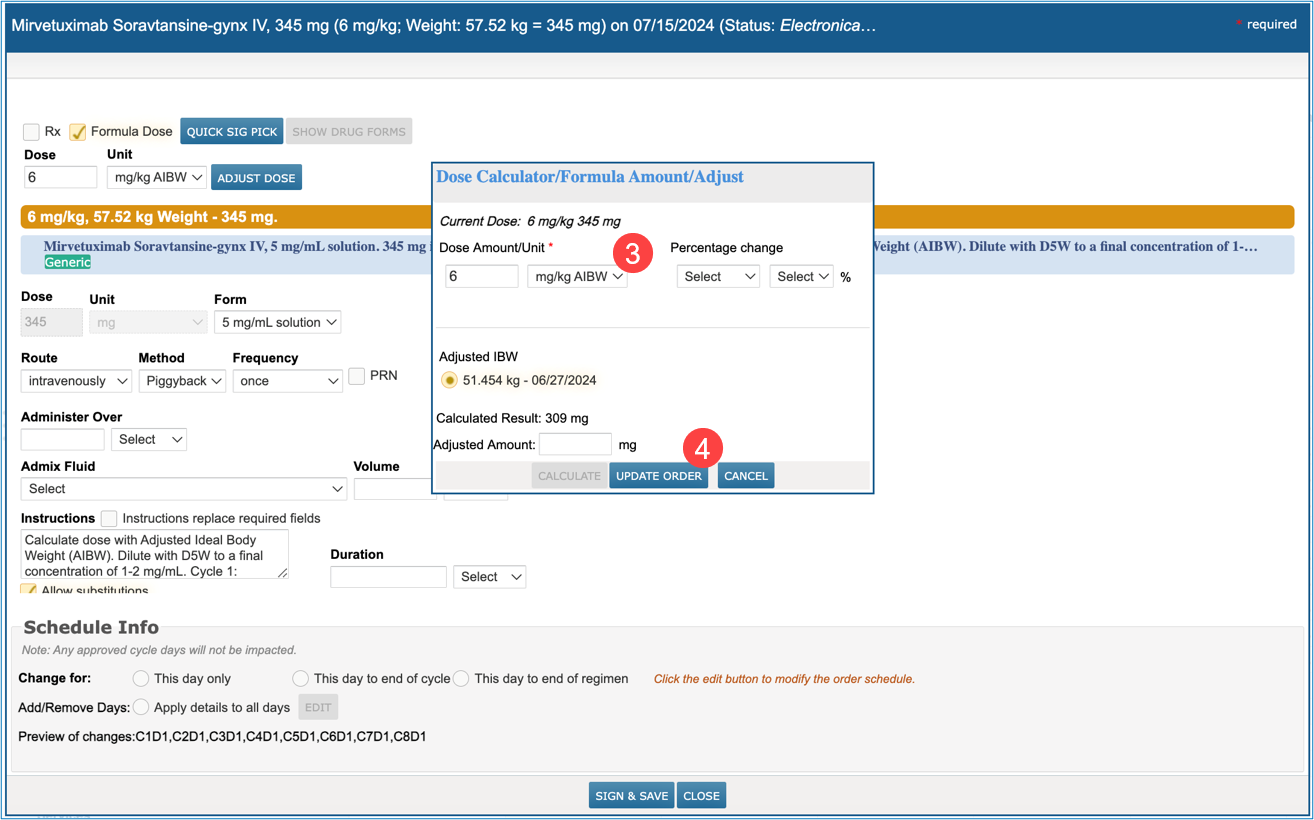
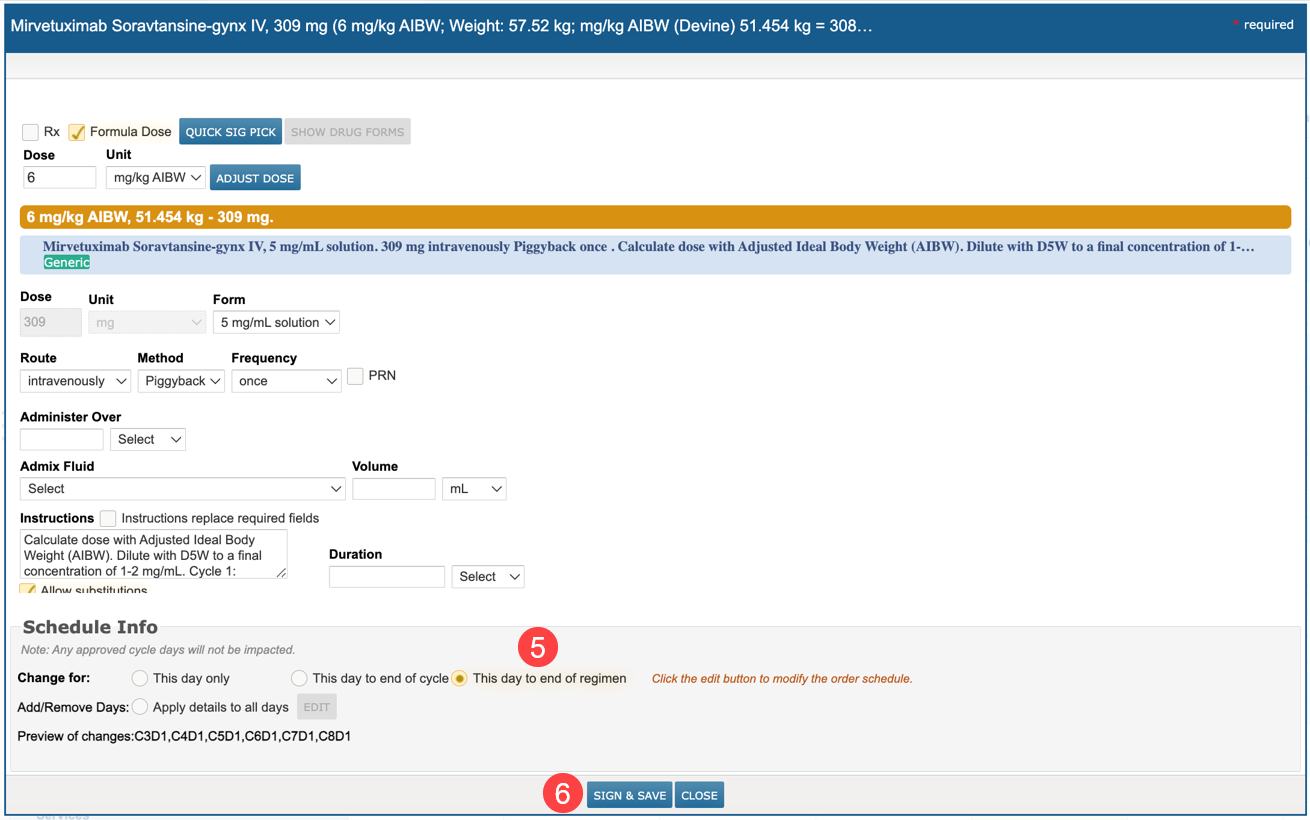
- In the Dose Calculator/Formula Amount/Adjust screen for the order, the mg/kg AIBW units are pre-selected and the patient’s AIBW value is displayed with the updated dose calculated using the patient’s AIBW (callout 3).
- Click Update Order to apply the AIBW weight to the formula dose order (callout 4).
NOTE: An Adjusted Amount may be entered to apply to the order.
- Choose the This day to end of regimen option to apply changes to all regimen cycle days (callout 5).
- Click Sign & Save to finalize the changes (callout 6).
Additional information
- Changes will not be displayed in the Orders Queue or the Ins. Auth/Fin. Counseling queue. These queues will continue to show the original regimen order details.
- The weight change alert for Mirvetuximab orders direct the user to consider a change to the dose based on the patient’s Adjusted Ideal Body Weight.
- Clicking Yes will open the Dose Calculator/Formula Amount/Adjust screen displaying the AIBW calculated per the patient’s latest recorded weight.
- Clicking No will open the order editor without applying the AIBW calculated per the patient’s latest recorded weight. Continue the ordering process as usual using the patient’s actual weight for calculation.