Patient and caregiver chart restriction requests Copied
Patients and caregivers can now request a restriction on the use of a patient’s PHI directly through the portal. This new workflow can also help practices track and document PHI restriction requests more efficiently.
NOTE: Note: Practice users, please refer to your internal policies and procedures on how to address and manage your patients’ requests for restrictions.
How patients request a chart restriction
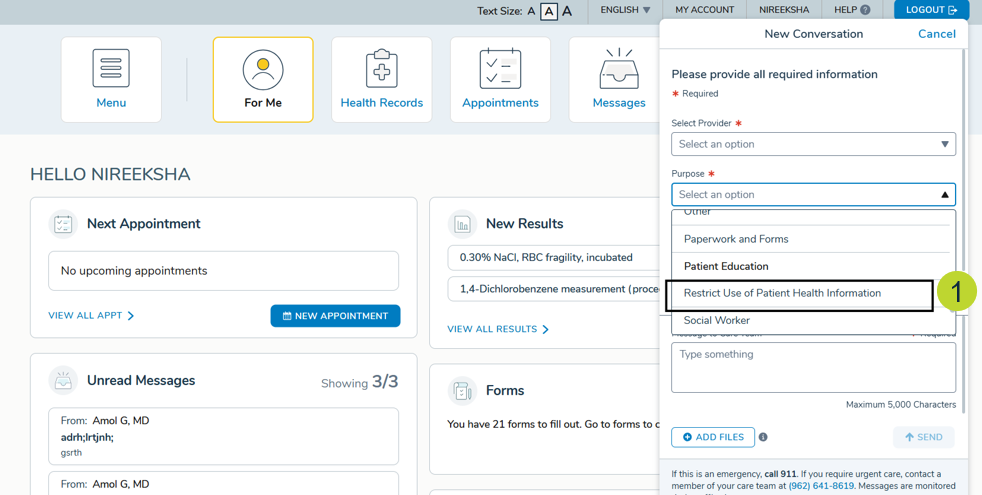
- Patient and caregivers can compose a message to the practice and select “Restrict Use of Patient Health Information” as the Purpose option (callout 1).
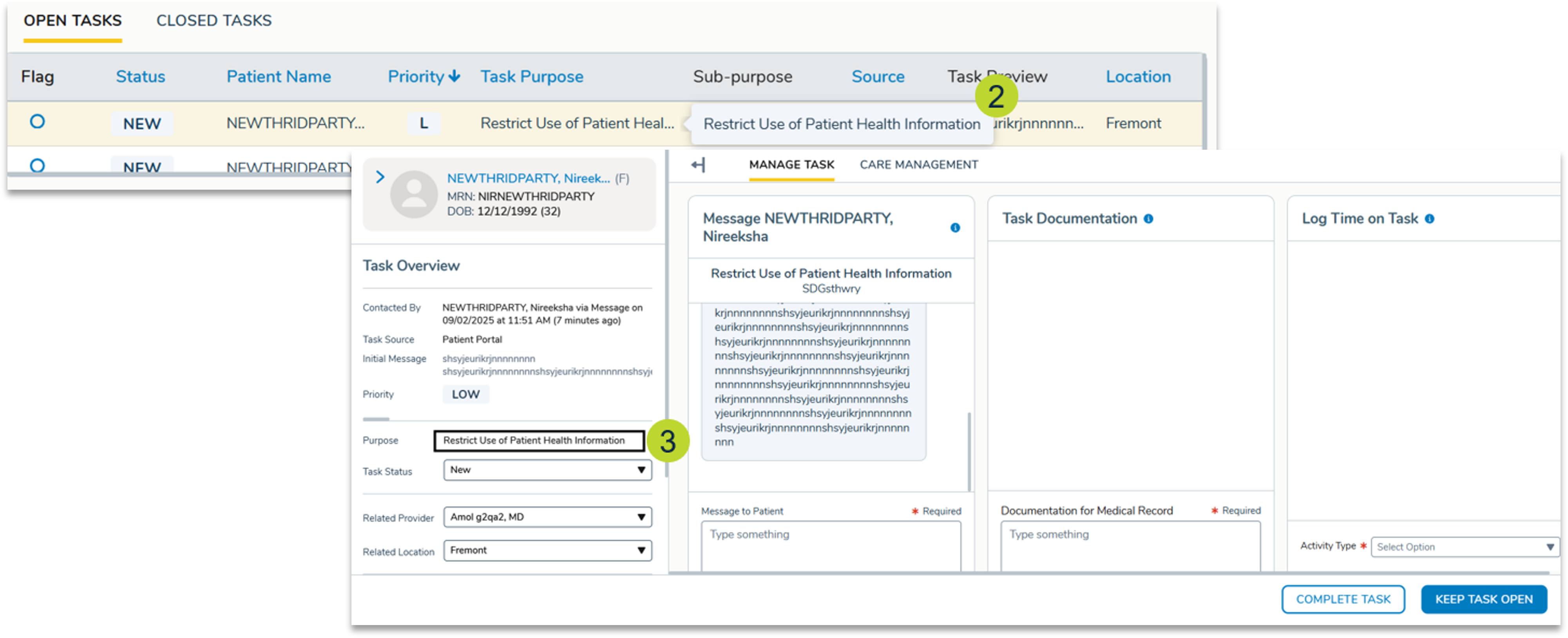
- Submitting the message automatically creates a task in the practice’s General Queue with the purpose listed as “Restrict Use of Patient Health Information” (callouts 2-3).
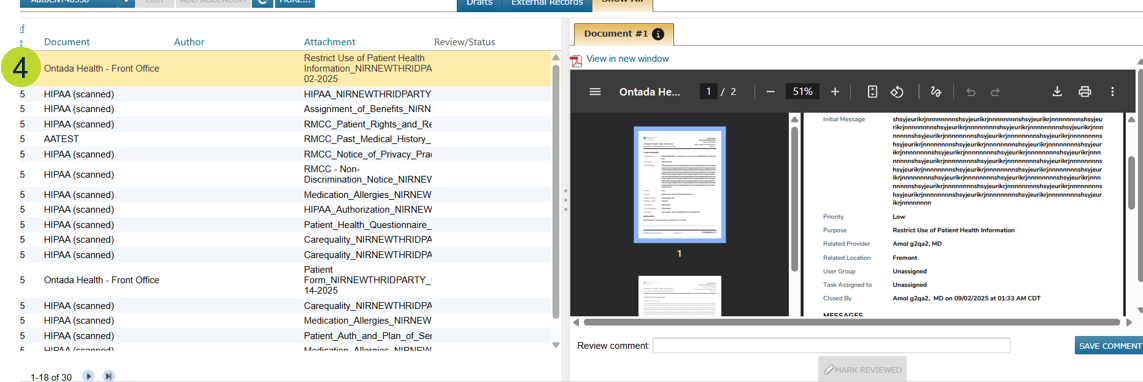
- Once the task is completed and closed, a Task Summary PDF is generated and saved to the patient’s Documents tab in their chart (callout 4).