View regimen details without regimen ordering permission Copied
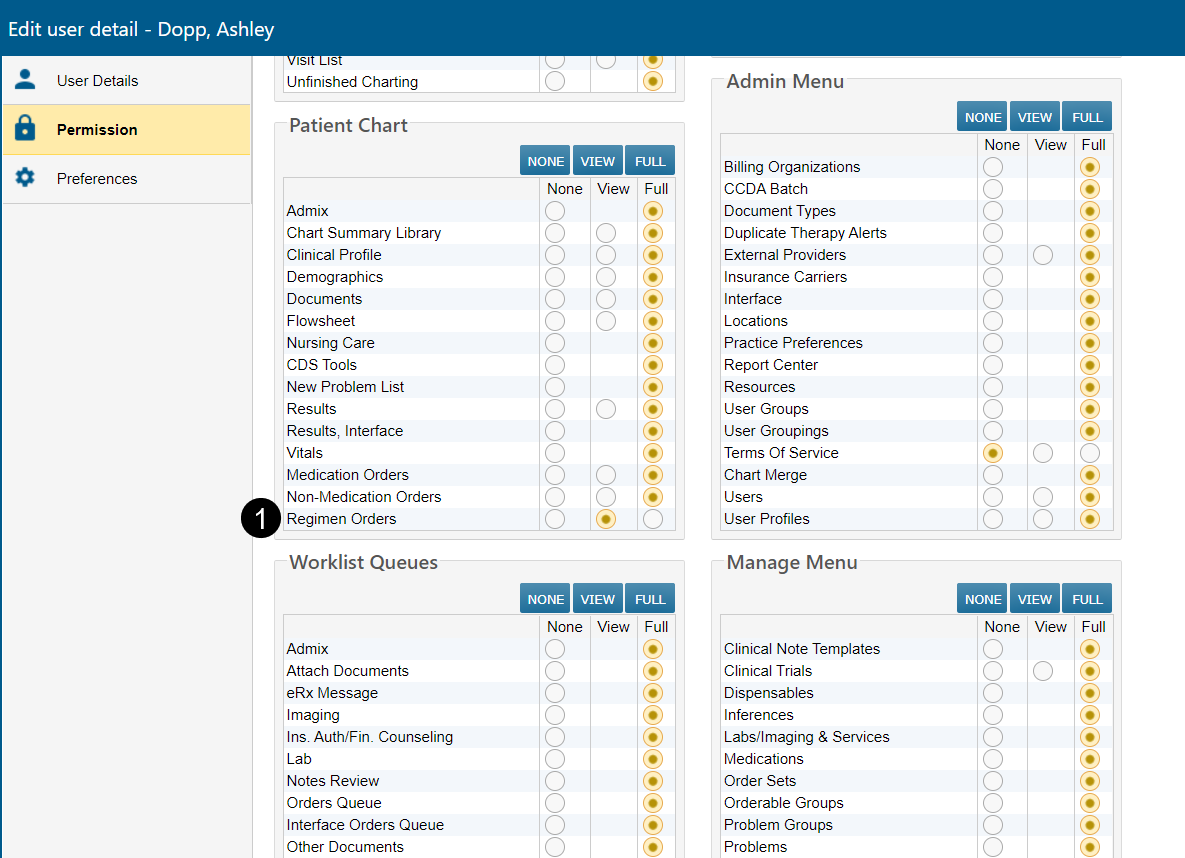
Clinicians, billing, and other office staff can now access regimen details, without needing permission to order regimens. The access is granted if the user account has the new Regimen > View permission or Regimen > Full permission (see callout 1).
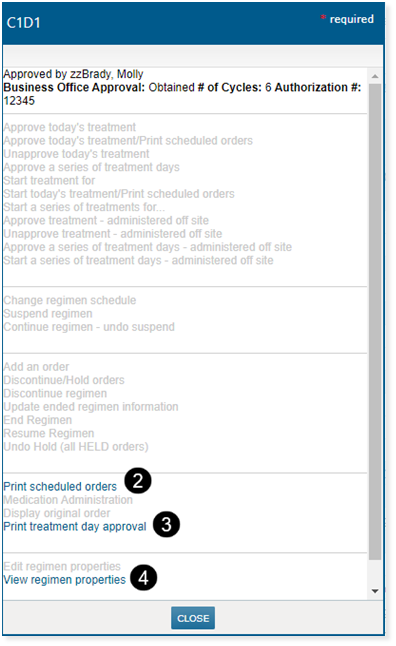
With this permission, users will see the cycle day approval status and business insurance status when clicking the regimen treatment day cell on the flowsheet. Additionally, the links to Print Scheduled Orders, Print Treatment Day Approval, View Regimen Properties, and the Audit History will be accessible (see callouts 2, 3, and 4).
NOTE: Since regimens contain medication and other types of orders, a user cannot have view or full regimen permission if they do not have at least view or full permission for creating other types of orders.