View packet/form sending rules in admin tools Copied
We’re introducing a new feature in the Ontada Health admin tools to help practices more easily view their configured rules for sending forms and packets to patients.
What’s new
Under Support Tools, a new section called Forms/Packet Sending Rules will allow authorized users to review the specific logic their practice has set for automatically sending e-Registration packets/forms. This feature reduces the need to contact your Ontada Health Account Manager to check or confirm rule configurations.
Accessing Forms/Packet Sending Rules
Access to this feature is permission-based and managed through the User Roles and Permissions Excel sheet. The sheet includes a new Form Sending Rules column where you can choose from the following access levels:
- None – No access
- View – View all configured form/packet sending rules in detail

Using Forms/Packet Sending Rules
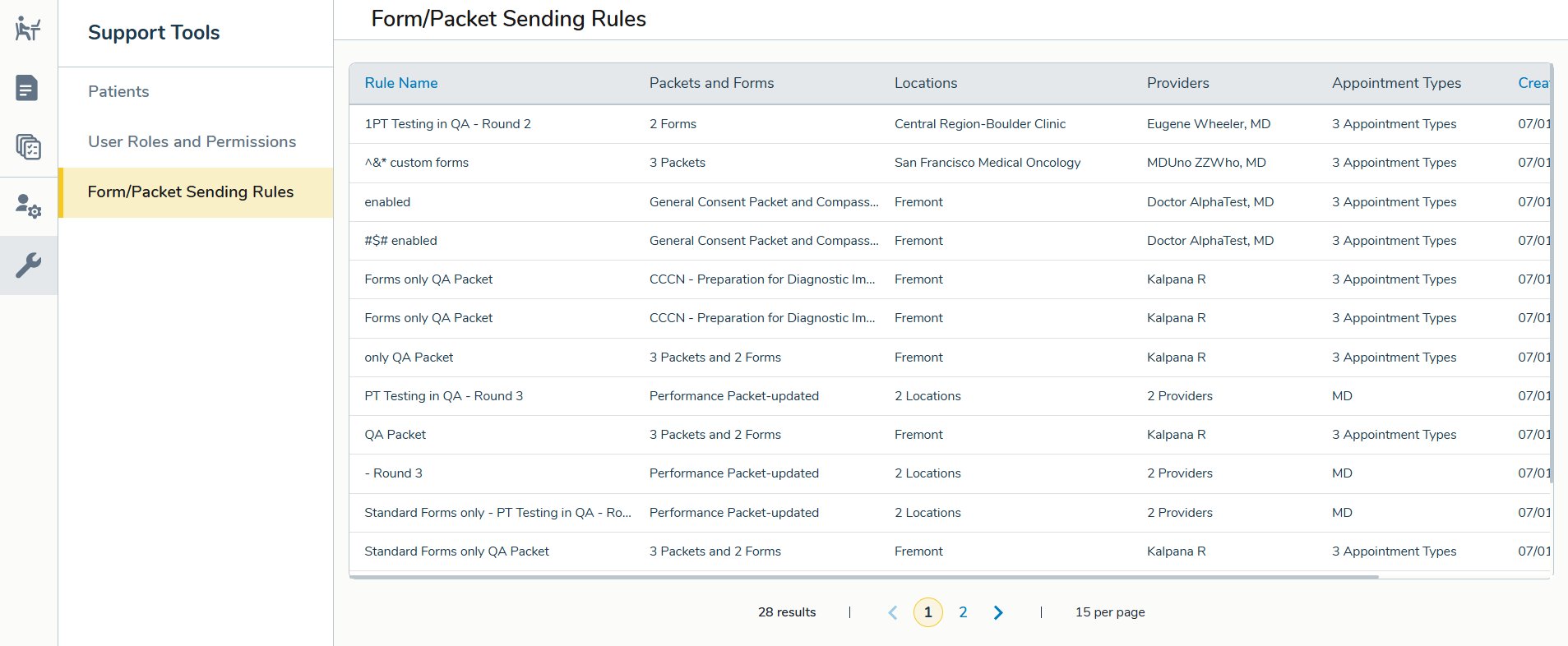
Users with View permission can open the Forms/Packet Sending Rules section and view a list of all established rules, including the rule name, packets and forms impacted, practice locations, appointment types, assigned providers/resources, date created, and date last updated.
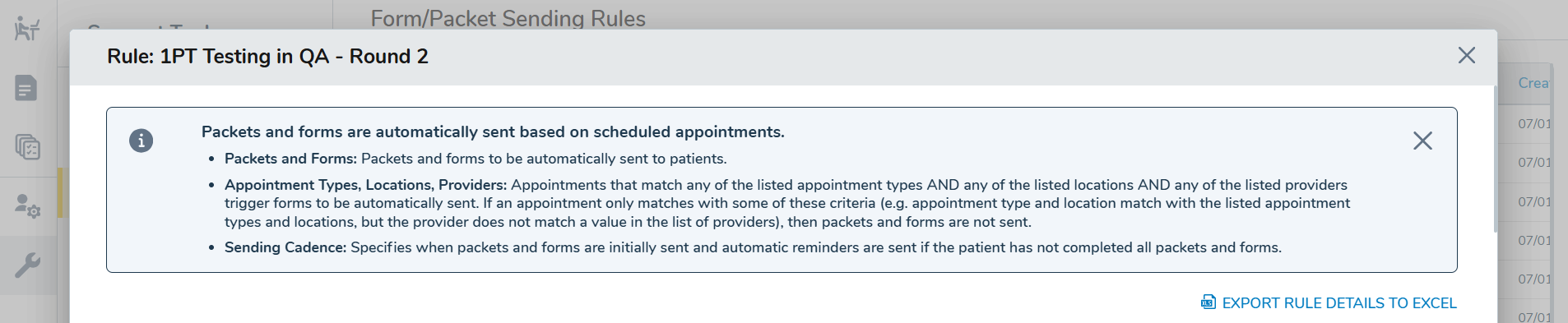
Clicking a rule opens a detailed view in a new window. At the top, a summary banner outlines the rule.
The window then breaks the rule down into the following sections:
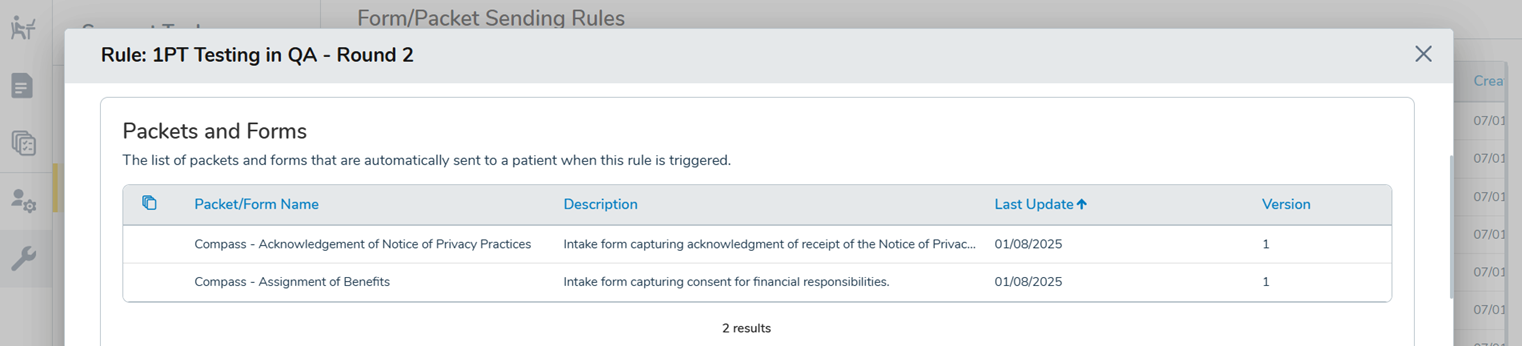
- Packets and Forms: Shows all forms affected, with descriptions, last updated date, version number, and the ability to hover over the form icon to view forms included in a packet.
- Appointment Types: Lists appointment types that must be scheduled for the rule to trigger.
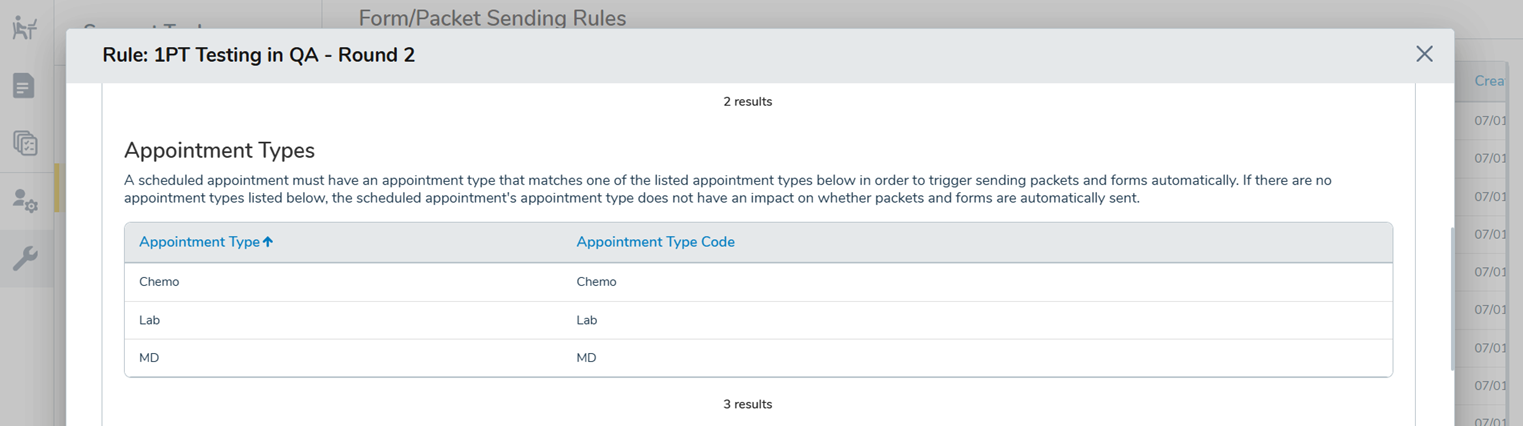
- Locations: Lists practice sites where the appointment must be scheduled for the rule to trigger.
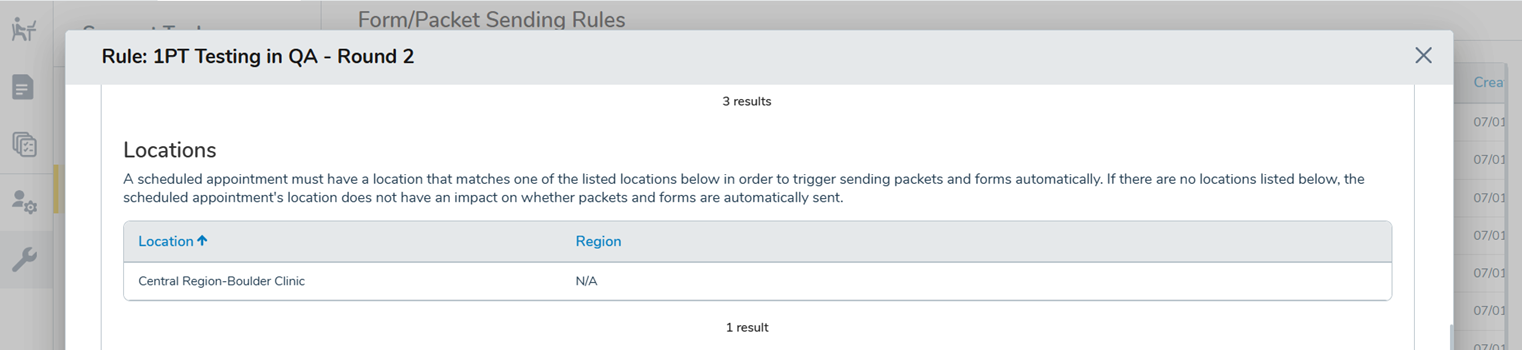
- Providers: Lists which providers/resources must be assigned for the rule to activate.
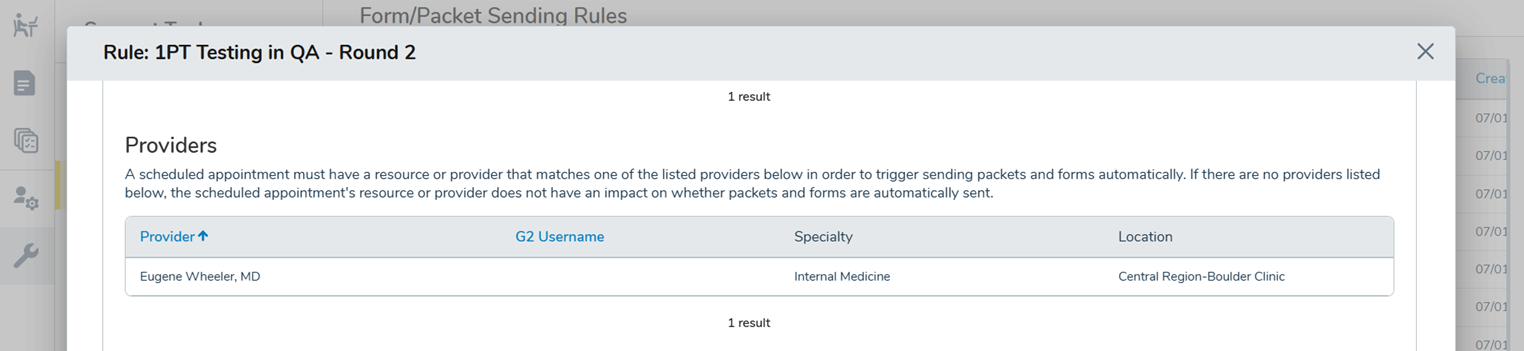
- Sending Cadence: Shows when forms/packets are initially sent and when reminder messages are triggered if a patient hasn’t completed them.

Auditing Forms/Packet Sending Rules access
Users with Ontada Health reporting access can monitor and manage who has access to this new feature through existing reports:
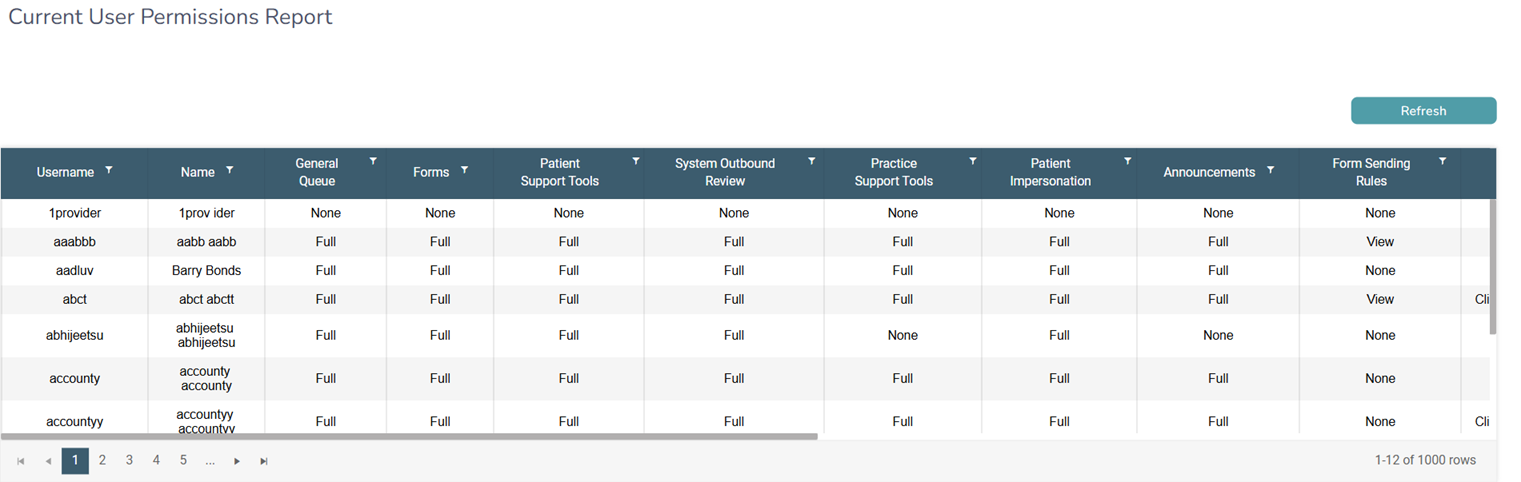
- The Current User Permissions Report will include a Form Sending Rules column that shows who has None or View access. This column can be sorted and filtered for easier auditing.
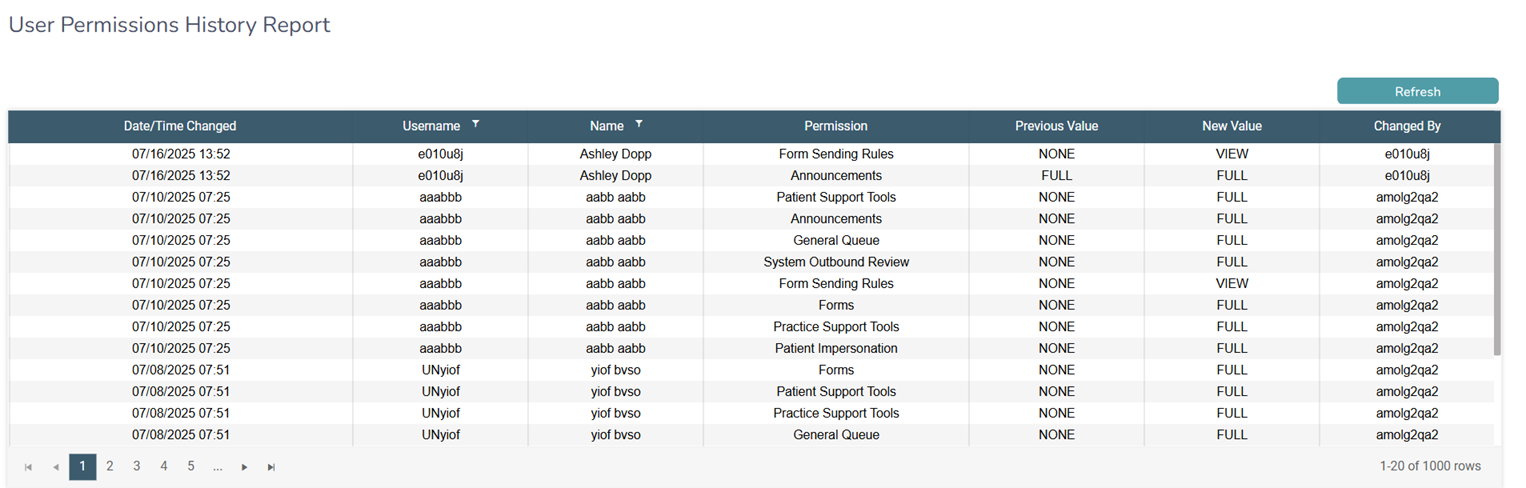
- The User Permissions History Report will track any changes to a user’s permissions for Form Sending Rules, including when access is added, changed, or removed via the Permission column.