View Dispense Details on the Flowsheet Copied
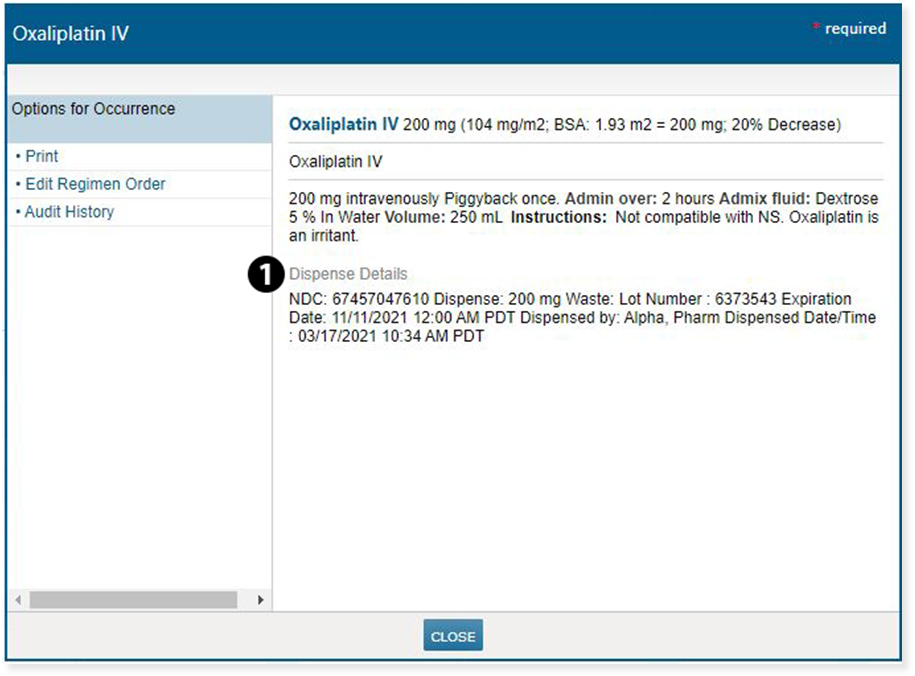
Dispense details on administered medications will now be available from the patient’s Flowsheet. This will provide billing staff with a more easily accessible way to locate details on an order than what is provided on the Charge Capture Report.
To view this information:
- From a patient’s Flowsheet, click on a cell where a drug order exists.
- See the new Dispense Details section that appears below the existing content to view the information (see callout 1).
NOTE: The Dispense Details section will only appear if the dispense details have been completed.