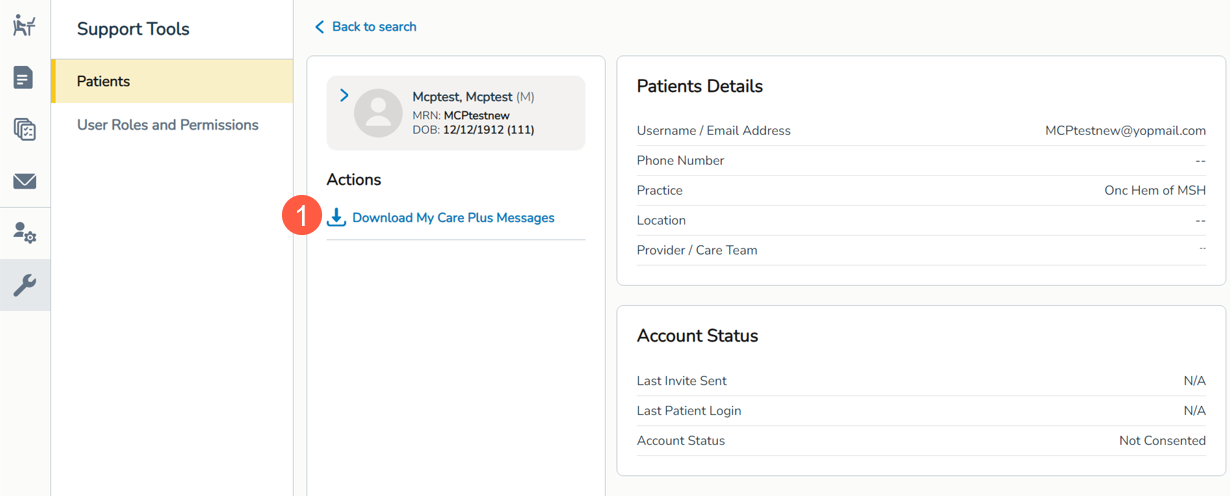
Use Support Tools to access My Care Plus messages for patients Copied
Users with permission to access Support Tools will be able to download a patient’s My Care PlusSM messages when necessary. Follow the steps outlined in the February 14 release notes to grant permission to this feature for one or multiple users simultaneously.
This enhancement ensures that users can seamlessly access and share crucial information from the My Care Plus patient portal even after it is decommissioned, facilitating continuity of care and information exchange.
How to access this feature
- Go to the Support Tools queue.
- Locate a patient and open their portal details.
- Click the Download My Care Plus Messages option under Actions (callout 1) to launch the download to your computer where you can open, save, and share the messages as needed.