
Upgraded order settings allow for Default New Order Date customization Copied
In this release, we updated the Default New Order Date settings to provide greater flexibility by allowing practices and users to choose from a larger variety of order date options that better meet their specific needs.
Practice Preference settings
We’ve expanded the Default New Order Date options for enhanced flexibility (callout 1):
- Require user to select
- Prior to Next Visit
- 1 Week
- 2 Weeks
- 1 Month
- 2 Months
Moreover, by enabling the Allow Users to Customize setting (callout 2), practices can permit individual users to customize their Default New Order Date according to their preferences.

User Preferences settings
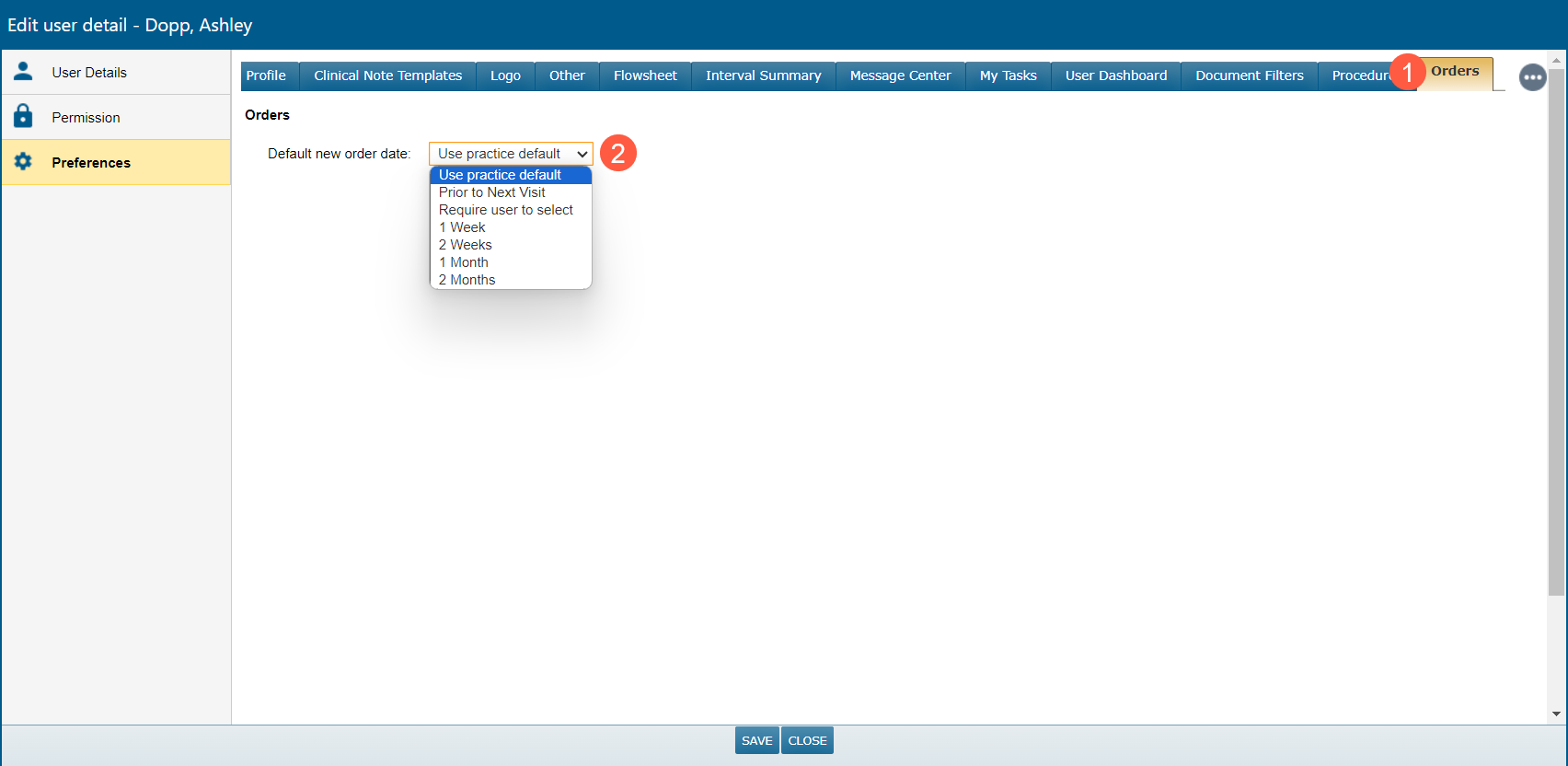
A dedicated Orders tab has been introduced for streamlined management (callout 1).
Within this tab, users can easily access and modify their preferences, choosing from the following range of options (callout 2):
- Use Practice Default
- Prior to Next Visit
- Require User to select
- 1 Week
- 2 Weeks
- 1 Month
- 2 Months
After selecting and saving a preferred option, the new date type will serve as the default Perform Date for orders within the New Orders sub-tab of the patient chart.