
Updates to new the Orders Queue improve workflow efficiency Copied
We’re introducing enhancements to the new Orders Queue aimed at streamlining user workflows and providing more flexibility in managing patient orders. These updates include several new features and improvements, each designed to enhance efficiency, ease the transition to the new queue, and provide users with greater control and insight into their tasks.
Improved filter presets for seamless order management
We have revamped the Filter Presets in the new Orders Queue to simplify order management for new users of the Orders Worklist. Three pre-built presets are now available to users who have not created any presets. The prebuilt presets will eliminate the need for each new user to create presets when they begin to use the worklist.
New prebuilt presets
Today (callout 1)
- Order Date = Today
- Ordered From Location = Logged-in location
- Queue Status = Scheduling not started
- All other filters = All
Last 7 days (callout 2)
- Order Date = Last 7 days
- Ordered From Location = Logged-in location
- Queue Status = Scheduling not started, Scheduling on hold, Scheduling in progress
- All other filters = All
Incomplete Orders (callout 3)
- Order Date = Last 90 days
- Ordered From Location = Logged-in location
- Queue Status = Scheduling on hold, Scheduling in progress
- All other filters = All
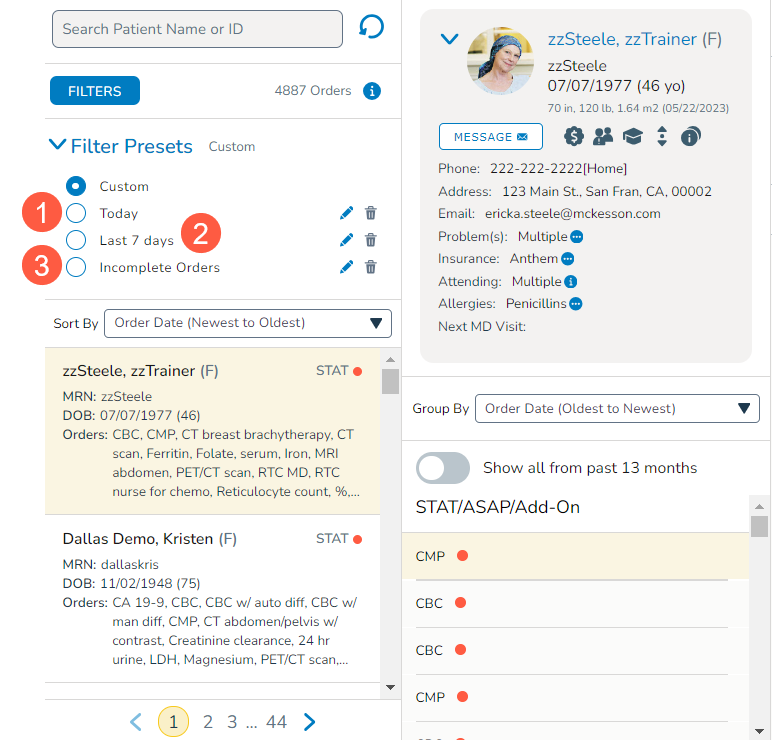
Users have the flexibility to edit or delete the prebuilt presets as needed. Users can have up to six presets, including the prebuilt ones. The prebuilt presets are not available to users who already have defined presets. The user-defined presets will remain in place; however, if a user deletes all their existing presets, the system will provide them with the prebuilt sets.
Expanded Order Type filter options for enhanced flexibility
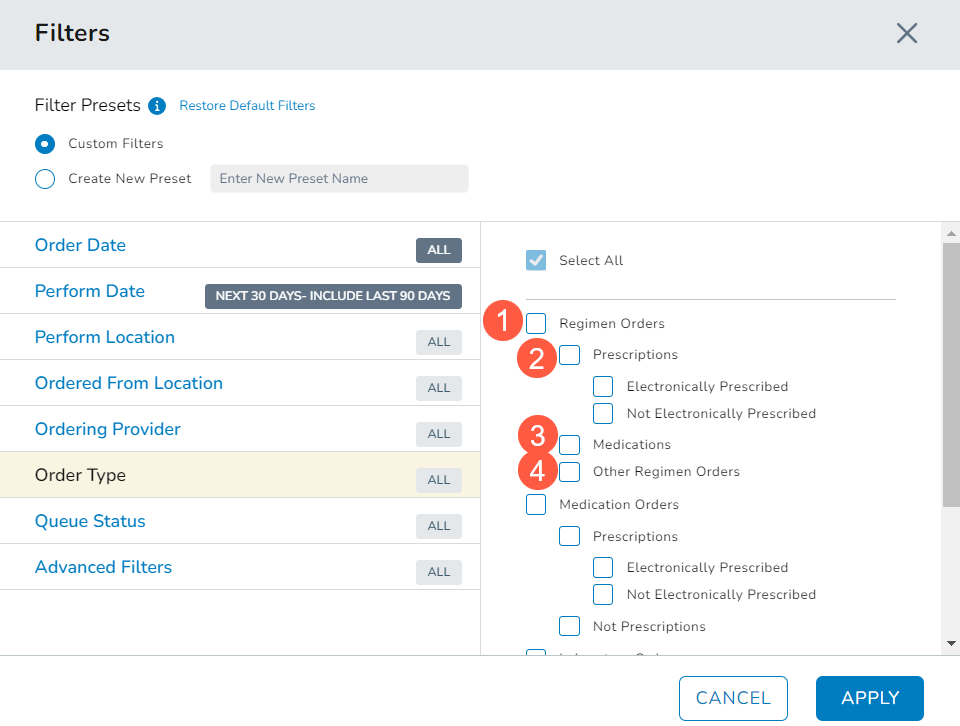
The Order Type filter options have been expanded to include an improved Regimen Orders filter (callout 1).
This option includes a breakdown that incorporates distinctions between Prescriptions – Electronically Prescribed or Not Electronically Prescribed, Medications, and Other Regimen Orders (callouts 2-4).
This added granularity provides users with increased flexibility, catering to a broader range of use cases.
Update multiple queue tasks simultaneously
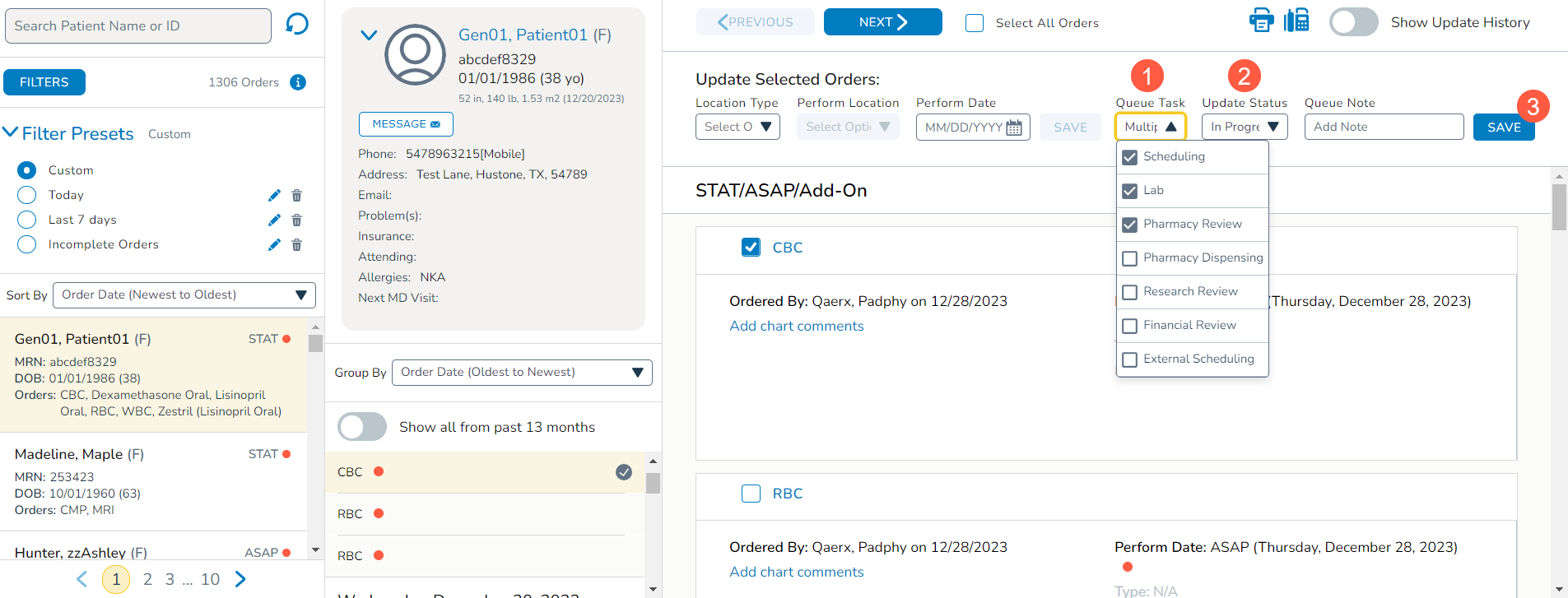
Multiple queue tasks can now be updated simultaneously to process orders more efficiently. This is useful when the same status needs to be applied to different tasks.
Simply select an order then use the updated Queue Task drop-down to select multiple tasks (callout 1). Use the Update Status drop-down to apply the same status to these tasks (callout 2) and Save your changes (callout 3).
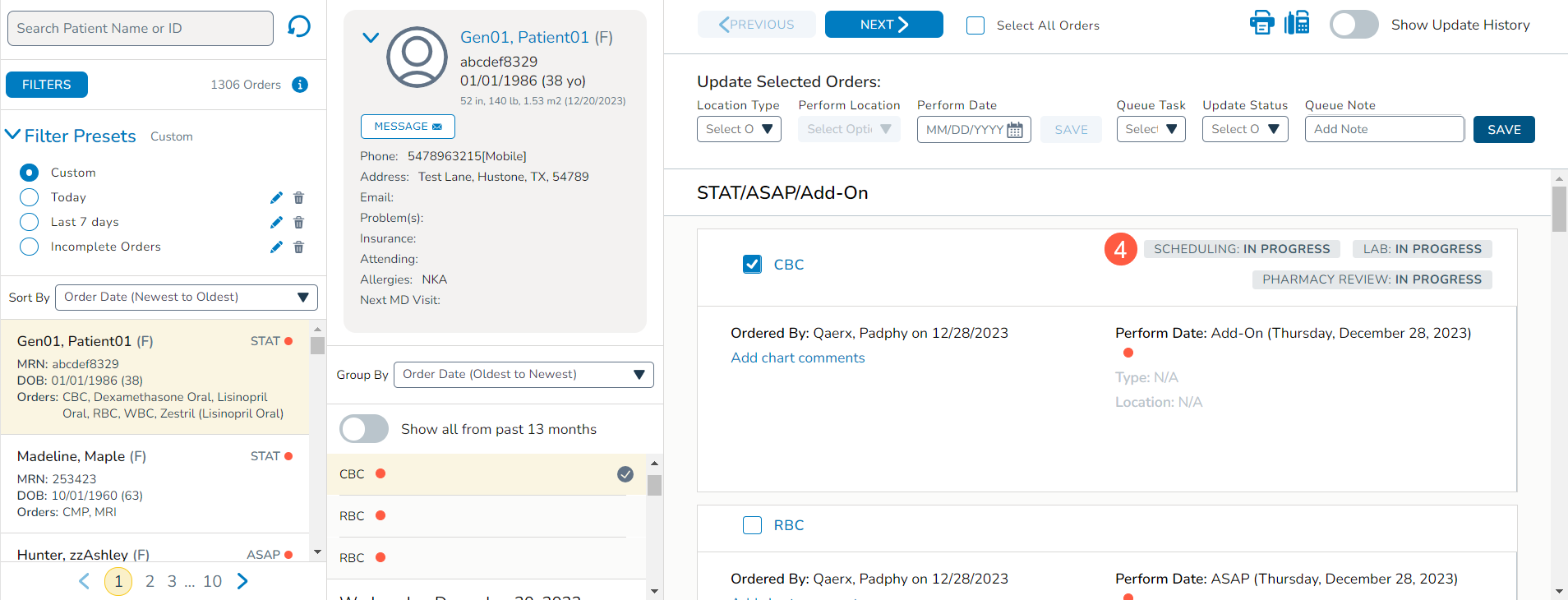
Multiple badges noting the different tasks and their same status will then be displayed on the order (callout 4).
Introducing Orders Queue Legacy worklist
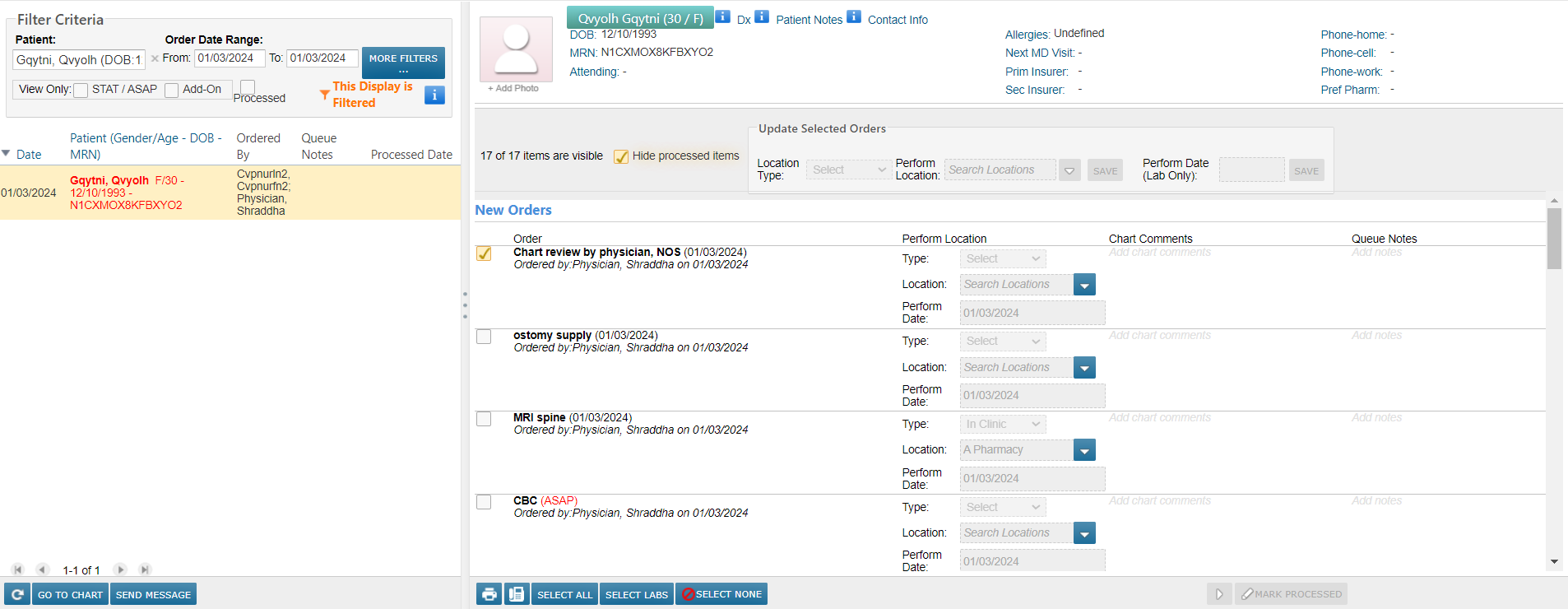
To facilitate a smooth transition to the new Orders Queue, practices will now have access to an Orders Queue Legacy worklist (callout 1). This resource allows users to verify the visibility of expected orders in the new queue.
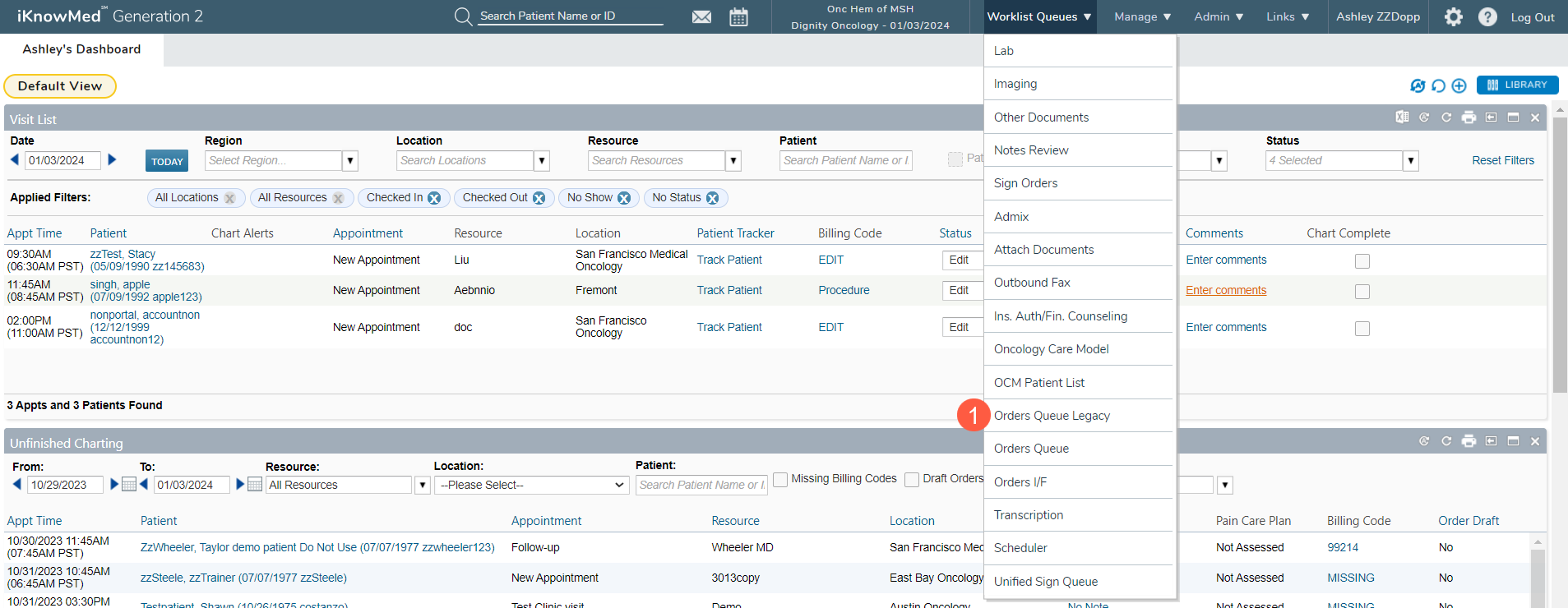
No updates to orders can be made from the legacy worklist. Orders can however be printed or faxed from this queue if needed.
NOTE: Access to this worklist is temporary and it will be removed once practices are confident in using the new queue.
Enhanced patient order history visibility
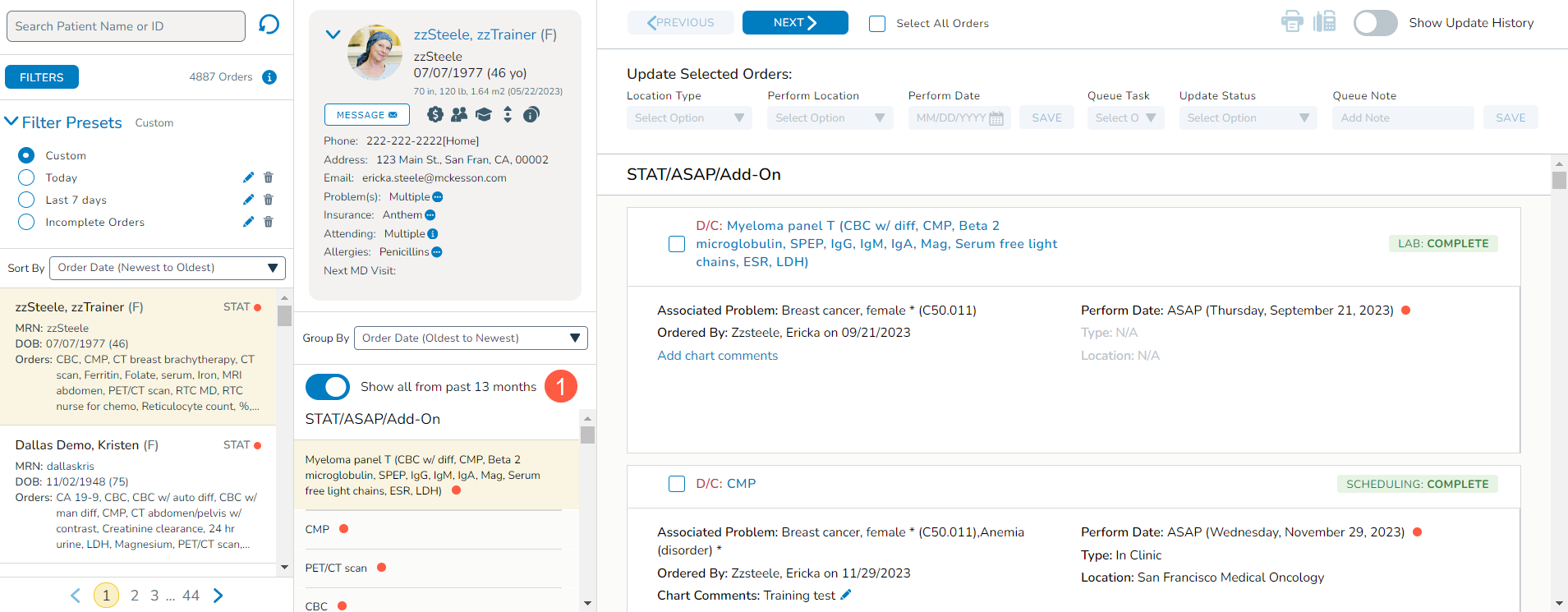
A new Show all from past 13 months toggle in the middle column (callout 1) enables users to view a patient’s previous orders going back as far as 13 months and all future orders, even if they do not align with the current filter criteria. This feature ensures a comprehensive view of a patient’s order history for more informed decision-making.
Dose Calculation visibility on medication card
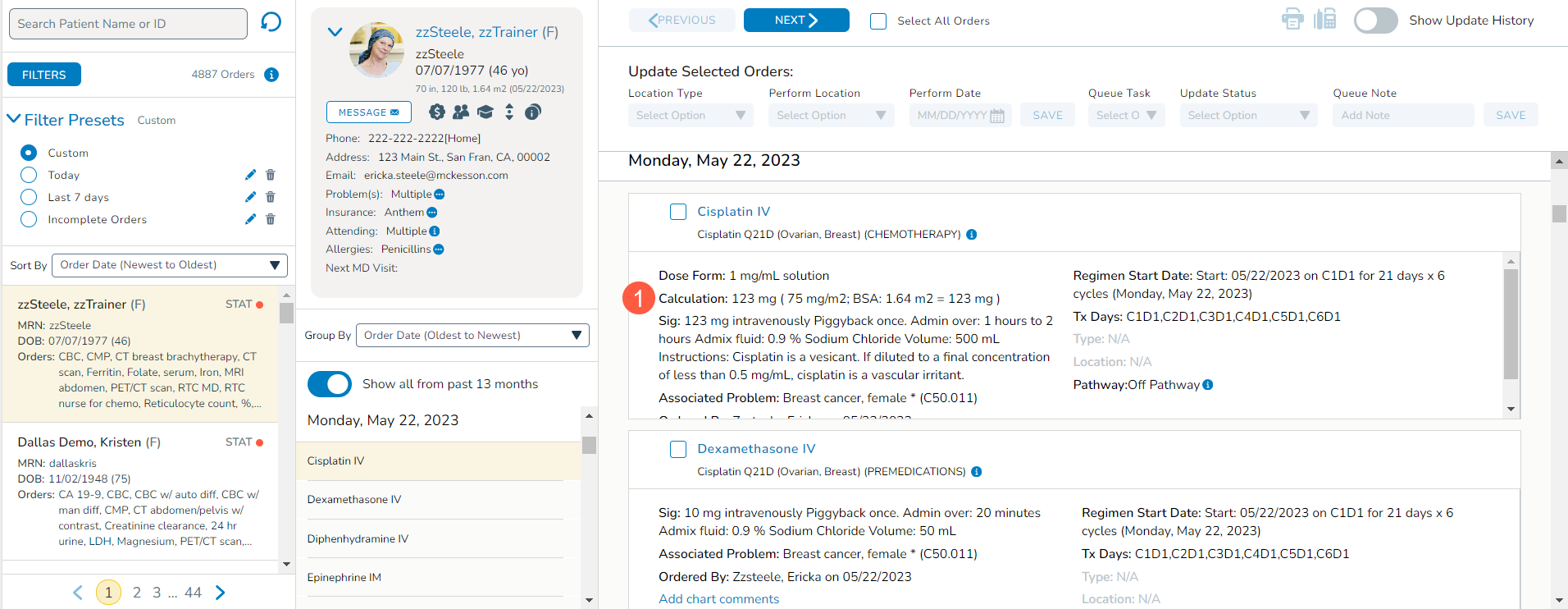
The Orders Queue now displays dose Calculation on the medication card (callout 1), providing pharmacy reviewers with essential information to verify accurate dose calculations. This addition enhances the safety and accuracy of medication administration.
Persistent Group By and Show Update History settings
The Group By and Show Update History settings will now persist even after leaving the tab or logging out and back into iKnowMed. This improvement ensures that users can seamlessly resume their work with the preferred settings intact, enhancing the overall user experience.