
Updated NCCN Breast Guidelines care plan for genetic counseling Copied
An updated NCCN Breast Guidelines care plan will be available in the Clinical Profile > Care Plan section of the patient chart. This care plan can be used to document whether a patient with breast cancer needs to be referred for genetic counseling based on the most recent NCCN guidelines.
Enabling the care plan
Before using this care plan, it must be turned on for your practice:
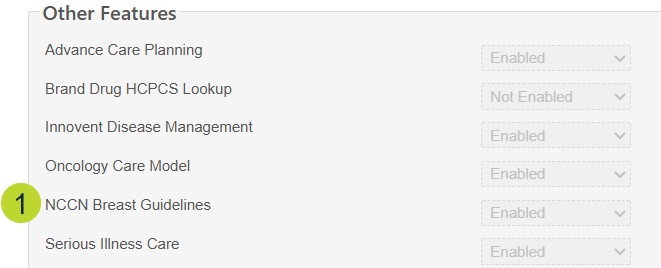
- Go to Admin > Practice Preferences.
- Scroll to the Other Features section.
- Set the NCCN Breast Guidelines preference to Enabled (callout 1).
Key features
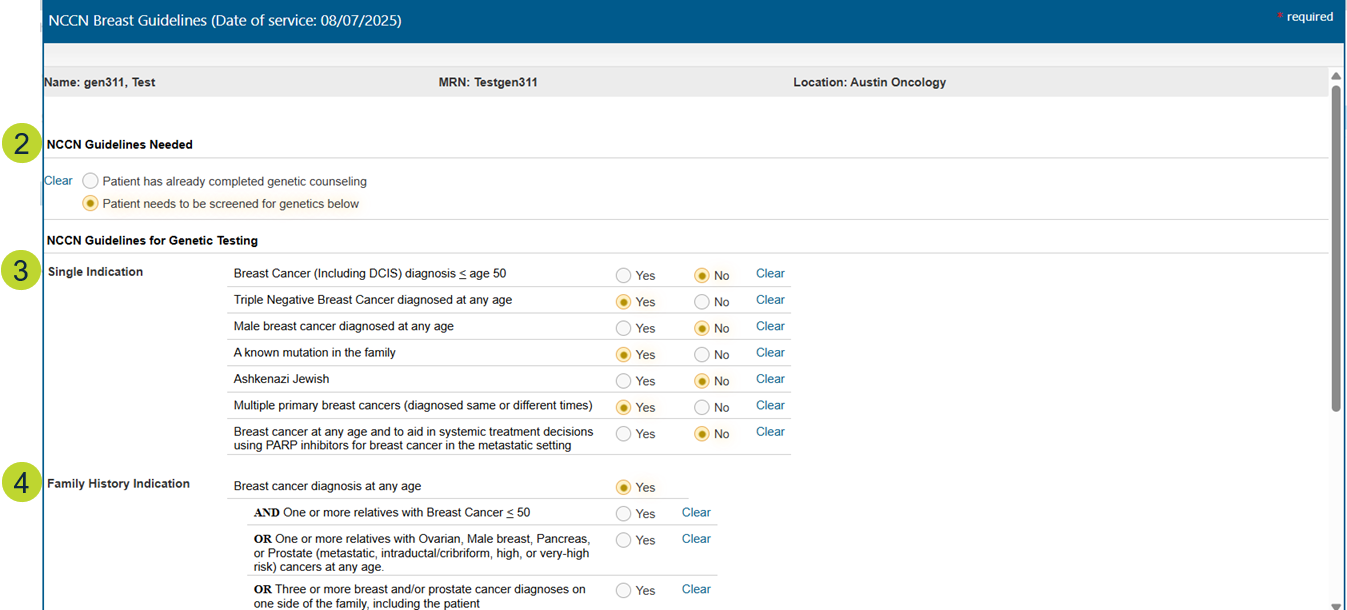
- Assessment tool to document both Single Indication and Family History Indication based on NCCN criteria.
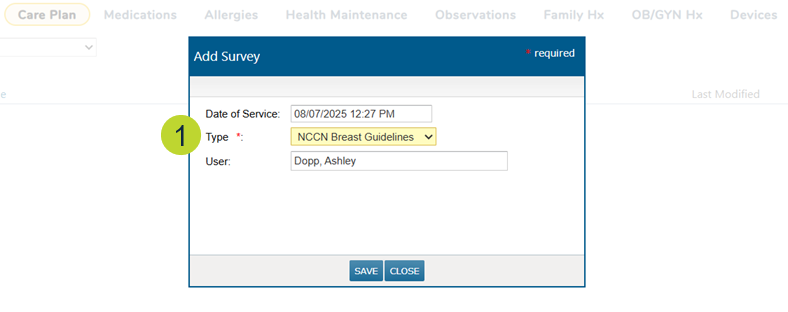
- When adding a care plan to the patient’s chart, choose the NCCN Breast Guidelines option as the care plan Type (callout 1).
- Under the NCCN Guidelines Needed section, document whether the patient has already completed genetic counseling or needs to be screened based on the assessment (callout 2).
- Select applicable factors for the patient under Single Indication (callout 3) and/or Family History Indication (callout 4).
- Indicate the result of the assessment (callout 5):
- Referral recommended
- Referral refused
- Use “Clear” to update selections as necessary.
- A free-text “Comment” field is available to capture any additional context up to 255 characters.
- Be sure to Save once all relevant information has been entered (callout 6).
