Texas immunization consent tracking Copied
The state of Texas ImmTrac system added a requirement to their immunization registry called Affirmation Consent. To support this requirement, we added a new setting in Demographics to document immunization consent given by the patient. This consent is in addition to the existing consent to participate in the Disease and Treatment Registry.
The consent documentation in demographics has two parts:
-
A checkbox to confirm the patient has consented, and
-
A radio button to select the demographic to which the patient belongs
When using the consent checkbox, the radio button selection is required prior to saving.
Because this requirement only applies to the state of Texas, there is a new Practice Preference to control whether the setting is included in the Demographics for your practice.
To use the new ImmTrac Consent feature:
-
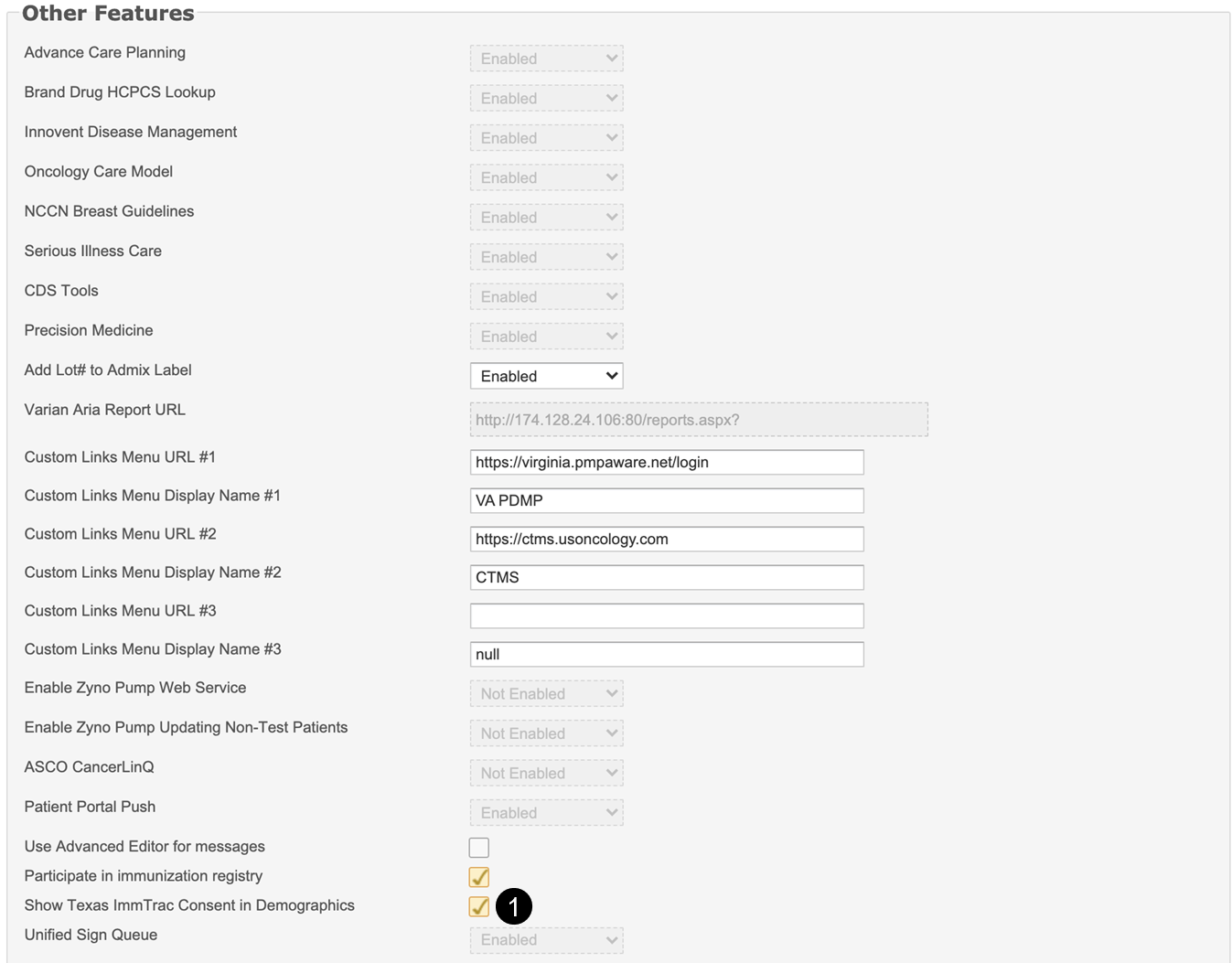
Go to Admin > Practice Preferences and scroll down to the Other Features section.
-
Select the checkbox labeled Show Texas ImmTrac Consent in Demographics (see callout 1).
-
Click the Save button. You must log out and back in for the setting to apply to your practice.
-
The Demographics settings will now appear for all patient charts within your practice.
-
Open a patient and navigate to the Demographics tab.
-
Scroll down to the Patient Preferences section.
-
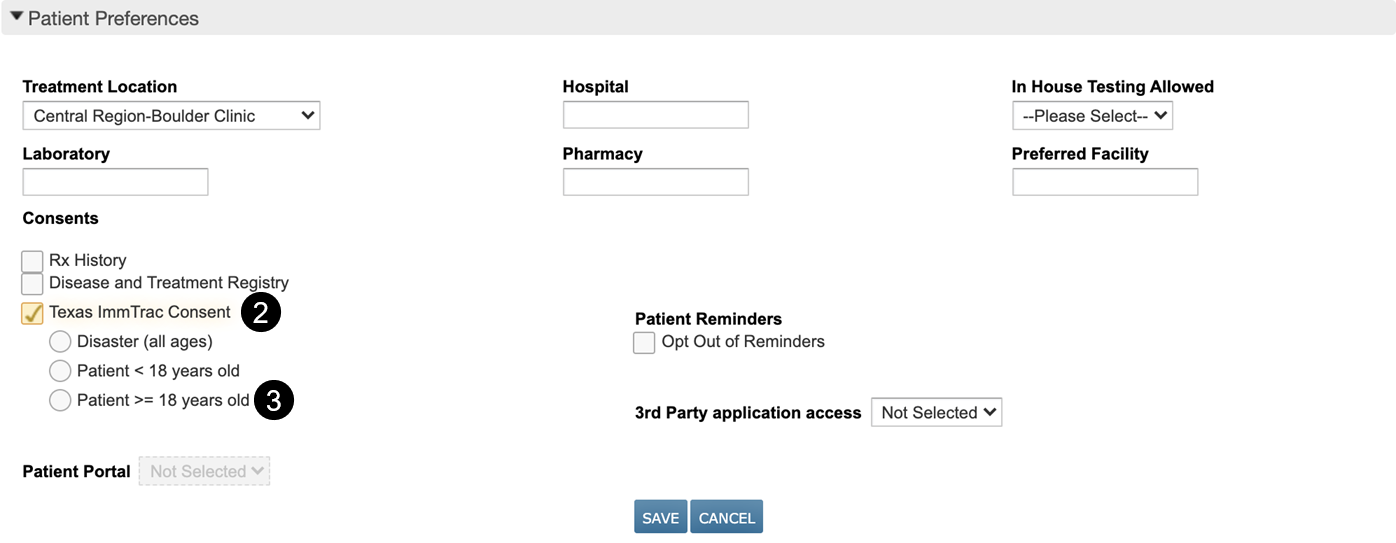
In the Consents sub-section, there is now a checkbox labeled Texas ImmTrac Consent, which should be used to track the patient’s consent (see callout 2)
-
Once the checkbox is selected, the radio buttons will be enabled. You must select a radio option to save the consent (see callout 3).
-
The selections will then be transmitted to ImmTrac.