Submit feedback on Clinical Decision Support (CDS) Copied
The ONC Health IT Certification Program requires that users have an in-app ability to provide feedback on decision support that they’ve interacted with in iKnowMed.
How to provide CDS feedback
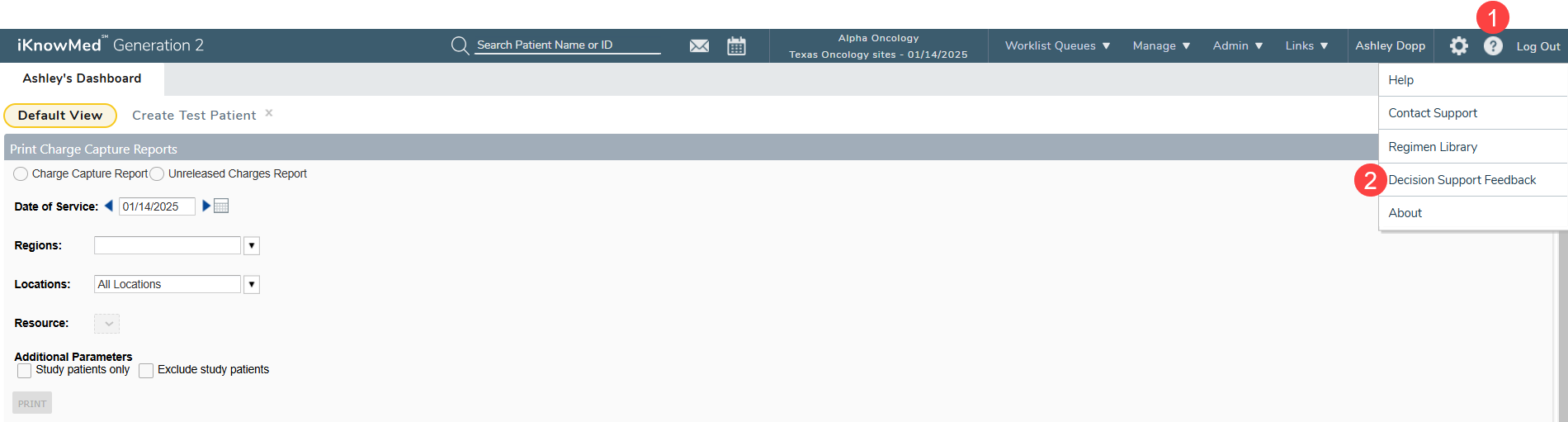
- Access the feedback screen by clicking the question mark icon located in the top navigation bar (callout 1).
- Select Decision Support Feedback from the dropdown menu (callout 2).
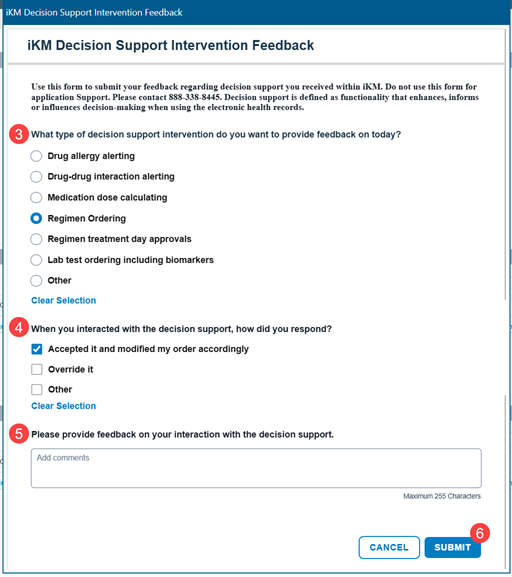
- In the IKM Decision Support Interventions Feedback window, answer the listed questions and add any additional comments in the provided text box (callouts 3-5).
- Click Submit to share your feedback with the system (callout 6).
- Permissioned users can view all submitted feedback by accessing the new Decision Support Interventions Feedback Report.