Self-Service Reporting: Patient Enrollment Report streamlines follow-ups and portal transitions Copied
We know getting the information you need when you need it is important for your practice. With Ontada Health reporting, we’ve created standard self-service reports, allowing you to run them as needed. Self-service reporting aims to decrease practice wait times for custom reports with standard reports that can be downloaded on demand.
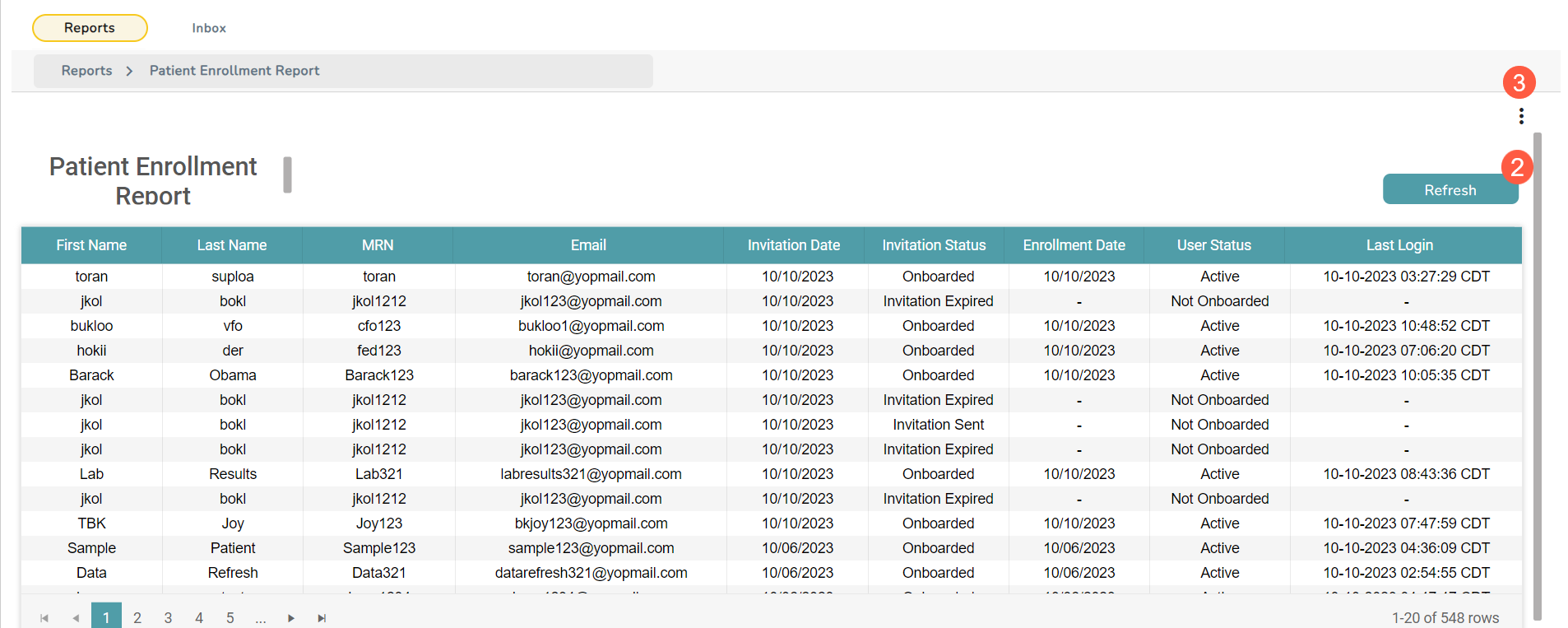
The Patient Enrollment Report offers valuable insights into the status of patient enrollments within the Ontada Health portal. This report serves as a crucial tool for facilitating efficient follow-up processes and streamlining patient portal transitions.
NOTE: The reports are permission-based and will appear based on your role in the practice. Please work with your practice administrator to access reports.
Granting report permissions
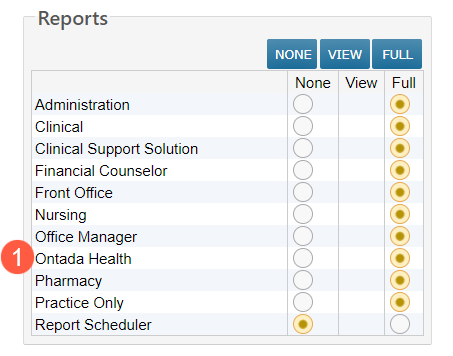
Only those with user permissions under Admin Menu > Users set to FULL can assign reports to users based on their role in the practice.
To grant permissions:
Go to Permission in the user’s profile, locate the Reports section, and change the Ontada Health setting from None to Full (callout 1).
NOTE: The changes will not take effect until the next nightly refresh is complete.
Accessing the reports
To access the reports:
- Go to Admin > Reports from the top navigation.
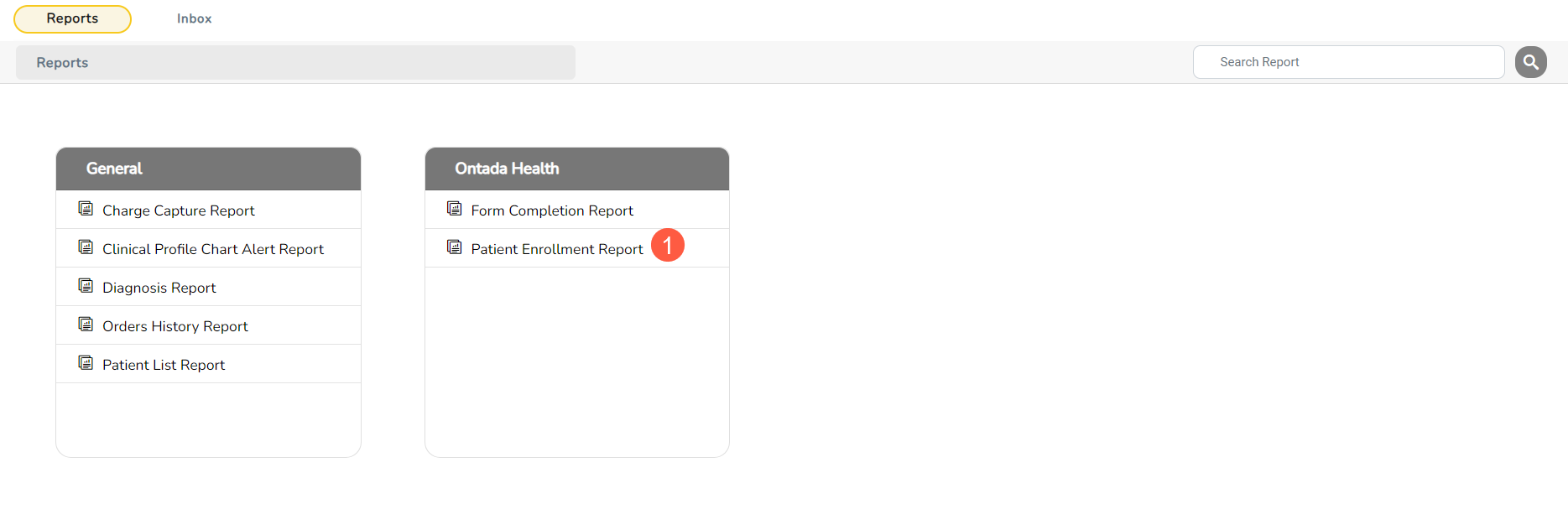
- To open the Patient Enrollment Report, click the title of the report (callout 1).
- Click Refresh to update your results in the table (callout 2).
- To export the report, click on the 3 dots in the upper right corner (callout 3) and then choose your preferred download option.