Save clicks by adding associated problems globally Copied
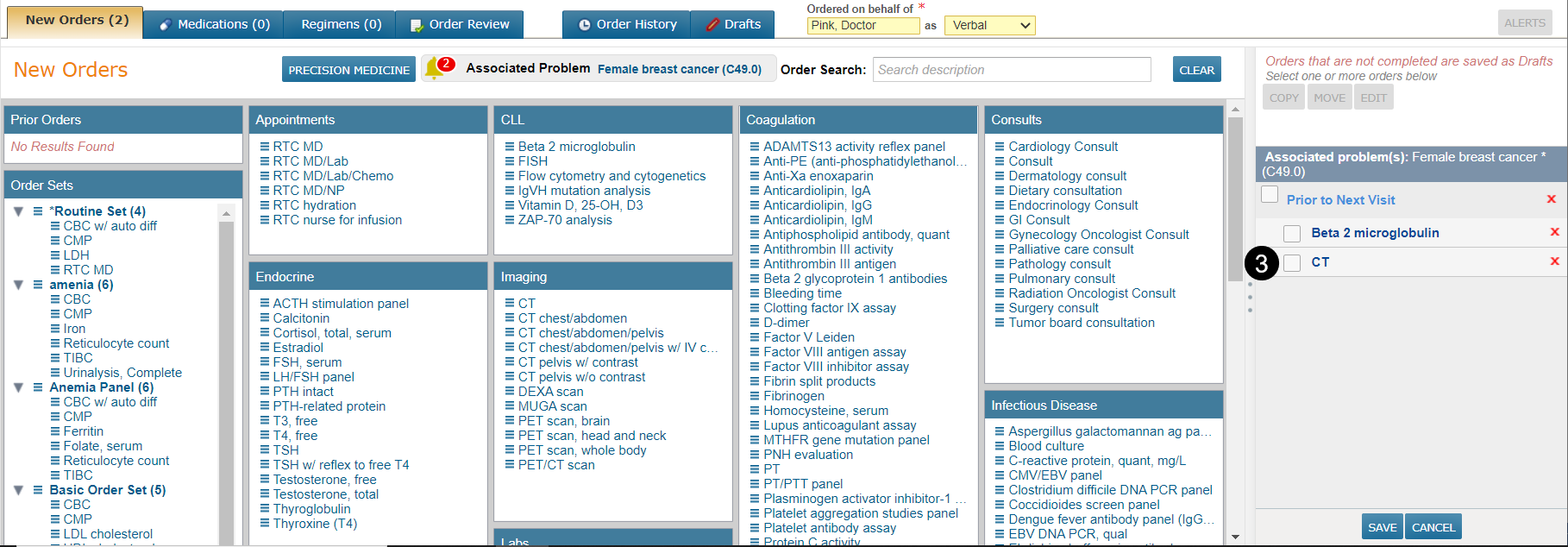
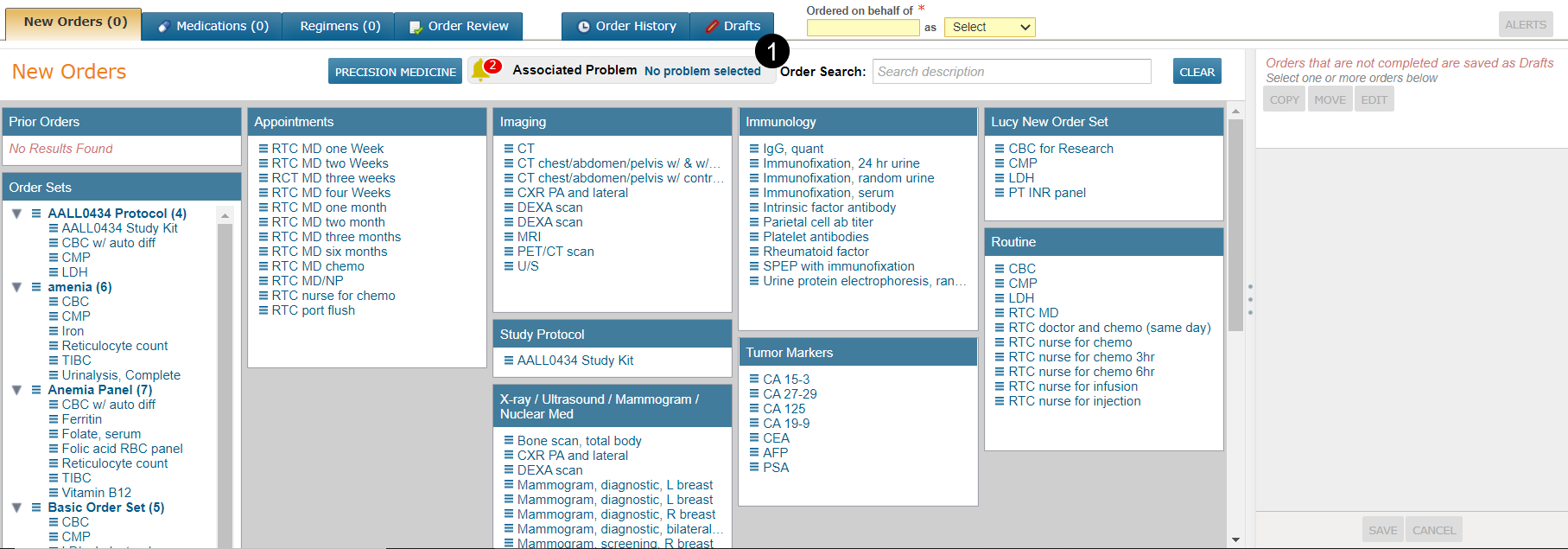
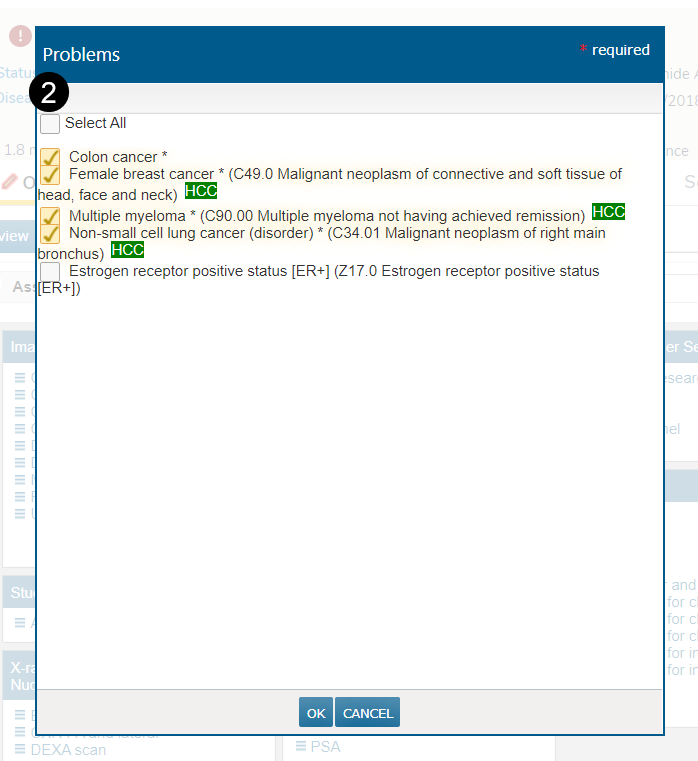
On the Orders tab, you can save clicks by selecting more than one Associated Problem for orders you are about to create (see callout 1). Before this release, only one problem could be selected from the Problems dialog. Check boxes have been added so that you can now select all, select one, select multiple, or select none (see callout 2).
EXAMPLE: If the patient has only one principal diagnosis, the system will continue to default to that diagnosis.
EXAMPLE: If the patient has multiple principal diagnoses, each will be pre-checked in the Problems dialog. You can open the dialog to confirm which diagnoses apply to the orders you are about to create.
Please note that individual orders can still be updated before the orders are saved. Click on the order from the right-hand column and check or uncheck the associated problems as needed (see callout 3).