Require ICD-10 codes to improve reimbursement and standardize data Copied
We’re introducing a new practice preference to allow your practice to determine whether an ICD-10 code is necessary when users add new problems.
Requiring an ICD-10 code ensures proper documentation of diagnoses and procedures, optimizing reimbursement accuracy. Moreover, it supports standardized data, which makes sharing information with community partners easier. This, in turn, enhances collaborative decision-making processes and fosters more informed healthcare delivery.
How to activate the preference
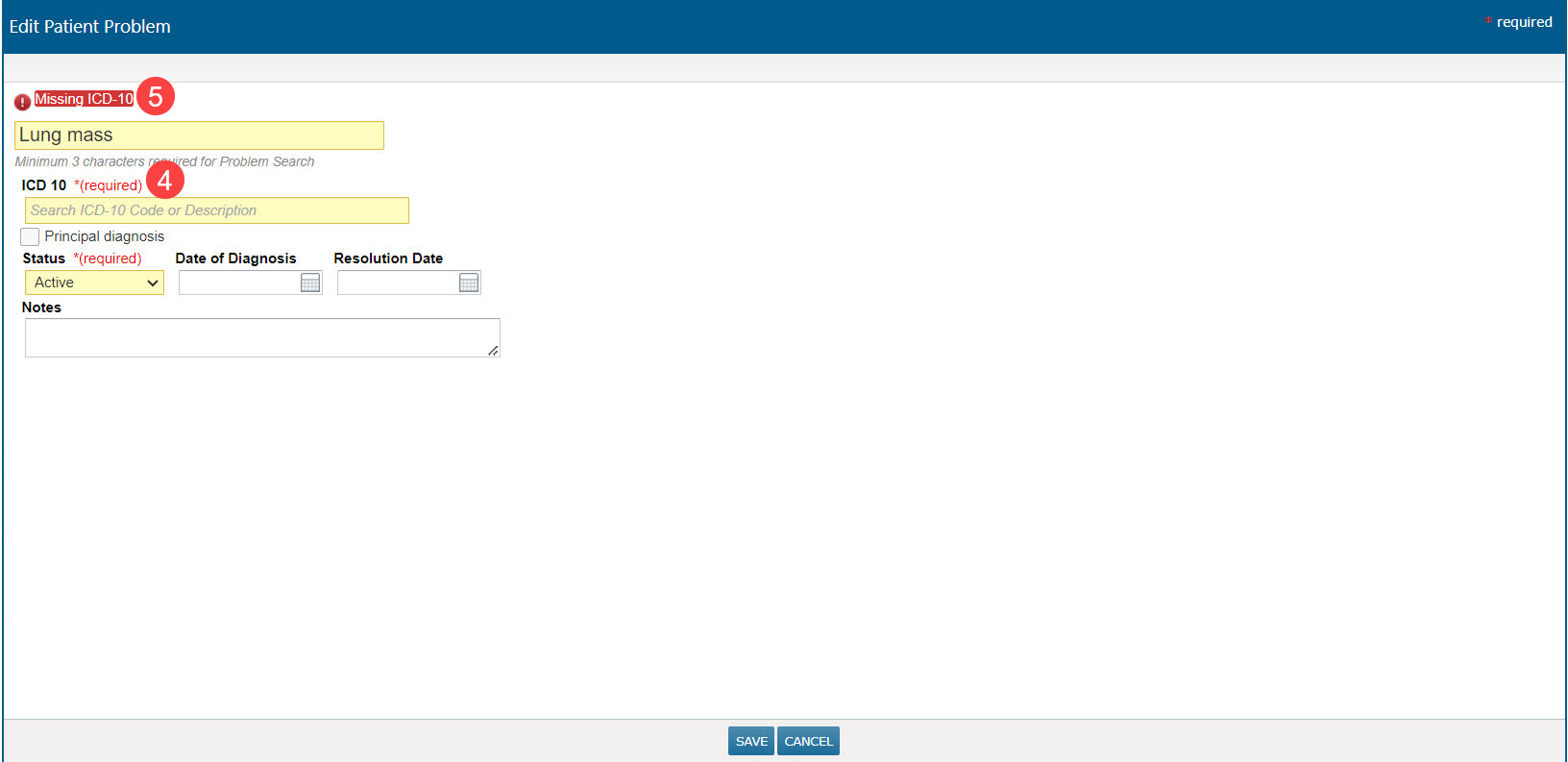
- Navigate to Admin > Practice Preferences, scroll to the new Mandatory ICD10 Documentation preference, and set it to Enabled (callout 1).
- Save your changes.
- Log out and back in to activate the update.
Updated ICD-10 experience
Upon implementation, users will encounter an updated workflow where the addition of an ICD-10 code becomes mandatory for the following functionalities:
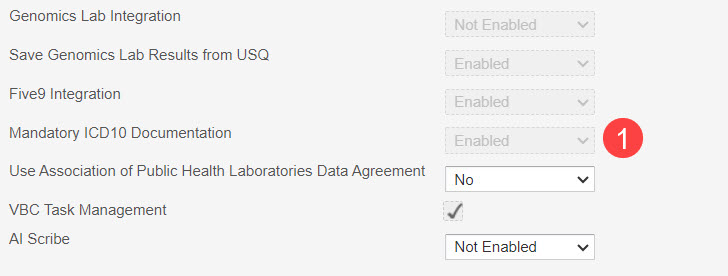
- Problems List: Users must add a problem and an ICD-10 code before a new problem or changes to an existing problem can be saved to the patient’s chart.
- A new (required) tag will appear in the Problem field (callout 1).
- A new (required) tag will appear in the ICD-10 field (callout 2).
- Only after a problem and an ICD-10 code have been added will the Save & Add Another and Save & Close buttons become active (callout 3).
- Note: Editing a problem without an assigned ICD-10 code will require one to save any changes.
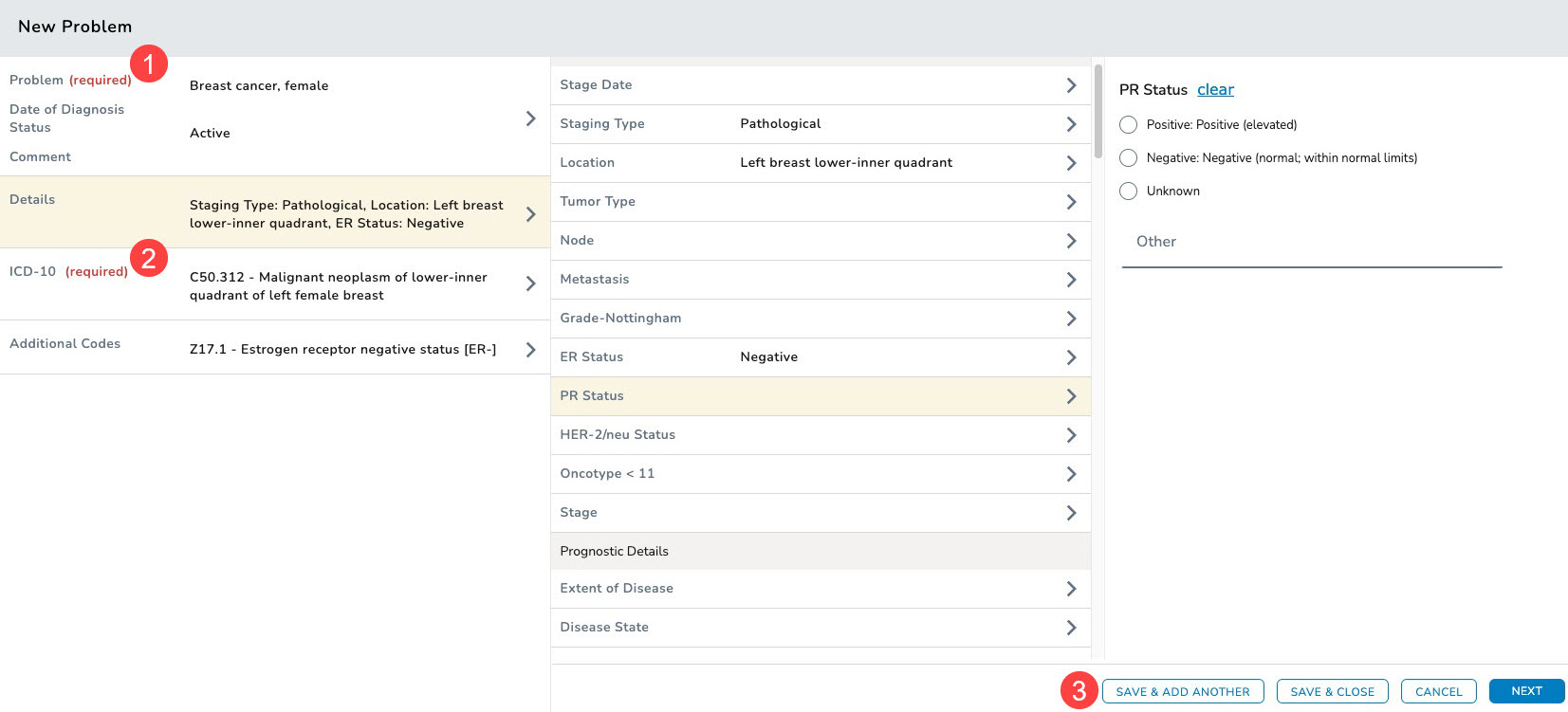
- Billing Screen and Orders Tab: Users must add a problem and an ICD-10 code before new or edits to existing charges or orders can be saved to the patient’s chart.
- A new (required) tag will appear next to the ICD-10 field (callout 4).
- Any attempts to save charges or orders without an ICD-10 code will result in an error message prompting users to add one (callout 5).