Print and/or fax demographic details Copied
After many requests from practices, you can now print and/or fax basic demographic information, such as a patient’s insurance information, pharmacy benefits, and preferred pharmacy.
To print and/or fax demographic details:
-
From a patient’s chart, go to the Demographics page.
-
Click on the new Fax or Print icons in the upper right corner (see callout 1).
-
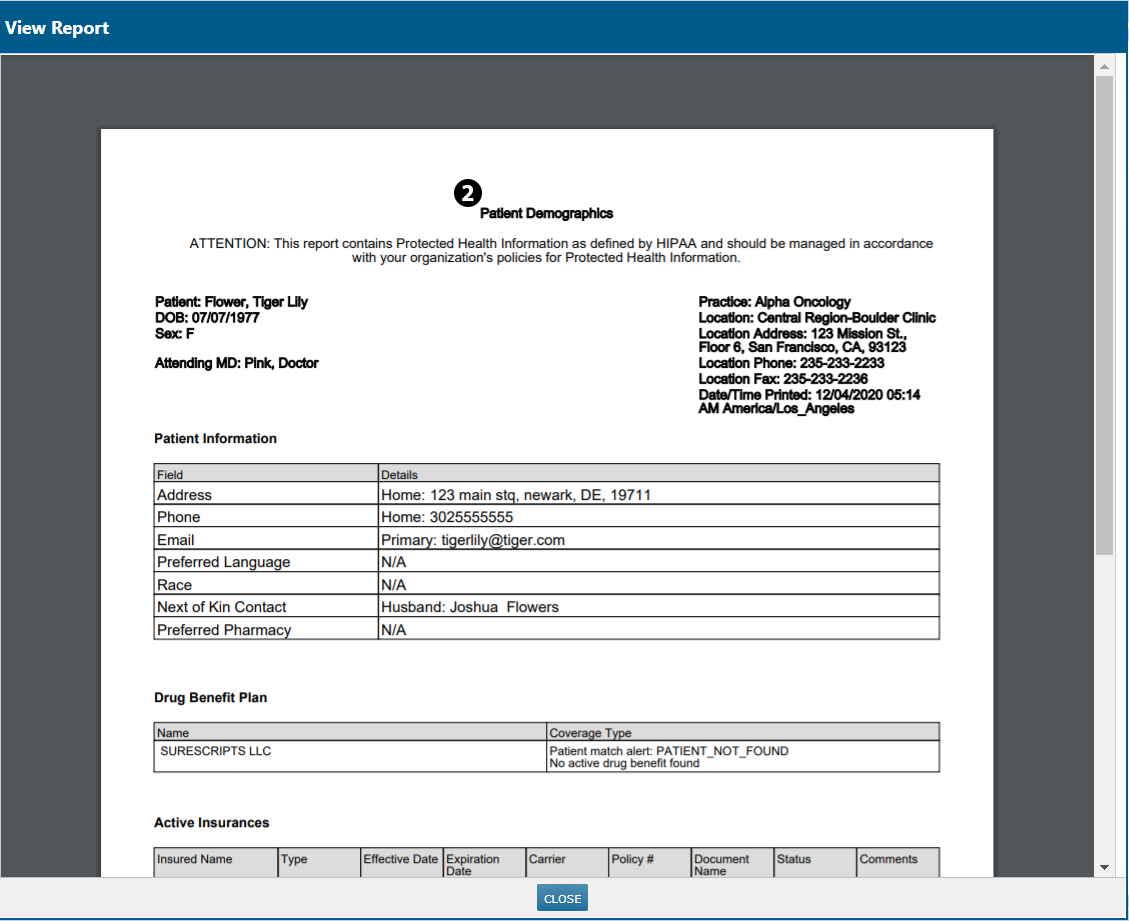
The document when generated includes practice information as well as an overview of the patient, including their pharmacy and insurance coverage (see callout 2).
-
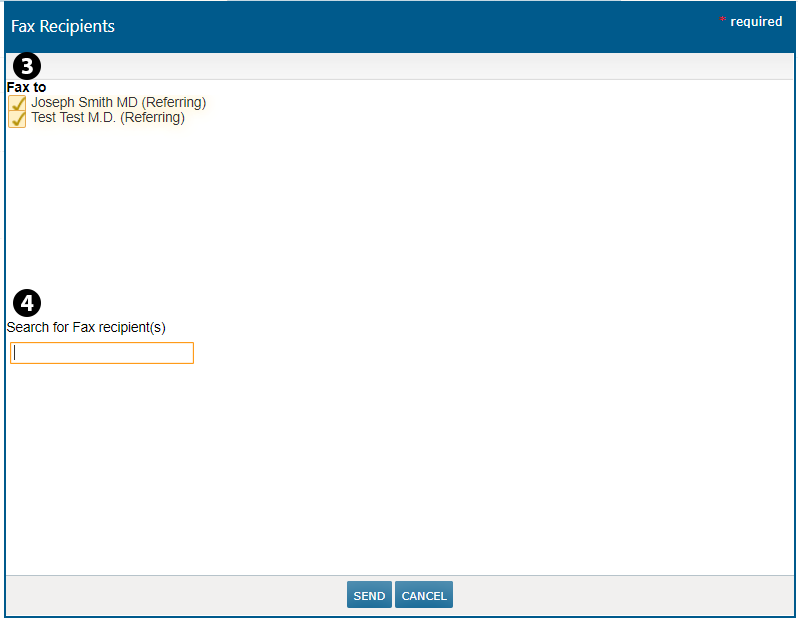
If you choose to send this as a fax, choose who to Fax to or Search for Fax recipient(s) in the window and hit SEND (see callouts 3 and 4).
-
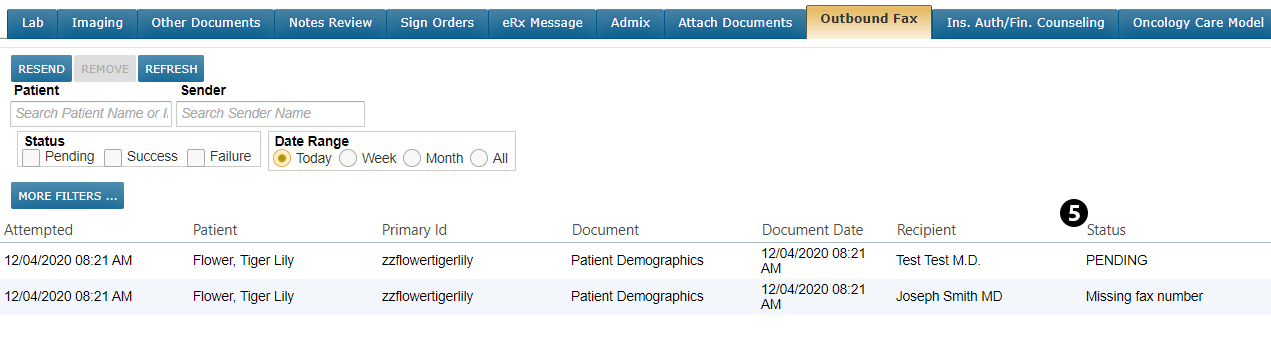
It will appear in Worklist Queues > Outbound Fax where you can view fax’s status (see callout 5).