Pharmacy information integrated in the Patient List report Copied
The Patient List Report now displays patient pharmacy data directly in the report, offering a convenient and insightful way to manage patient information.
Key Features:
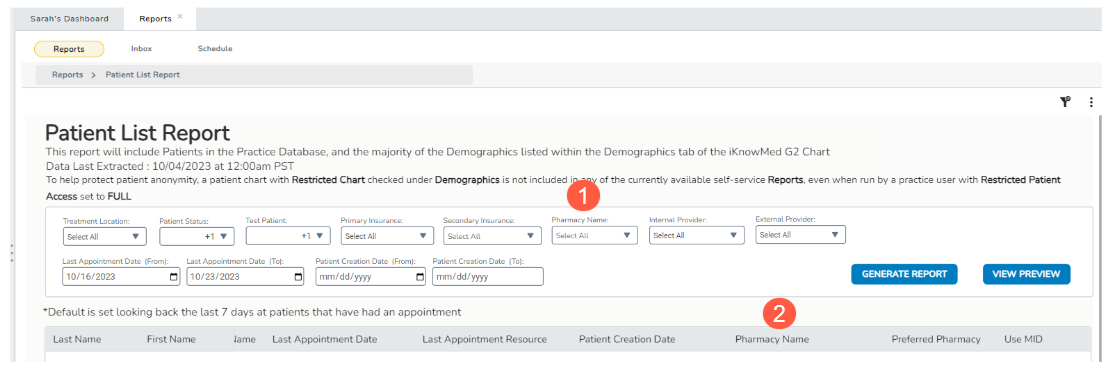
- Pharmacy Name Filter: Use the Pharmacy Name filter (callout 1) to select one or multiple pharmacies of interest. This filter pinpoints specific pharmacies, streamlining the way you access and analyze patient data.
- Pharmacy Name Column: To make this information easily accessible, we’ve added a dedicated Pharmacy Name result column (callout 2) to the report. This column displays the pharmacies associated with each patient.
The inclusion of pharmacy data within the report enhances the precision of patient information management. You can now quickly identify patients connected to particular pharmacies and address any necessary updates or interventions.