Organize tabs when documenting clinical notes Copied
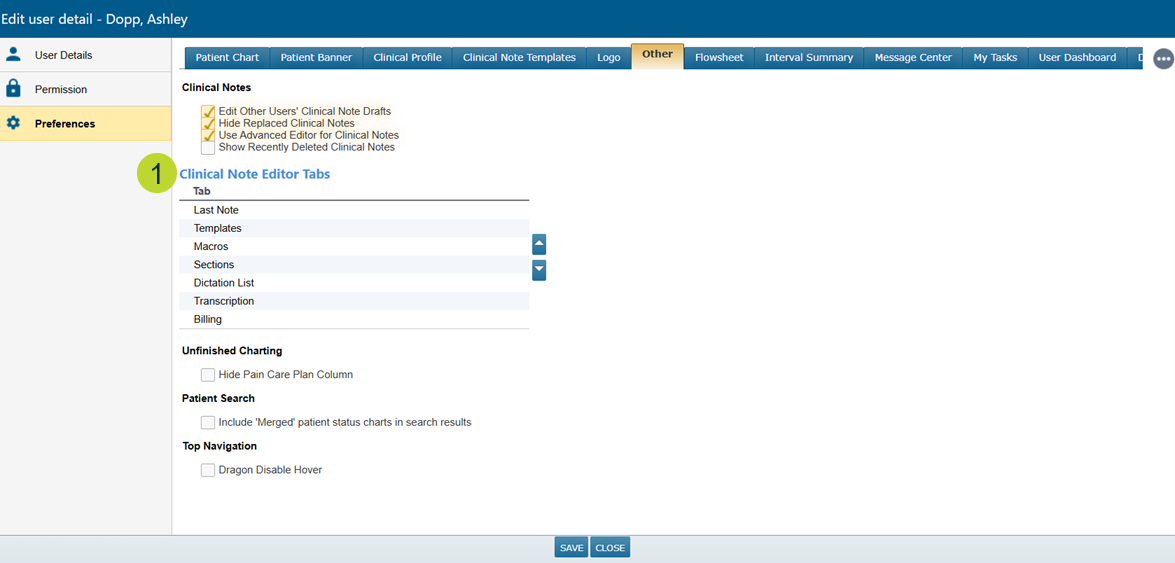
You can now rearrange the tabs in the clinical note editor, giving you more control over how these tabs display when creating a clinical note. This is especially helpful if you use features like AI Scribe as you can now choose whether the AI Scribe or Last Note tab appears first or set any order that works best for you.
How to customize your tab order:
- Go to User > Preferences.
- Select the Other tab.
- In the Clinical Note Editor Tabs section, use the arrows to move tabs into your preferred order (callout 1).
- Save your changes.