
Orders Queue: Loading Indicators for Panel Updates Copied
What’s changing
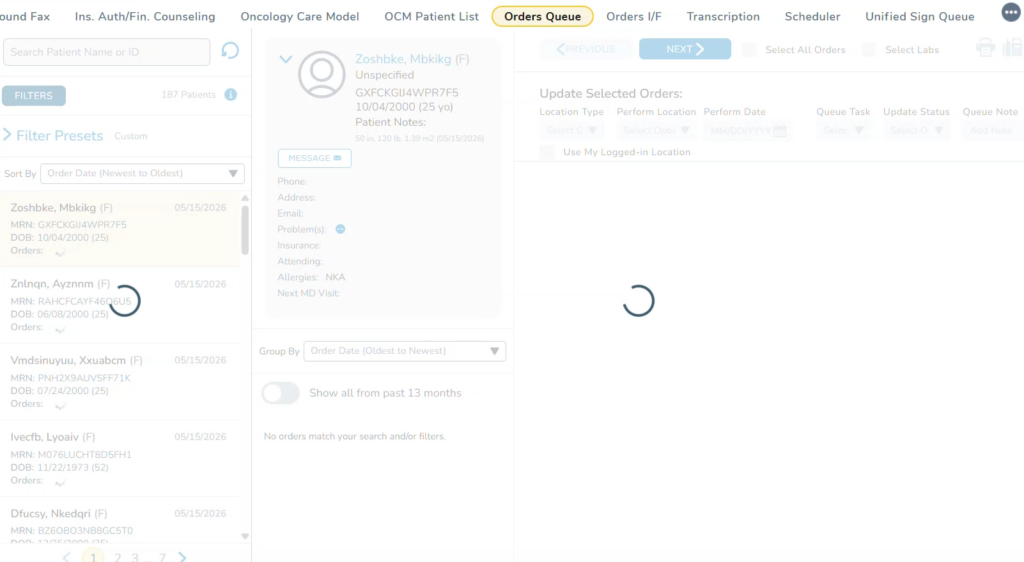
A loading spinner now appears in both the left and right panels of the Orders Queue when background changes are processing.
The spinner clears automatically once updates are complete, and the latest information is displayed, giving users a clear visual signal that the panel is actively refreshing.
Why this matters
Without a loading indicator, users were unable to distinguish between a panel that finished updating and one still processing changes. The spinner makes the system’s state transparent, reducing uncertainty and preventing users from acting on stale data.