
Note Locking: Improved session conflict handling Copied
We’re addressing a series of note locking scenarios to prevent data loss and provide clearer guidance when editing conflicts occur. This release focuses on session lock conflicts when editing notes in the Documents tab.
What’s changing
When you attempt to edit a note that’s already open in another session, you’ll see a clear message explaining the conflict and asking whether to proceed:
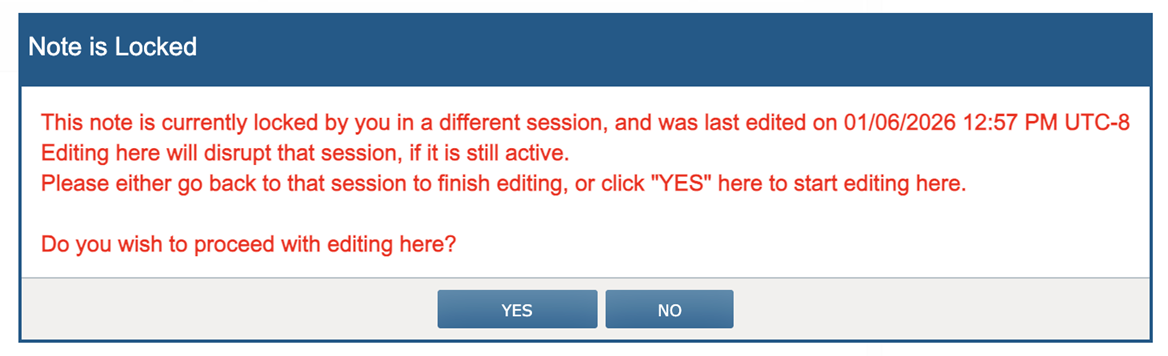
If you click “Yes,” the system will transfer the edit lock to your current session and allow editing to continue.
It will also prevent saving or auto-saving in the original session to avoid data loss and display a message in the original session indicating the note is locked elsewhere:
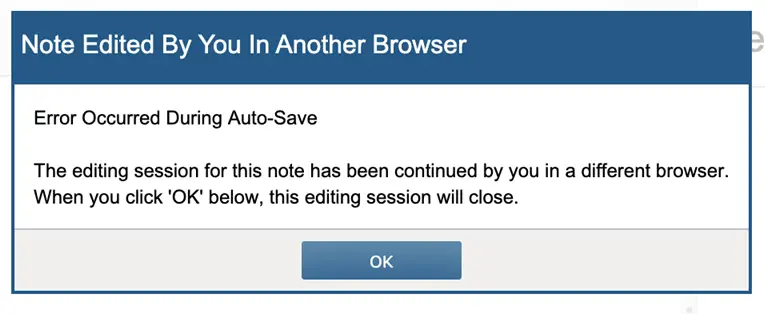
This will occur when:
- Logging into iKnowMed in a different browser on the same computer
- Logging into iKnowMed in an incognito/private window
- Logging into iKnowMed on a different computer
- Session ID changes within the same browser
Why this matters
These safeguards prevent accidental data loss when working across multiple sessions and provide clear next steps when conflicts arise.