
Non-Medication Orders in Regimens: Workflow and display enhancements Copied
What’s changing
We’re making several updates to how non-medication orders (labs, imaging, nursing procedures, and other services) work within patient regimens:
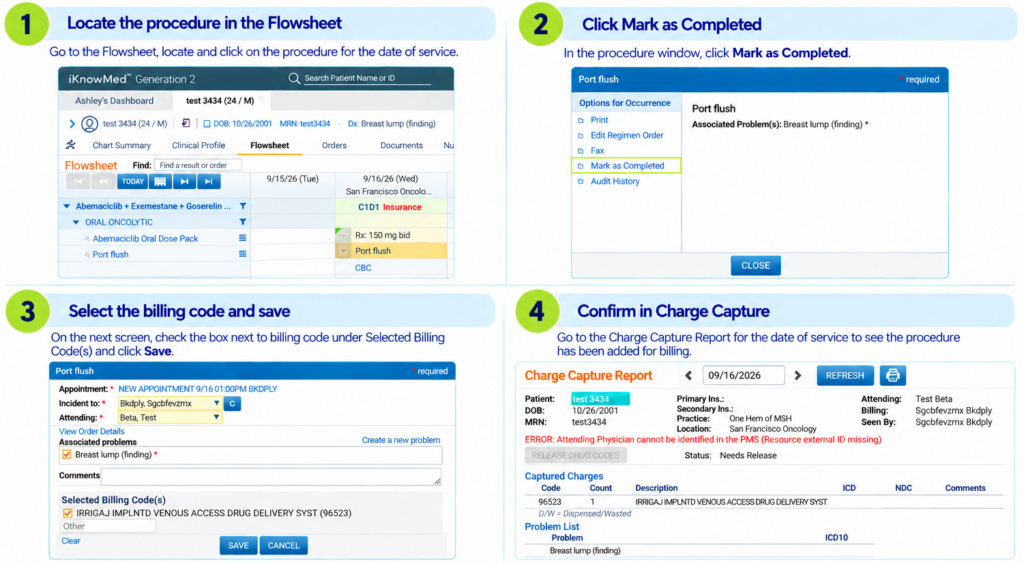
Mark regimen procedure orders complete from the Flowsheet: Users can mark procedure orders included in a regimen as complete directly from the Flowsheet. Completion routes appropriately to the Charge Capture Report based on the documented appointment and billing designation in the order details.
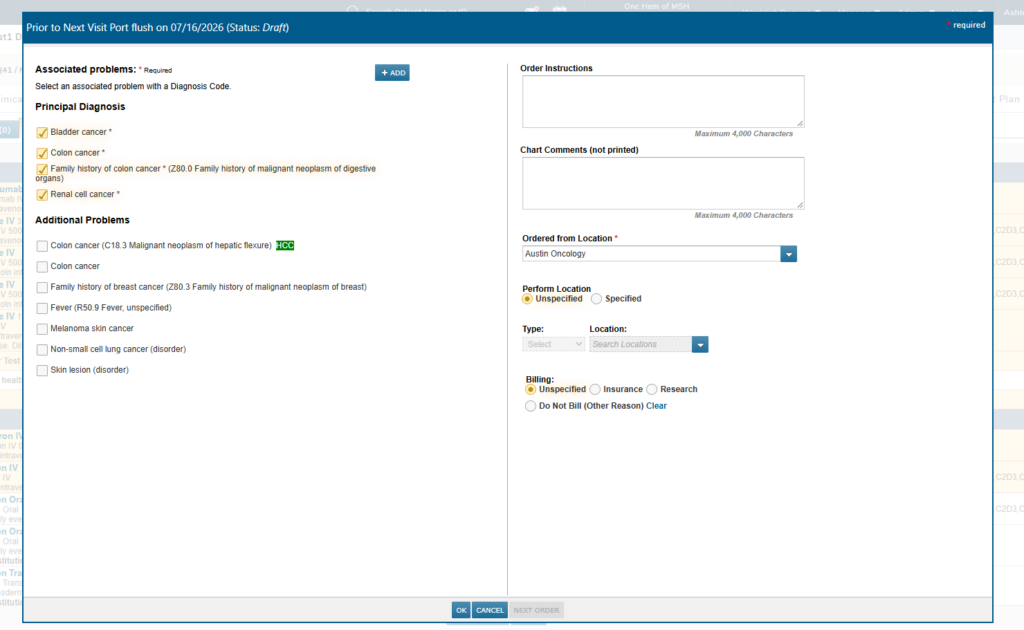
Redesigned order editor for non-medication orders: For practices with the New Orders redesign enabled and users with the proper permissions, non-medication orders within a regimen will open in the same order editor layout already used for New Orders. This applies when creating a regimen order, editing an existing non-medication regimen order, and adding a new non-medication order to an active regimen. Users without the redesign enabled continue to see the existing order editor.
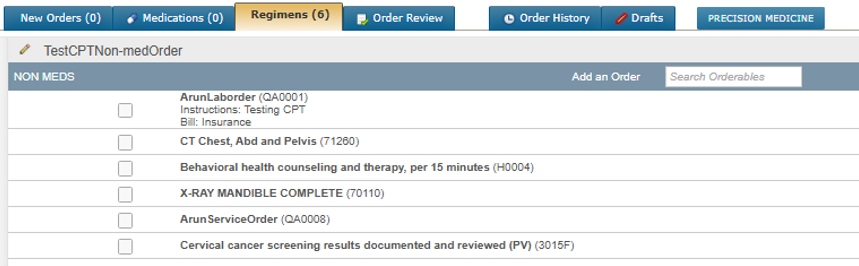
CPT codes displayed on non-medication regimen orders: When a CPT code is configured for a non-medication orderable in the Labs/Imaging & Services menu, it will display in parentheses after the order term in the regimen order draft, the order detail dialog, and on printed or faxed output from the Flowsheet. Orders without a configured CPT code display no code and no parentheses.
Completed orders preserved when regimen schedules change: If a regimen visit is rescheduled, procedure orders that have been marked complete and interfaced orders with resulted status will remain associated in the original date of service. A new occurrence of the order will be added to the rescheduled visit date. Orders that remain incomplete will continue to be transferred to the new date in accordance with existing behavior.
Why this matters
These updates close a gap in regimen management, where non-medication orders had limited support compared to medication orders:
- The ability to mark procedure orders complete from the Flowsheet gives staff a reliable, direct way to track completion status and ensure accurate charge capture and documentation.
- Preserving completed and resulted orders when schedules shift protects the integrity of documented care while still ensuring the newly scheduled visit includes everything needed for treatment.
- A consistent, redesigned order editor experience reduces friction for users already familiar with the redesigned New Orders workflow.
- Displaying CPT codes directly on the order gives clinical and operational staff and outside labs and imaging centers fulfilling the order clear visibility into what’s being billed and performed without hunting through order instructions.