
Notifications Clicked Column Added to Form Completion Report Copied
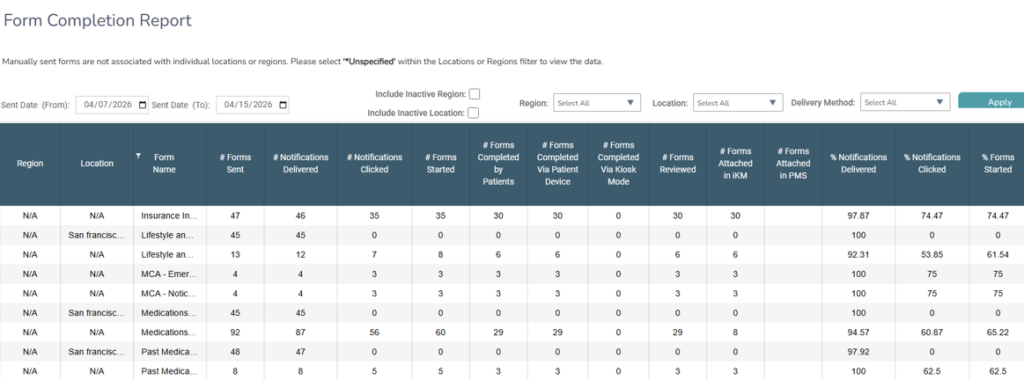
The Form Completion Report will include a # Notifications Clicked column to track how often patients and caregivers click through form notifications, giving practices better insight into where drop-off may occur.
What’s changing
A new # Notifications Clicked column will be added to the Form Completion Report. It counts the number of times a patient or caregiver clicked a link in an email or SMS notification or reminder to access a form.
The following clicks are excluded from the count:
- Clicking a form directly inside the portal
- Clicking a notification link to return to a form that has already been started but not yet completed
- Clicking a notification link after a form has already been completed
Why this matters
Understanding how often patients and caregivers click through from notifications helps practices identify where patients may be dropping off in the process. This column provides a clearer picture of notification effectiveness and makes it easier to diagnose bottlenecks in form completion rates.