
New “Withdrawn” status in Forms Queue Copied
Previously, withdrawn forms appeared in the Forms Queue as Completed, making it hard to accurately determine completion rates and follow up.
What’s changing
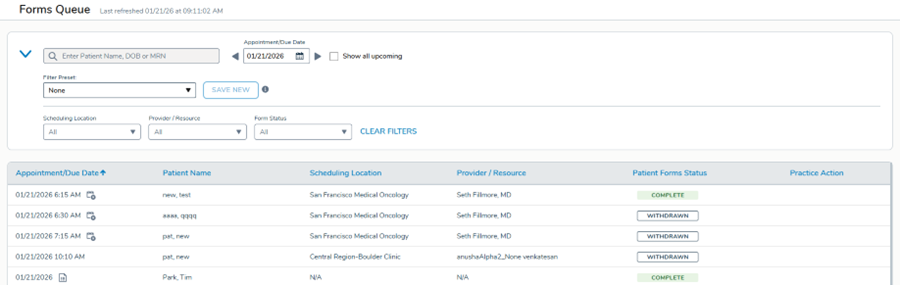
The queue will now display a new Withdrawn status when forms are removed due to expiration, duplication, manual withdrawal, or canceled appointments.
Why it matters
This change gives you a clearer, more accurate picture of which forms patients have actually completed versus which have been removed from circulation.
Progress counts will now show only active forms. You can also filter by withdrawn status to manage your workflow better and reduce confusion during patient outreach.
Additional details on managing patient forms and using the Forms Queue can be found on the Help site.