
New “Sent To” Filter on Notification Audit Report Copied
What’s changing
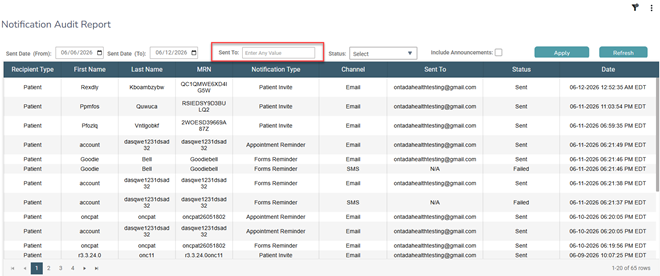
A new Sent To filter has been added to the Notification Audit Report.
Use it to filter notifications by phone number or email address to quickly identify the patient associated with a notification and confirm where it was sent.
Why this matters
When a notification doesn’t reach a patient, staff need a quick way to confirm the destination contact on file. This filter makes it easier to identify delivery issues and take action, such as updating contact information or resending to an alternate method.