New fields to capture more complete patient information Copied
We’re expanding patient documentation options across iKnowMed to give you a clearer, more comprehensive view of patient health. These updates add new fields and functionality so you can capture important details, improve record accuracy, and share more meaningful information with care teams and community partners.
Demographics tab
We’re adding several new fields in the Demographics tab to improve patient documentation and capture more complete information:
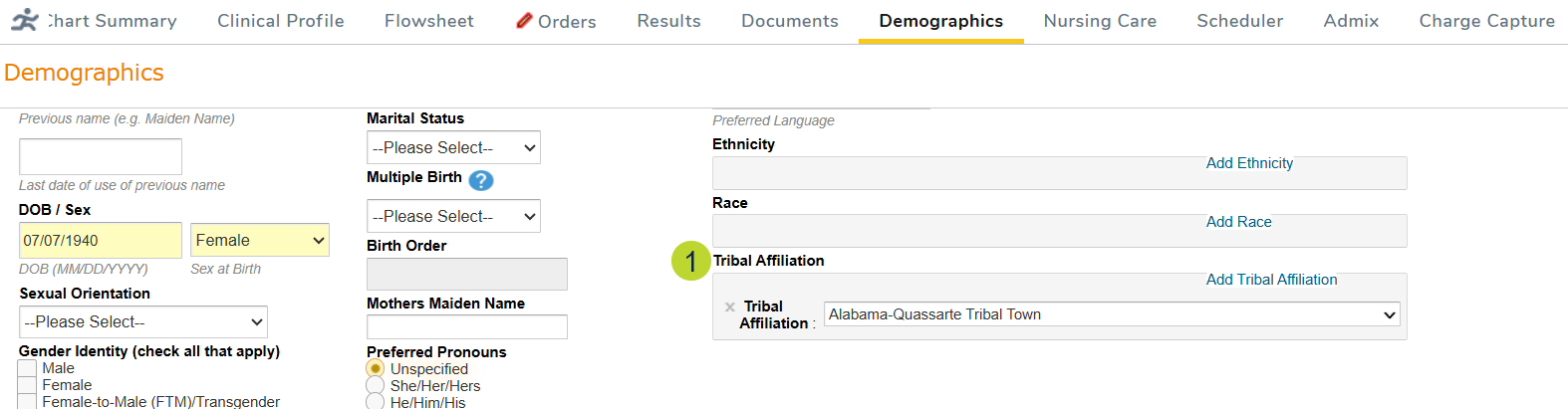
- Tribal Affiliation (callout 1): Document which Native American tribe the patient belongs to by typing into the field to search or selecting from a dropdown list.
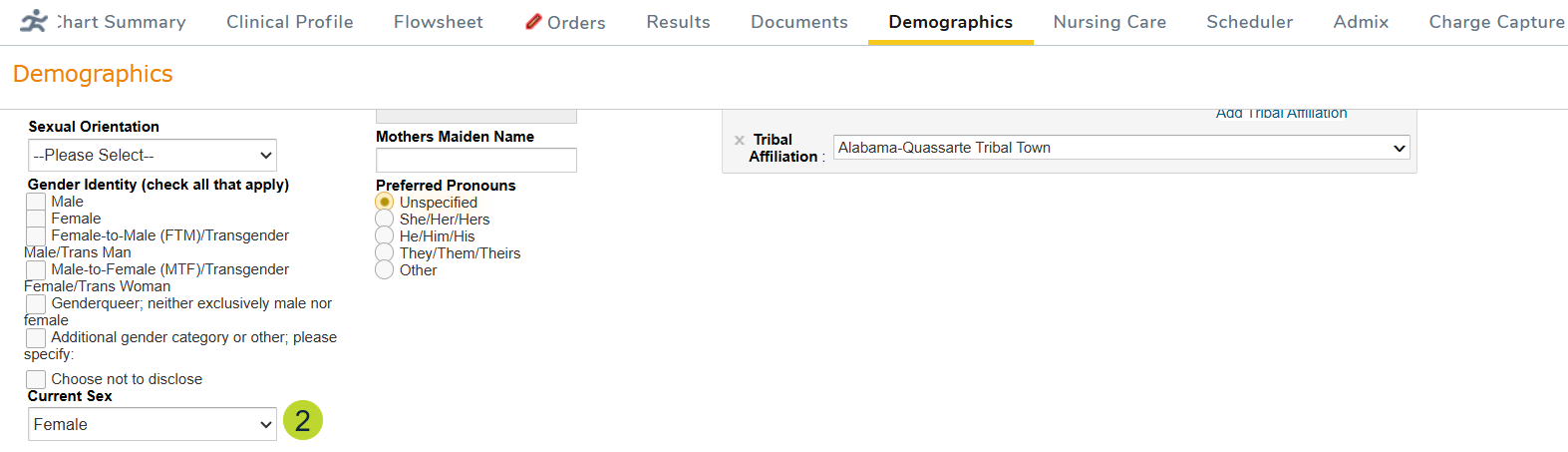
- Current Sex (callout 2): Choose an option from the dropdown to document how the patient currently identifies their sex.
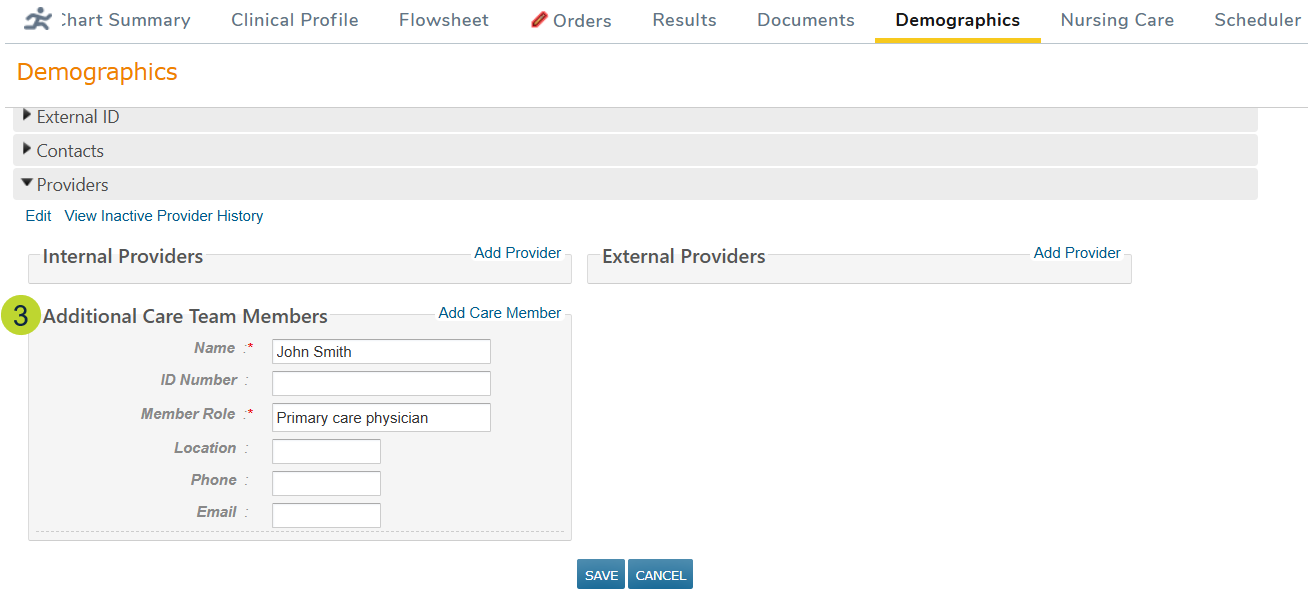
- Additional Care Team Members (callout 3): Document other providers treating the patient, including those who are not iKnowMed users.
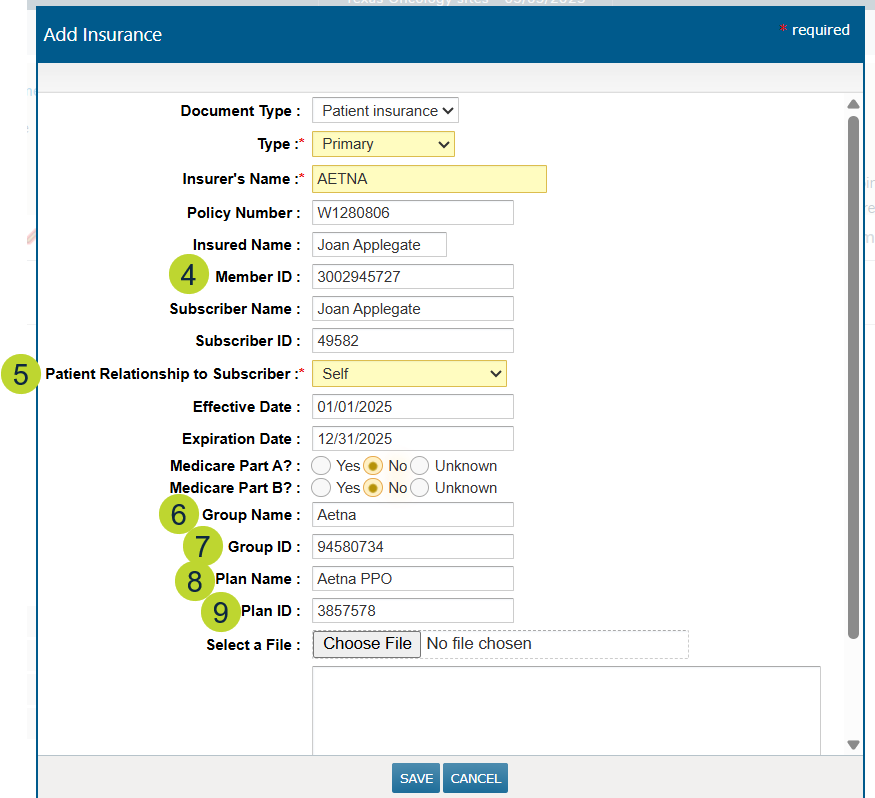
- Insurance (callouts 4-9): Enter additional insurance details using the new fields for Member ID, Patient Relationship to Subscriber, Group Name, Group ID, Plan Name, and Plan ID.
Clinical Profile > OB/GYN Hx
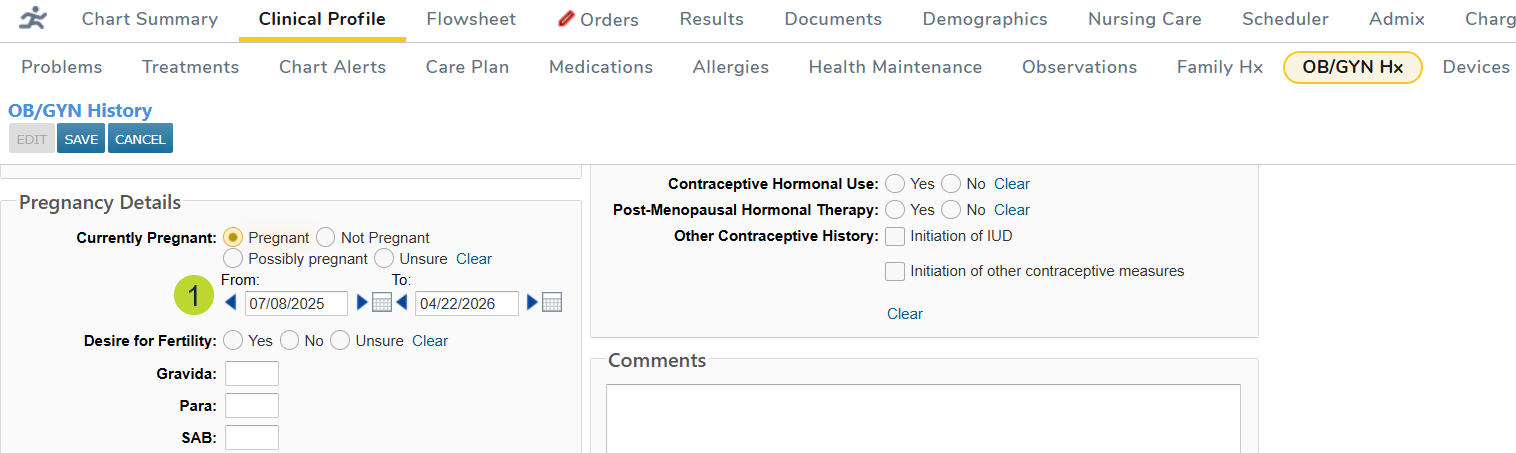
You can now document the full pregnancy timeline for patients. When selecting Pregnant under Pregnancy Details, new From and To date fields allow you to record the start and end dates of the pregnancy (callout 1).
Clinical Profile > Observations
Two new observation options, Normal Memory/Cognition and Loss of Memory/Amnesia (callout 1) will be available when documenting a patient’s cognitive status, allowing you to more precisely capture the condition of the patient’s memory.

Clinical Profile > Problems
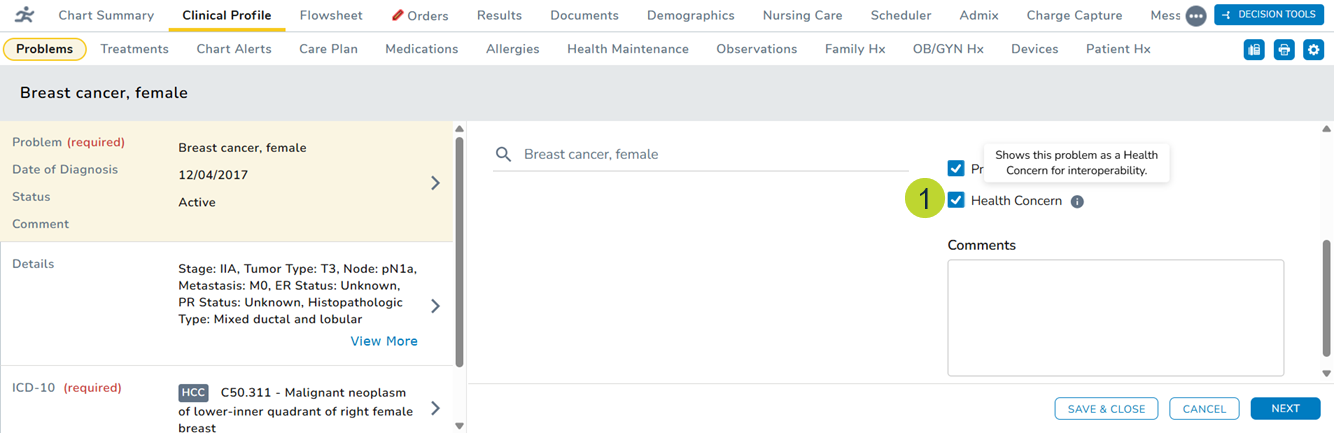
When creating a new problem or editing an existing problem, you can now mark the problem as a Health Concern (callout 1) to indicate that this problem is a health concern when sharing your patients’ most up-to-date medical records with your community partners.