New Date-Driven Chart Alert for Billing Copied
New Date-Driven Chart Alert for Billing
The current Billing alert for patients never expires and requires additional information to be added to it for each day. This is a tedious process that clutters the Charge Capture Report.
Therefore, a new alert called Billing Alert – Today only has been created. This alert is only good for the day it is assigned to and will not show on the patient’s chart or in the Charge Capture Report beyond that day.
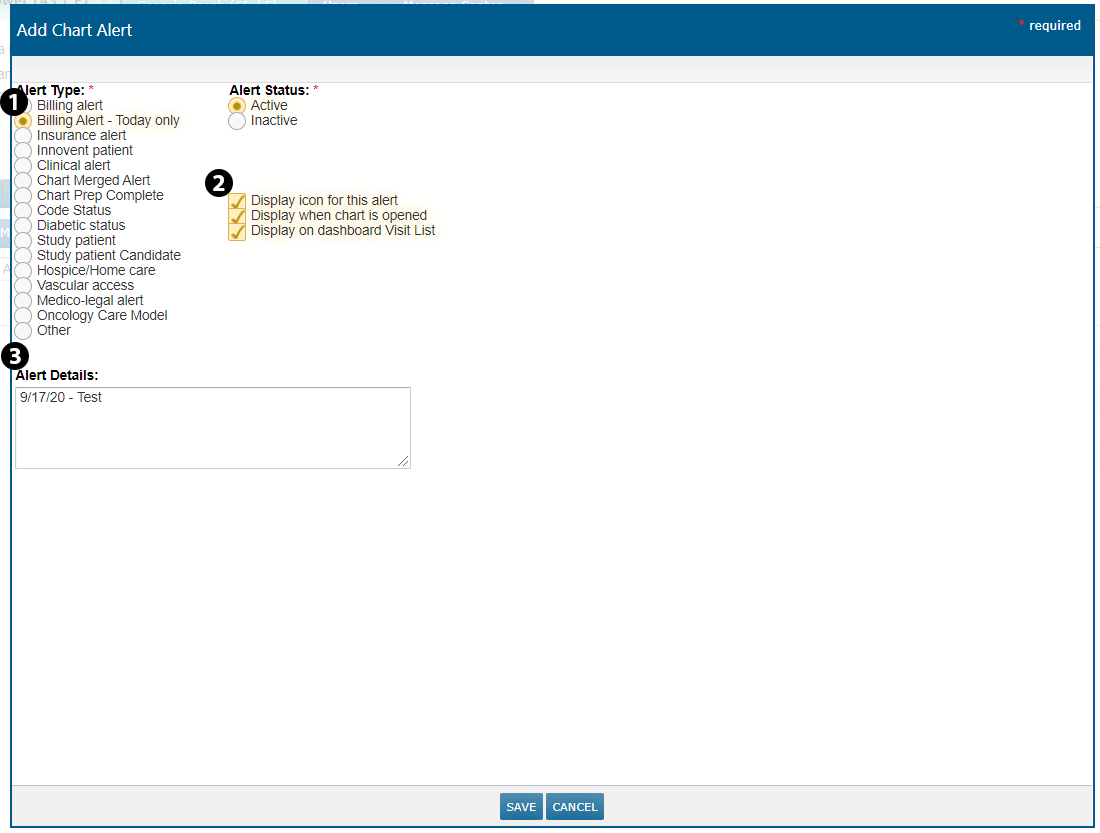
To use this alert, click ADD ALERT from the Chart Alerts page and choose Billing Alert – Today only from the Alert Type column (see callout 1). You can also choose how you want this alert to display in the right column (see callout 2). Lastly, enter the Alert Details that you want to show on the chart and in the charge capture report (see callout 3) and click SAVE.
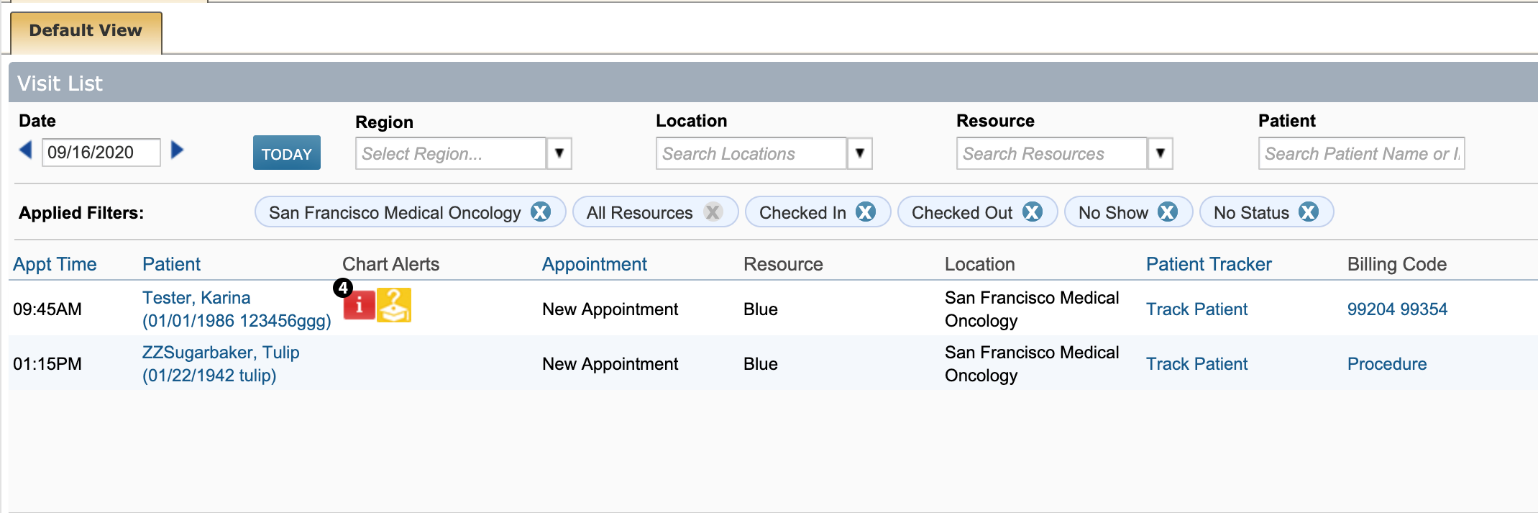
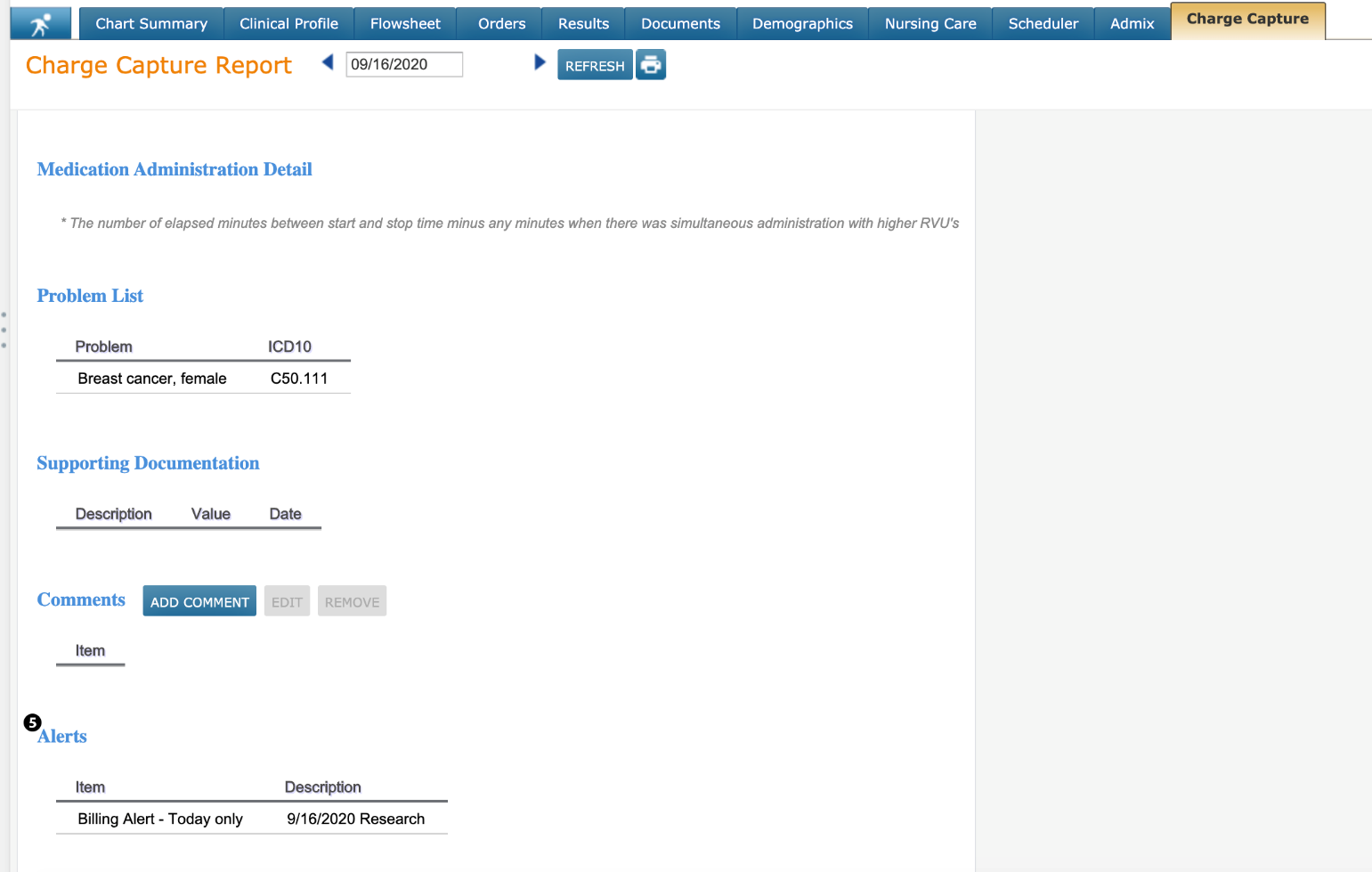
This alert will now display as a chart alert icon on the Visit List (see callout 4) and as an item on the Charge Capture Report under the Alerts section (see callout 5).