New Chart Alert for Potential Study Participants Copied
New Chart Alert for Potential Study Participants
A new chart alert icon has been added to make it easier to flag and identify potential study patients.
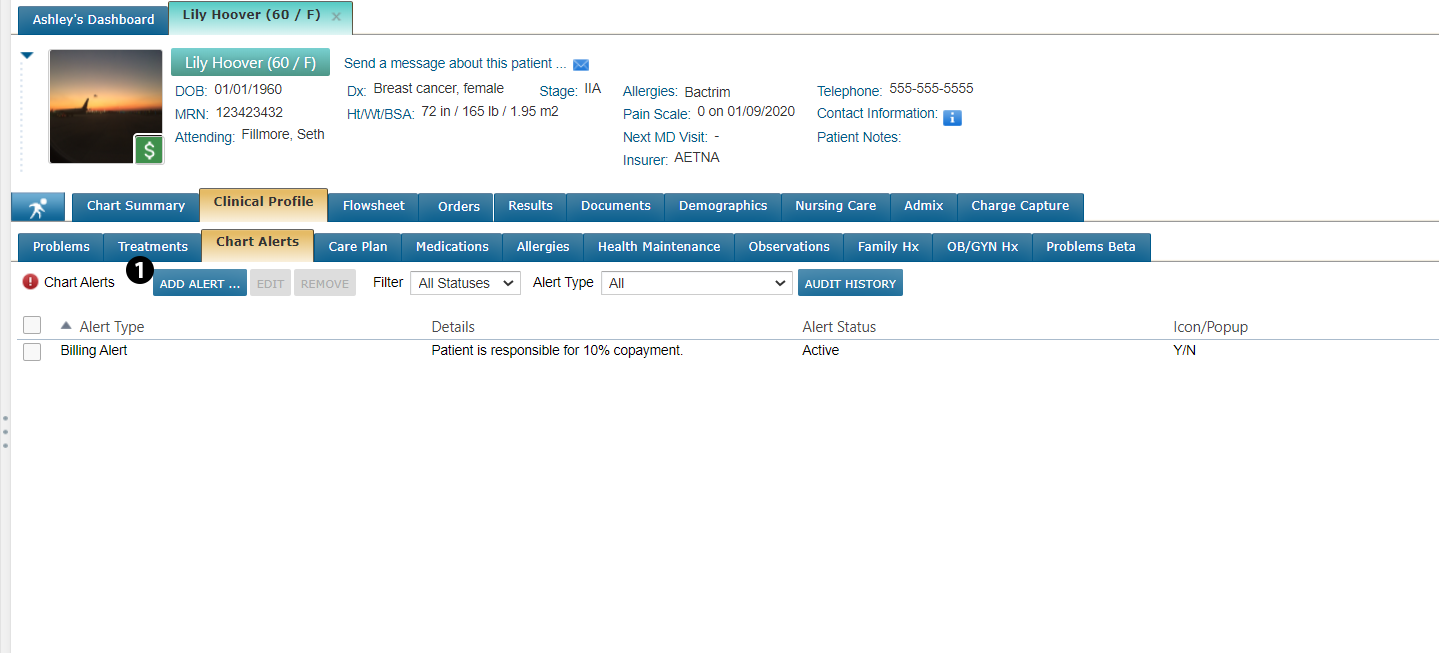
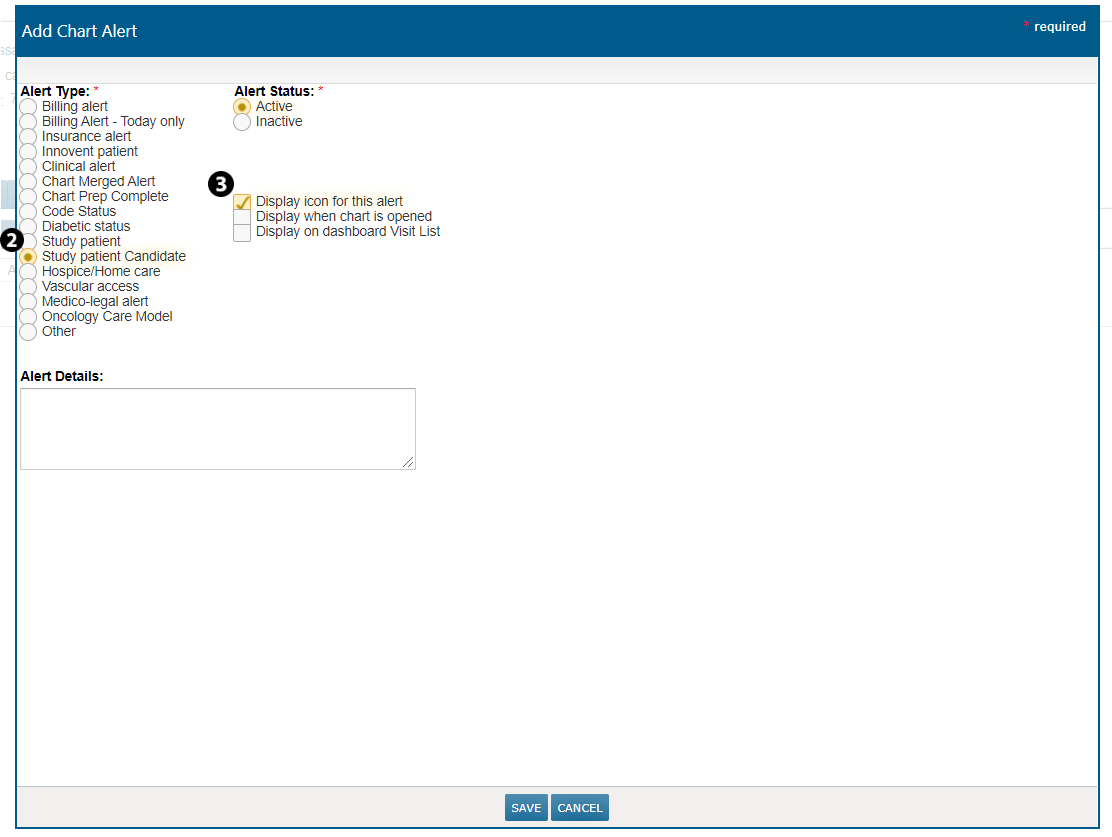
A patient can be tagged with this icon under Clinical Profile > Chart Alerts by clicking on ADD ALERT (see callout 1) and selecting the Study patient candidate option (see callout 2). You can also use the options on the right side of the screen to determine how and when this icon appears (see callout 3).
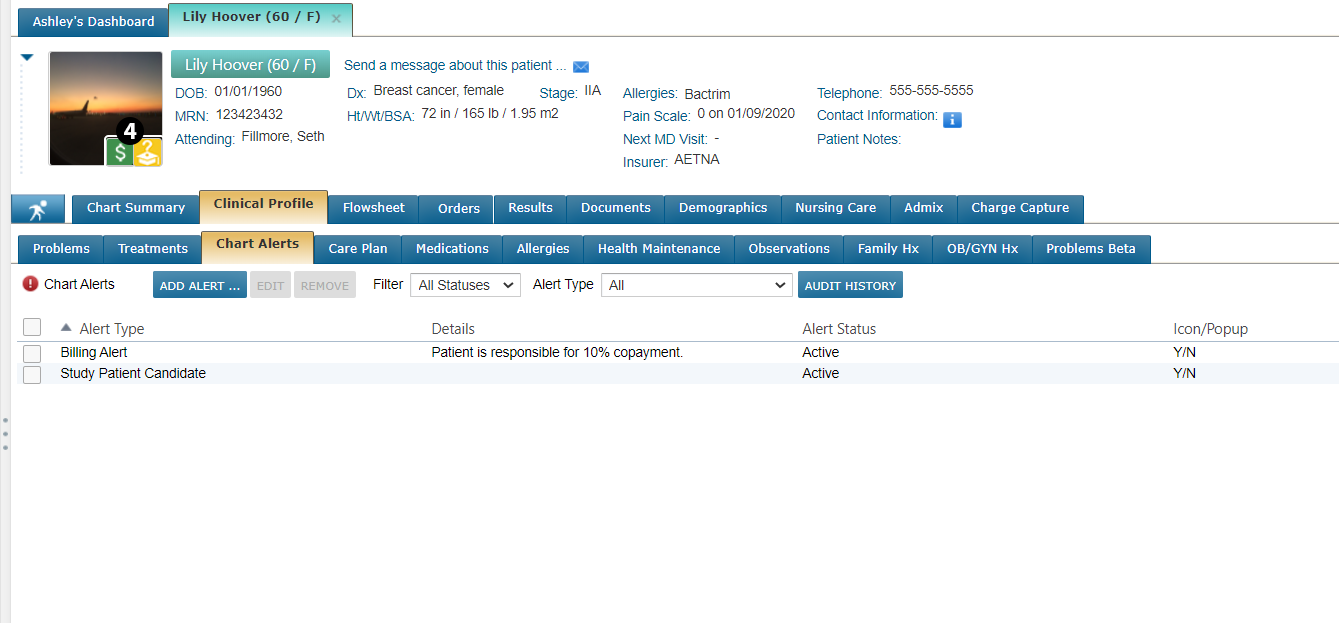
After you SAVE your changes, you will see the new, yellow icon appear on the image associated with the patient’s chart (see callout 4).
Going forward, whenever you see this icon on a patient’s chart it means this patient has been flagged as a potential study participant, reducing the amount of manual searching needed to locate candidates.