New Care Navigation Visit Type for easier billing Copied
To support billing for programs like Chronic Care Management (CCM) and Principal Care Management (PCM), we’re adding a new Billing Visit Type called “Care Navigation” to the billing screen to group codes for these programs and remove the need to search for them in Procedures.
To use the Care Navigation Billing Codes
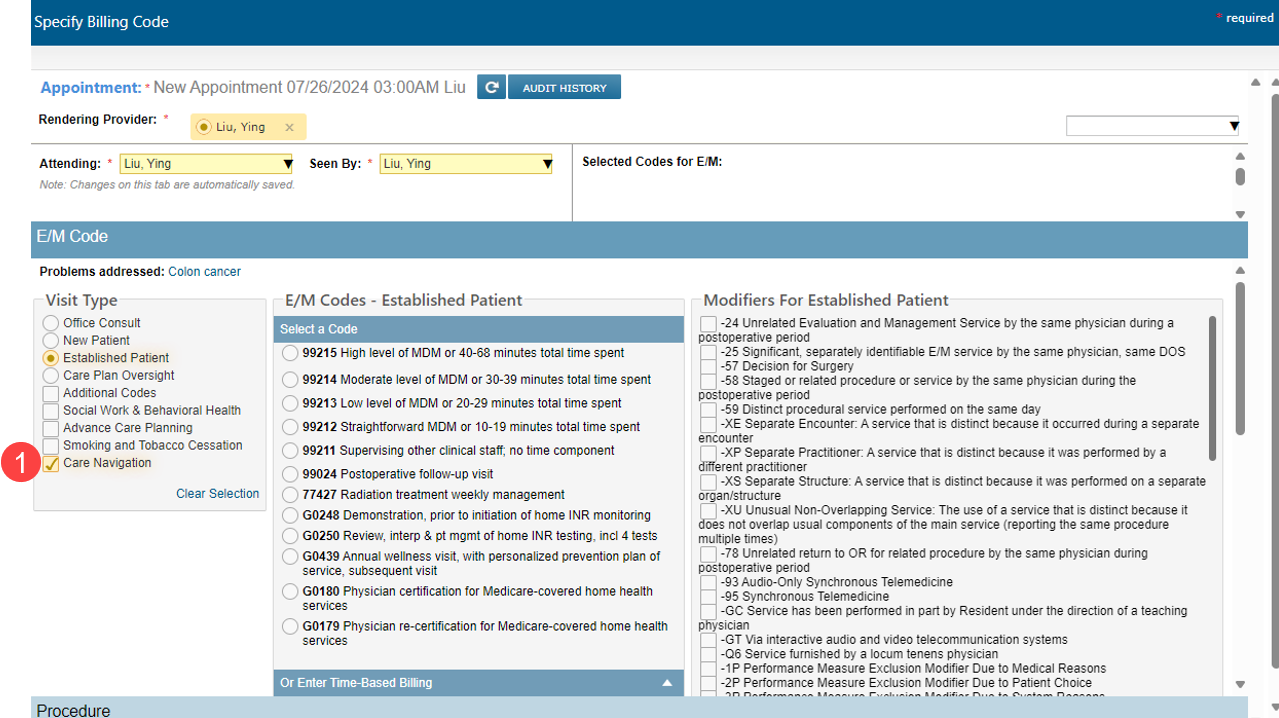
- Select Care Navigation from the bottom of the Visit Types left menu (callout 1).
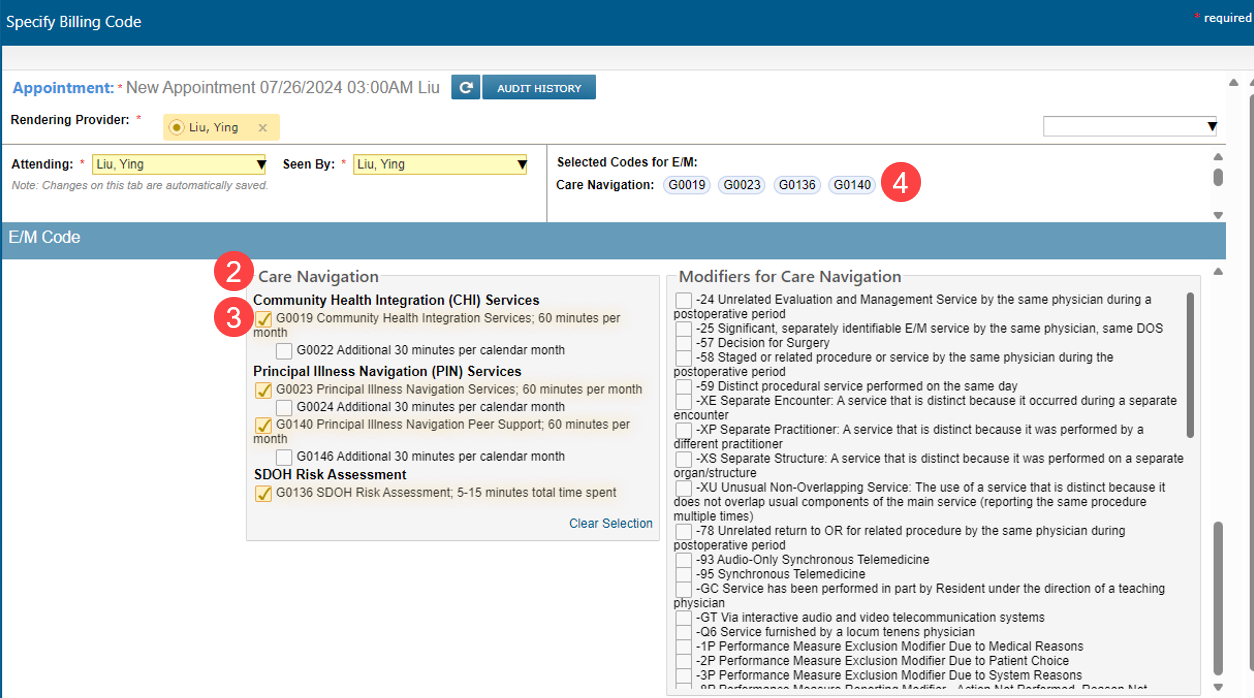
- A panel called Care Navigation will appear (callout 2).
- Each primary code is visible in the panel. Once one of the codes is selected, the add-on time for the code will appear to bill for additional time if needed (callout 3).
- Select the code to add it to your appointment billing (callout 4).
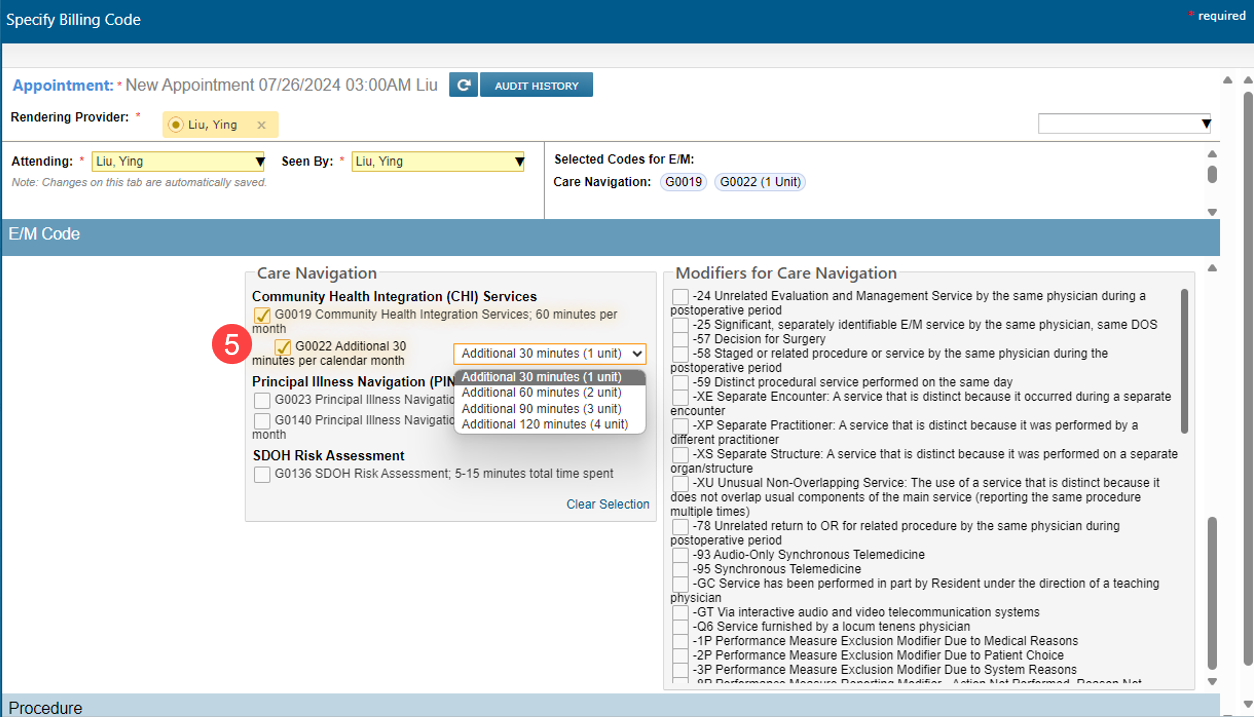
NOTE: Only one unit of each add-on code can be billed except for G0002, which has a drop-down to allow for adding up to 4 additional units (callout 5).