
More space between buttons and tabs on the Documents tab Copied
We moved the Remove, Restore, Filters, and Audit History buttons behind a new More… button (callout 1) on the Documents tab to create more space between the buttons and tabs on the page. The functionality of these buttons will remain the same.
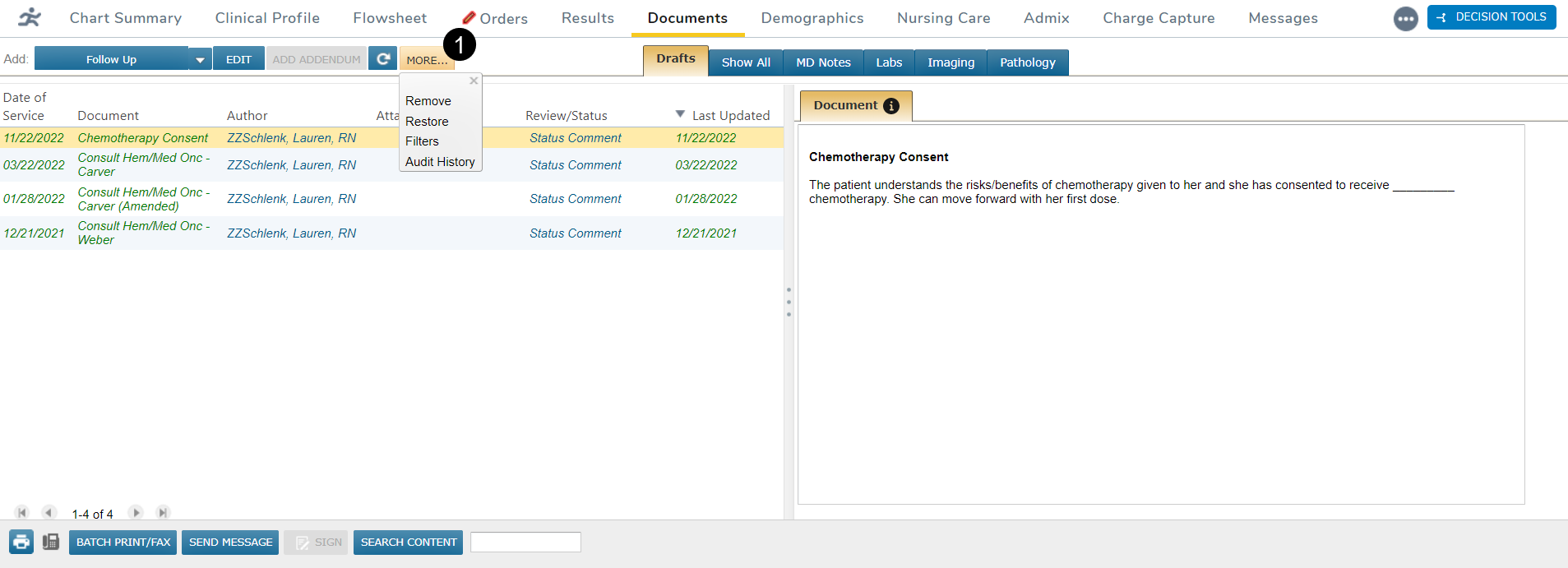
As a note author, you can still remove and restore notes as needed, and those notes will continue to hide or display according to your preferences.
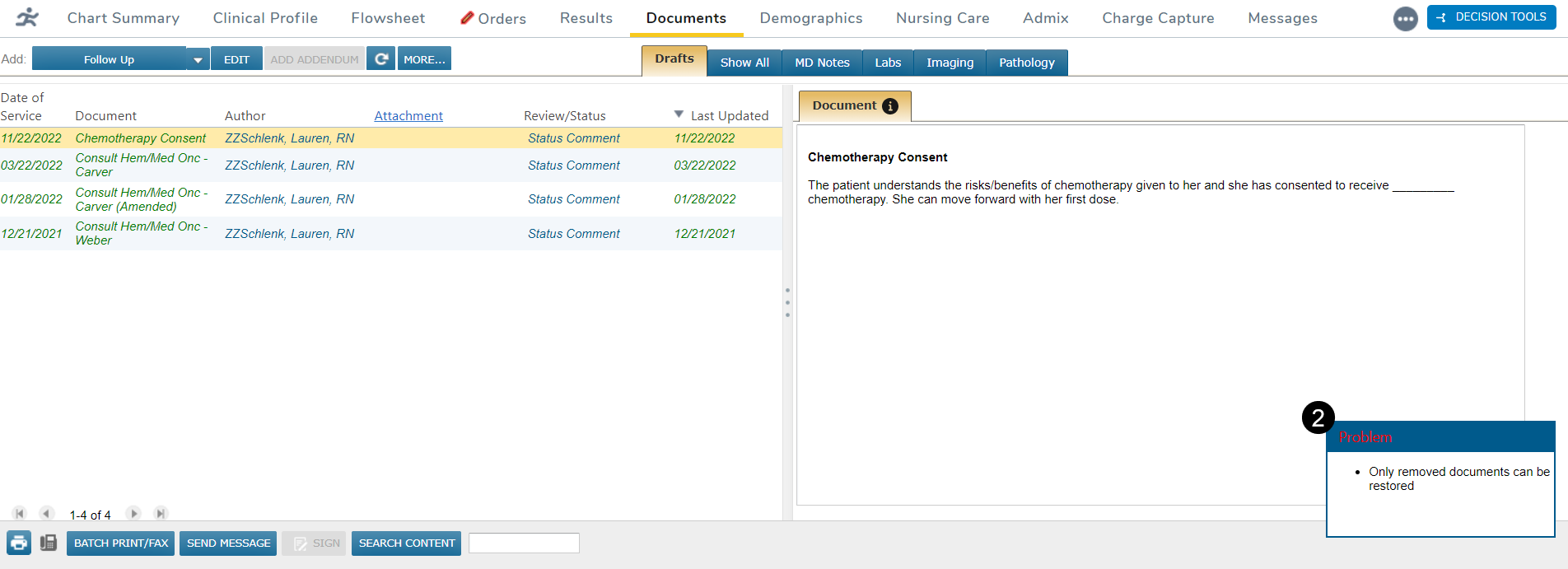
If a note cannot be removed or restored, a message will appear in the bottom right corner notifying you of such (callout 2).
If you only have View permission for the Documents tab, the More… button will only display the Filters and Audit History options.