
Medication order and regimen status updates for enhanced accuracy and documentation Copied
We have implemented several key enhancements to the medication order and regimen status functionalities within iKnowMed. These improvements aim to enhance accuracy in dosing, streamline documentation processes, and ensure a more comprehensive and transparent view of medication-related activities.
Updated dosing representation
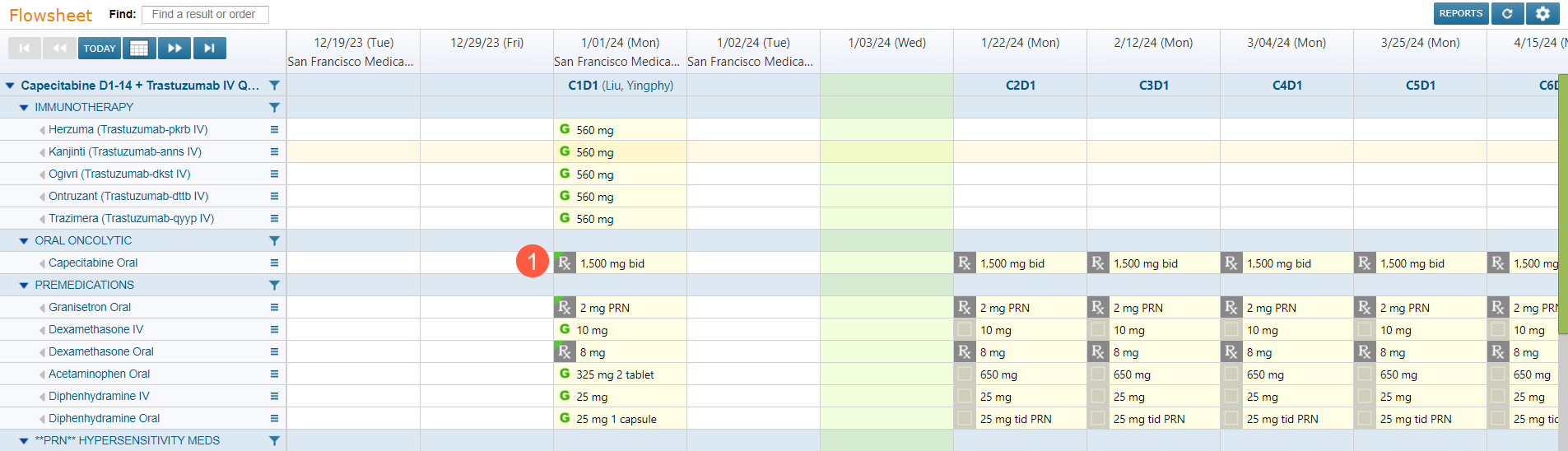
We have enhanced the display of dose values for medication orders on the Flowsheet and in the Orders tabs. Dose values exceeding three digits will now include a comma, ensuring clarity and accuracy in dosing information (callout 1).
This enhancement applies to orders that have not been administered. It will display immediately for new orders entered. For existing orders, it will not be visible unless the order is updated.
The Admix and MAR tabs will also receive this enhancement in a future release, providing a consistent experience across all relevant screens.
Streamlined regimen management
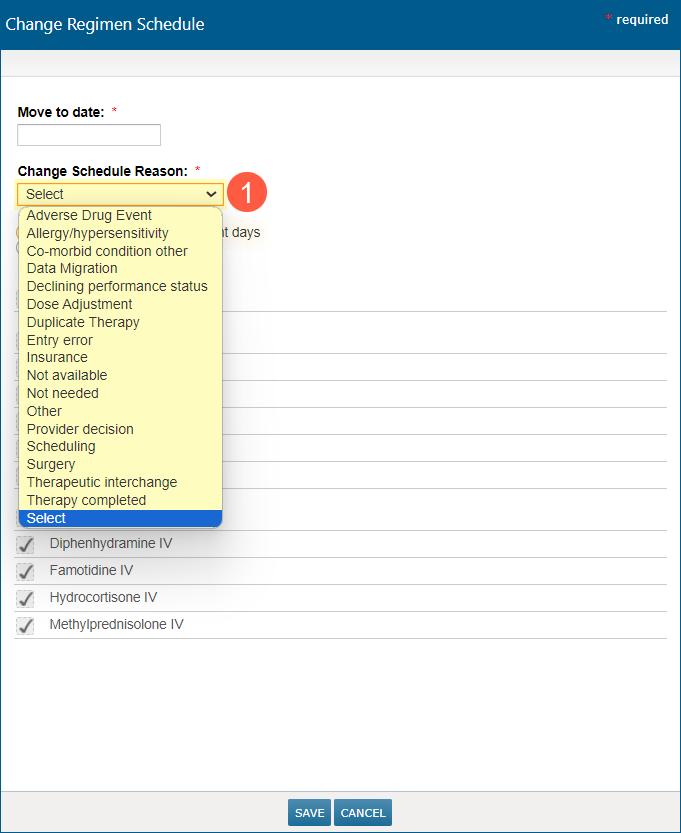
Updates have been made to the Change Regimen Schedule, Suspend Regimen, and Discontinue/Hold Orders screens in the Flowsheet. We consolidated toxicity options in the Change Schedule Reason selections (callout 1) to display the most relevant information, promoting effective documentation practices.
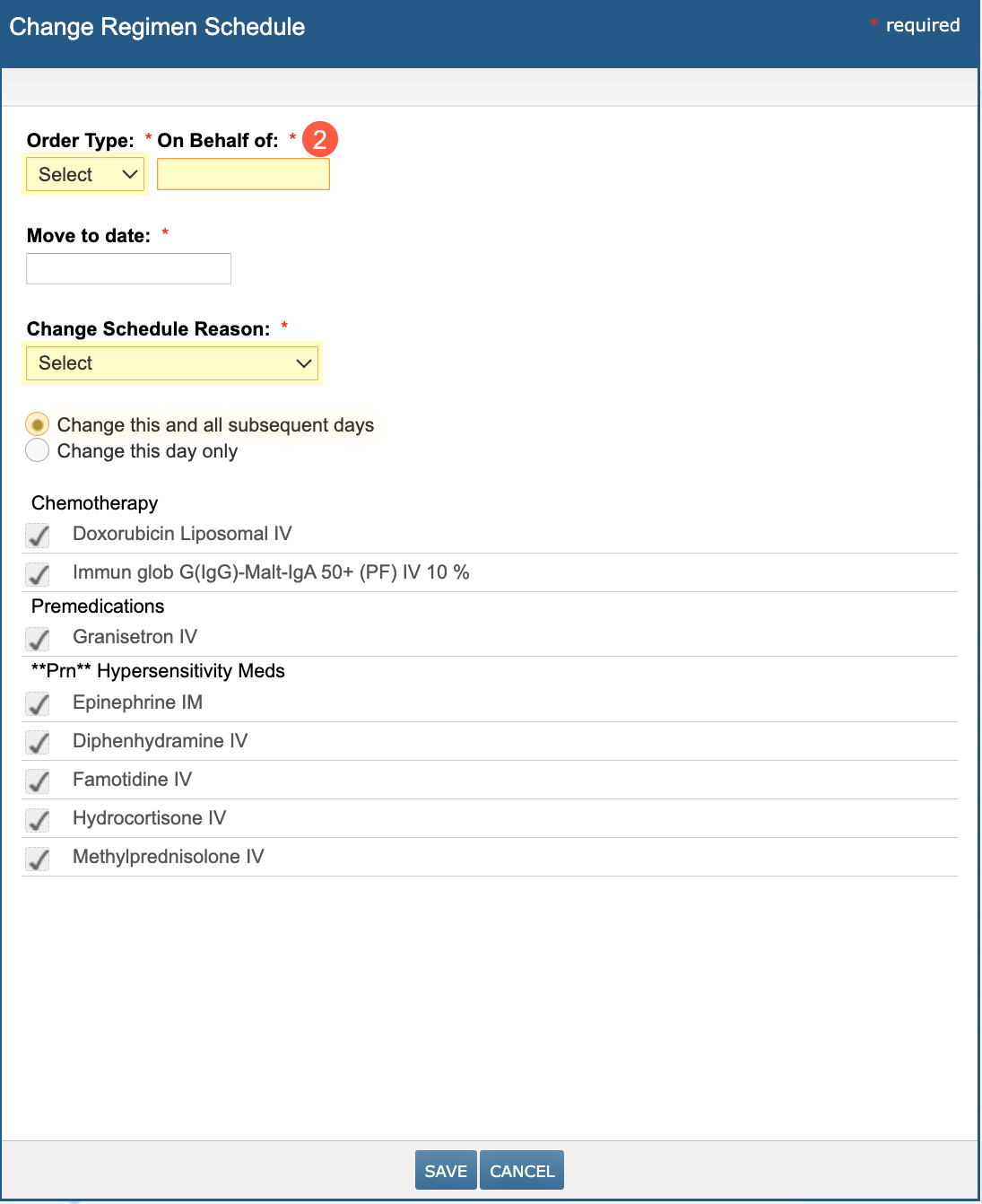
Additionally, nurses can no longer bypass the On Behalf Of selection in the Change Regimen Schedule screen, ensuring comprehensive information is captured. The On Behalf Of field is now displayed on the screen and must be completed for any changes to be saved (callout 2).
Correction to order entry user display
We updated how information is presented for orders that were initially created and saved as an order draft by one user, and then committed to the chart by another user (callout 1). The user who saved the order in the chart will be displayed as the user who entered the order (callout 2).

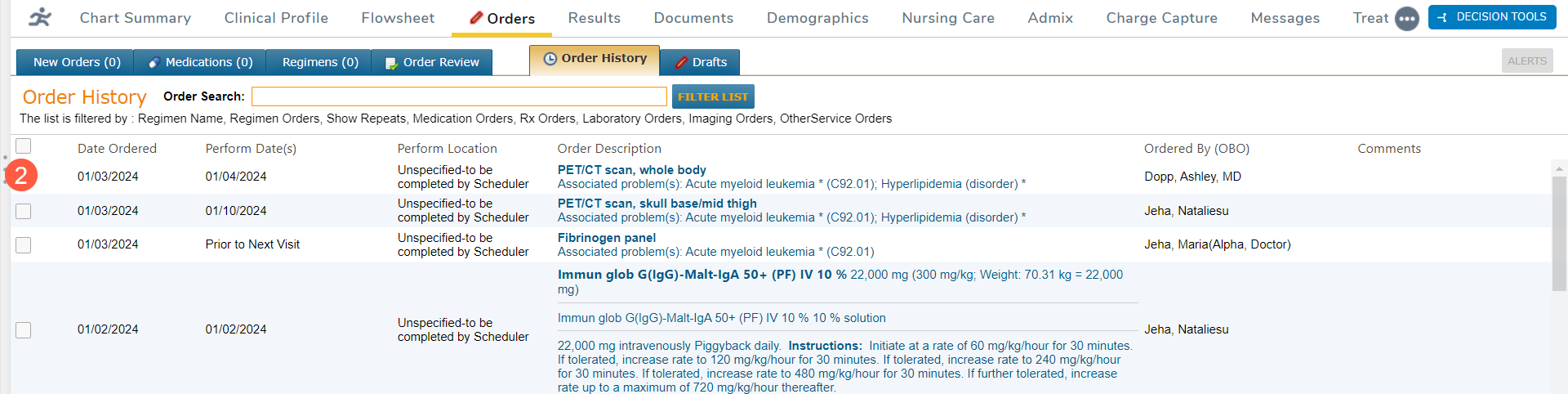
When the On Behalf Of provider is selected while saving the order, the user that entered the order and the provider will be listed.
Accurate display of electronically prescribed medication renewals
Before this release, the system encountered an issue where electronically prescribed medication renewal activities (requests, approvals, denials) for a prescription in a regimen would cause the medication to display in an incorrect section in the Flowsheet. This issue has been prevented. The electronic prescription renewal activity details will be displayed in the existing regimen row for the medication.